
Question
How to merge photo presets in Classic and CC
I encountered a compatibility issue between Lightroom Classic and Lightroom CC.
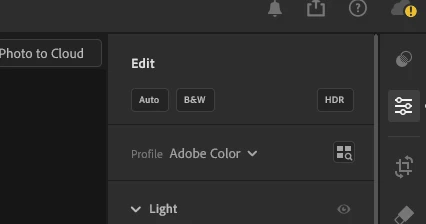
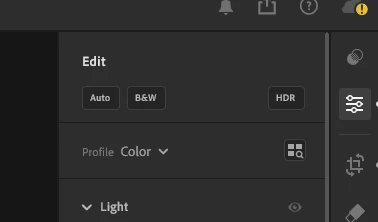
I edited a photo using Lightroom CC mobile, which I had loaded from my camera via the camera's app. Later, when I got home, I loaded the photos from my camera into Lightroom Classic. When I tried to copy the develop settings from Lightroom CC to Lightroom Classic, I noticed that the photo looked different. It seems that the white balance didn't apply correctly, and the profile was different as well (Adobe Color vs. Color). While the scales of the temperature and tint are the same, the starting points differ.
Does anyone know how to bring my edits from Lightroom CC to Lightroom Classic? It seems like a compatibility bug to me.


 AdChoices