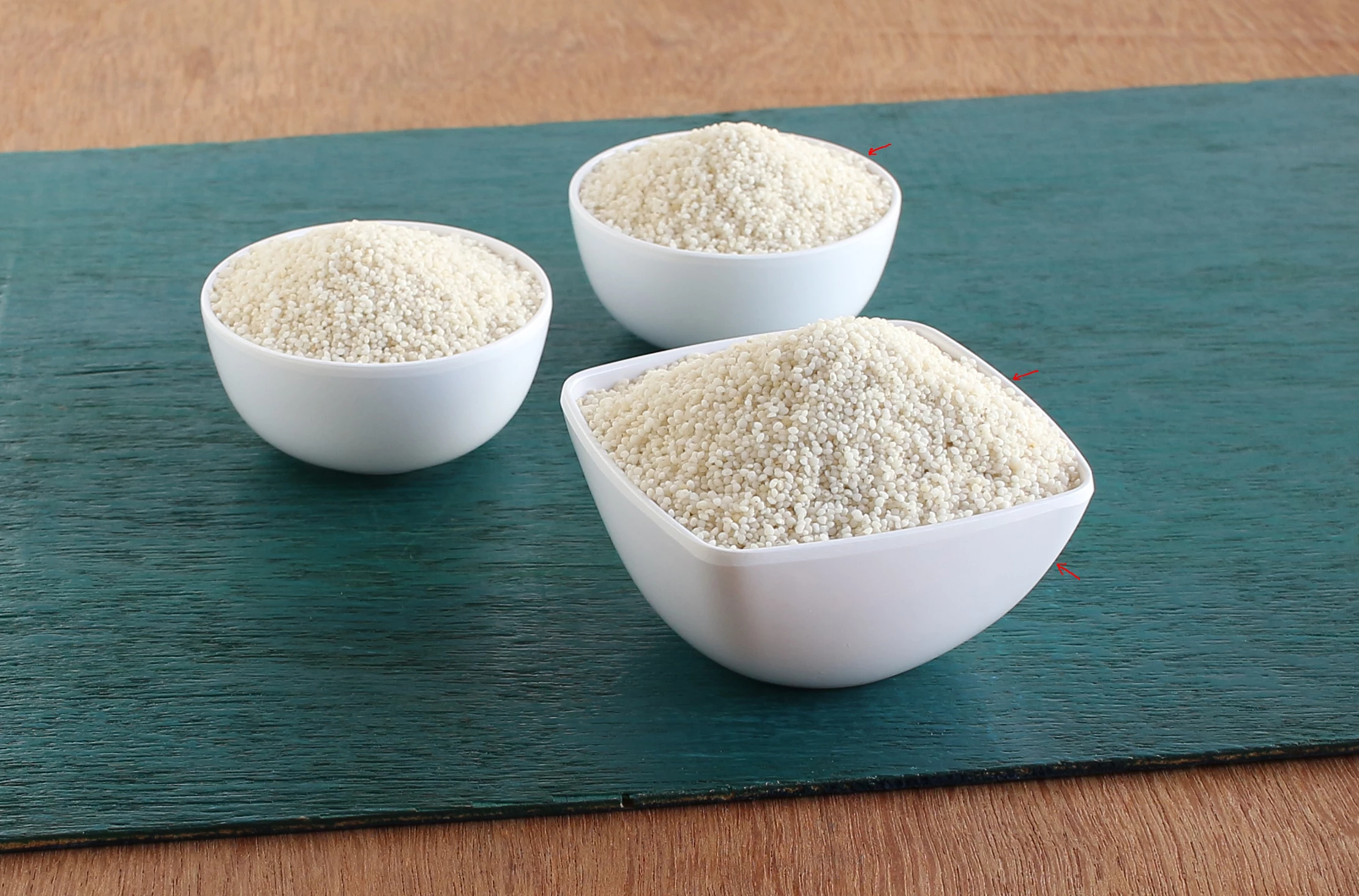
That looks to me, like over-sharpening. The sharpening algorithm has visually enhanced the definition of the white bowl, by darkening the adjoining pixels. Up to a point this merely makes the photo look more detailed (as a subjective impression), but beyond that it starts to become evident or even distracting, and can be considered a processing fault.
Overuse of Clarity can also lead to some weird edge effects, but that tends to happen at a larger scale and more diffusely.
Whether these things are in fact overdone, or not, is best judged in terms of the final usage of the photo when viewed at the intended viewing distance and scale. Some output methods may demand processing which appears overdone on screen, just in order to compensate for blurring that is inherent in the output method. However many people prefer to address this via additional output sharpening, applied on the fly as part of the output - such that the master image does not itself need to appear "over" sharpened - such that it's not been dedicated for any particular form of output.
If you have shot the original photo in Raw, then changing the settings in the Detail panel can fully control this issue (regardless of the in-camera settings).
If you have shot the original photo in JPG, then depending on the camera settings used, some level of sharpening will be built into the photo irretrievably. The trick then, is to avoid adding excessive further sharpening within LR. I would recommend ensuring in-camera sharpening as well as contrast enhancement and noise reduction are set to low values, when shooting JPG with additional postprocessing in mind, thus leaving yourself more freedom of action in these respects.
As part of that postprocessing, onto Raw or JPG, you will find that a low value for the "Detail" slider shows less tendency to exaggerate sharpening "haloes" - which can be dark as well as light - of this sort.

 AdChoices