
Answered
How to resize left panel
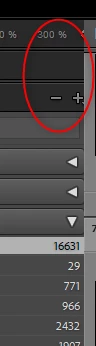
It seem like the middlepart of Lightroom is to big so the left side is to narrow I can't see some things in the left panel. I have Windows 11 and latest LRC. Regards Micke

It seem like the middlepart of Lightroom is to big so the left side is to narrow I can't see some things in the left panel. I have Windows 11 and latest LRC. Regards Micke
Resize Width, move your mouse as to place it at the border between left and center, as so a left/right cursor appears, cluck and drag to the right.
https://helpx.adobe.com/in/lightroom-classic/help/workspace-basics.html
Already have an account? Login
Enter your E-mail address. We'll send you an e-mail with instructions to reset your password.


 AdChoices