
Participating Frequently
September 29, 2026
Question

How to set the file extension to Uppercase when I export to edit in Photoshop.

  • September 29, 2026
  • 2 replies
  • 42 views

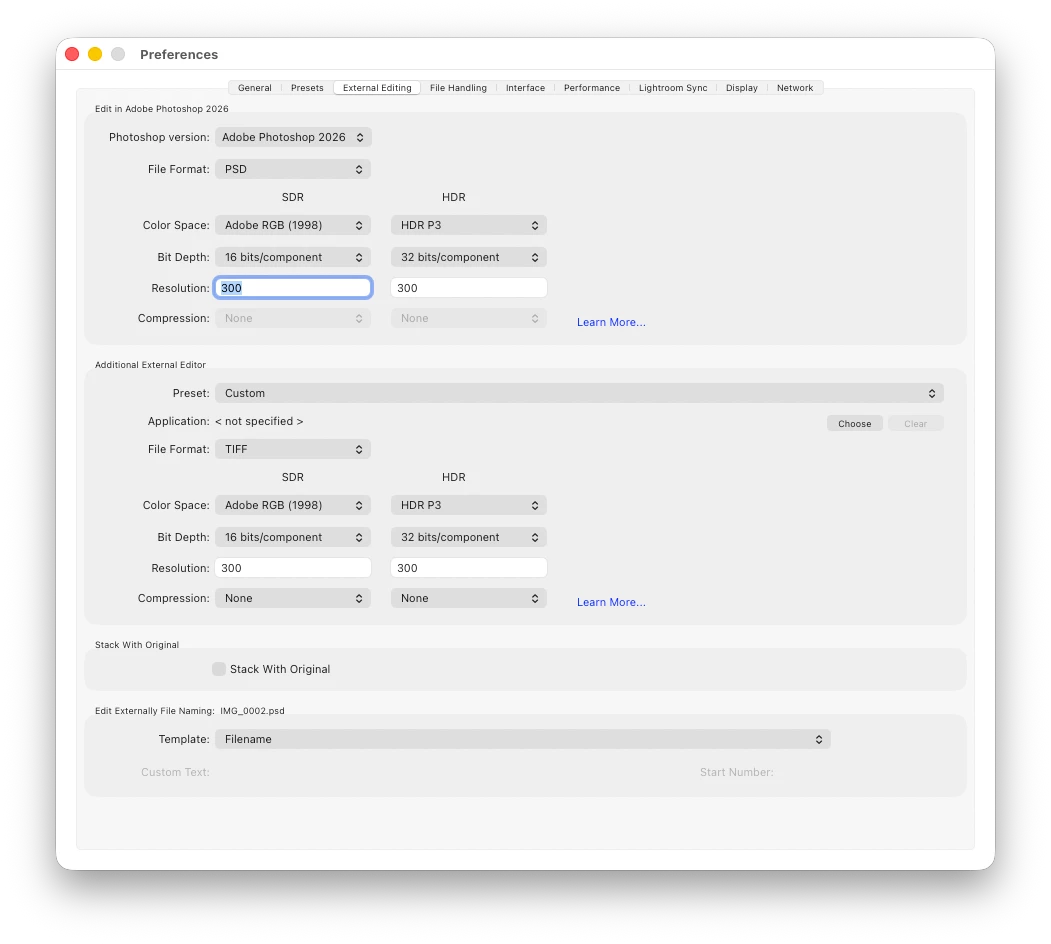
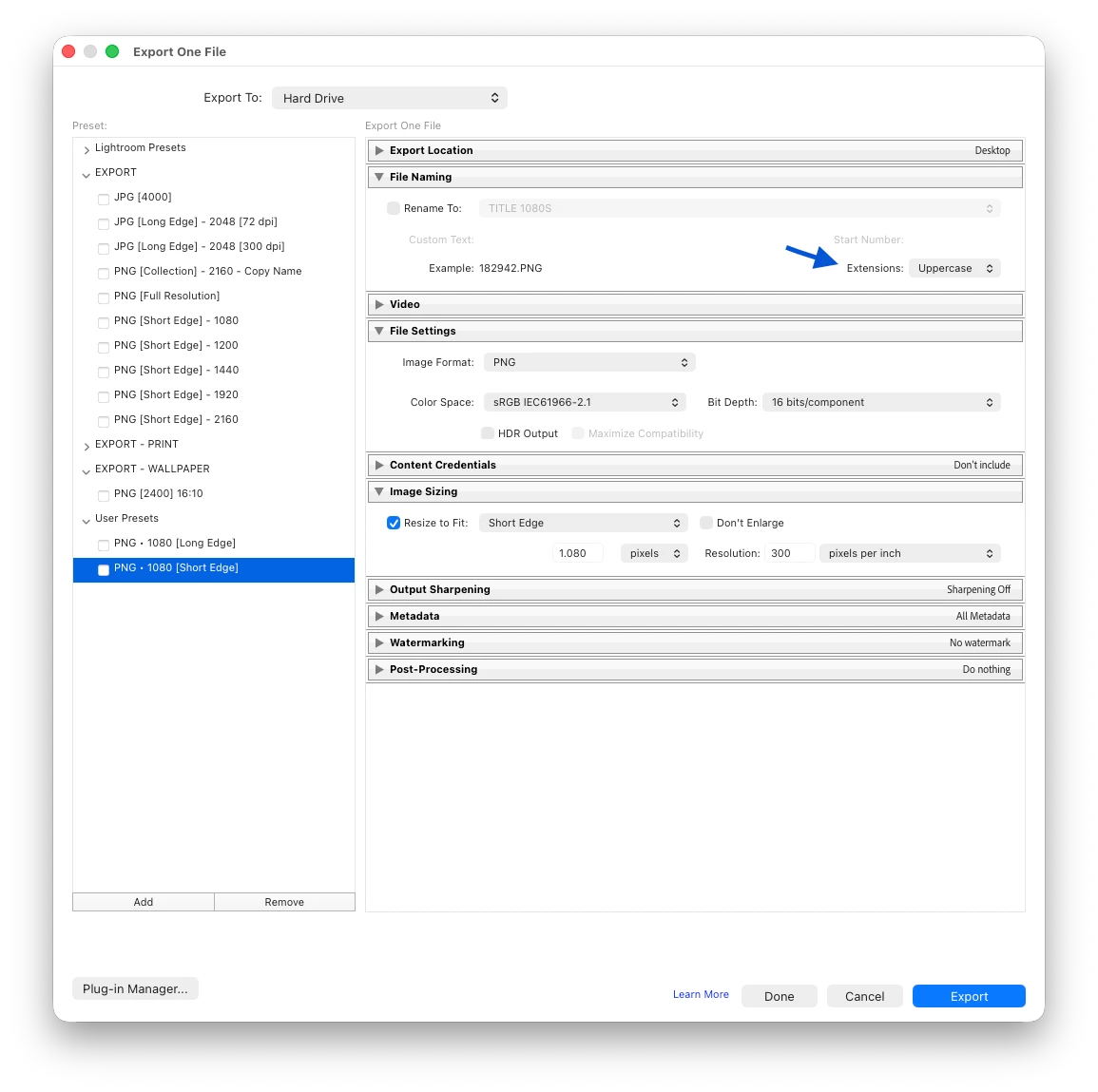
Sometimes I need to refine the edit in Photoshop. /when it’s time to save the file and return to Lightroom I always get a filename with a Lowercase extension. There is no option to set it to Uppercase [image 1], unlike the export dialog [image 2]
 

I tried to rename the file manually within Lightroom, rewriting the extension to Uppercase in the Filename field, but doesn’t work. It reverts to Lowercase on pressing enter to confirm the change.

Is there any trick, or unknown/hidden feature?

If not, I hope this will be considered also as feature request. Thanks again.

Thank you in advance.

    2 replies

    Claire H.
    Community Manager
    Community Manager
    September 29, 2026

    Hi ​@Marco Lanciani, Welcome to the Lightroom Classic Community Forum! You're correct that the External Editing preferences currently do not include an option to control the file extension case (uppercase vs. lowercase). That option only exists in the Export dialog and in the Import > Convert to DNG preferences.

    Currently, there is no setting to force uppercase extensions for files created via Edit in Photoshop.

    As a workaround, you could:

    1. Use Export instead of Edit in Photoshop: Export the file as TIFF with uppercase extension enabled, then open that file manually in Photoshop. However, this breaks the automatic round-trip back into Lightroom, so it's not ideal.

    2. Rename outside of Lightroom: Use your operating system's file manager or a batch-rename utility to change the extension case after the file is created. Note that on macOS, the Finder can do case-sensitive renames. You would then need to re-synchronize the folder in Lightroom Classic (Library > Synchronize Folder) so it picks up the renamed file.

    I know neither of these choices are ideal, so I would recommend making a Feature Request: https://adobe.ly/3VHQAPb. Maybe a Community Expert can recommend another workaround as well. I hope this helps! ^CH

    Participating Frequently
    September 29, 2026

    Thank you Claire. I tried renaming outside Lightroom, then right click on the image in Lr. But there is either no option to synchronize only the file. Synchronizing the folder is not always desirable. there might be images I don’t want/need in Lr.

    Anyway, thank you so much for your help and suggestion.
    Best Regards
    Marco Lanciani