
Answered
How to Turn Off Title Suggestions
How can I turn off title suggestions inthe metadata tap when typing in titles for images in LrC? They just get in the way - it's really annoying and causes errors when entering similar titles. Example:
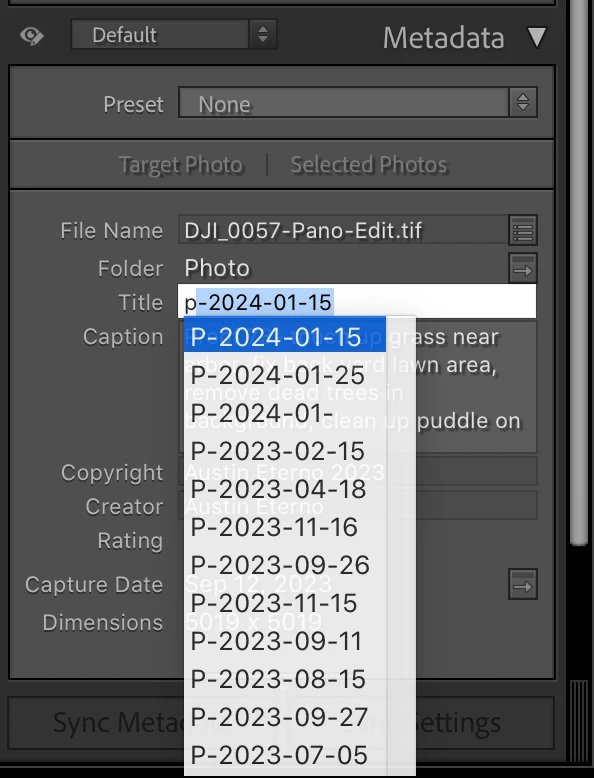

How can I turn off title suggestions inthe metadata tap when typing in titles for images in LrC? They just get in the way - it's really annoying and causes errors when entering similar titles. Example:
If you don't want any suggestions for any metadata field, uncheck the option Catalog Settings > Metadata > Offer Suggestions From Recently Entered Values.
Alternatively, you could clear the current suggestions by doing Catalog Settings > Metadata > Clear All Suggestion Lists.
Already have an account? Login
No account yet? Create an account
Enter your E-mail address. We'll send you an e-mail with instructions to reset your password.


 AdChoices