Inspiring
March 26, 2020
Answered

How to update metadata changes originating in Bridge to the images already stored in LR

  • March 26, 2020
  • 1 reply
  • 989 views

I've tried searching for this, and actually tried to find something in Martin Evening's LR Classic.  To no avail.


I'm loading my photos into LR Classic, but only as a catalog and filter arrangement, as I download images in Bridge and sort and label image there, and process in Camera Raw and Photoshop C2020.  When I've changed (or entered) keywords in Bridge, after those images have been loaded into LR, I can't find a way to load those keyword (or other metadata) changes into the same images in the LR catalog. 


Hope that makes sense.  I'm running Win 10 pro 1903, and using CC2020 and LR Classic 2020.  I have plenty of RAM and an i7 processor.


Thanks for your time,

Bruce B
This topic has been closed for replies.
Correct answer Rob_Cullen

So there's no way that LR will accept metadata from Bridge?

I do not see that!

I just tested the Keywording-

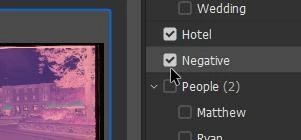
1) Added a new keyword in Bridge (Negative)

2) Placed this keyword on a file in Bridge.

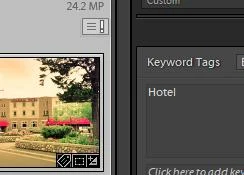
3) Lr-Classic shows the [metadata changed] icon

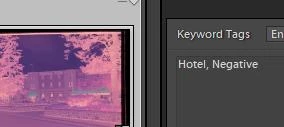
4) In Lr-Classic [Read metadata from file]

the keywords are added (and incidently my development is Reset -annoying. Fixed by the Lr History panel)


Confirm you are using Lr-Classic   (Menu: Help > System Info...)


I still believe you should drop Bridge- it is just causing you grief! Lightroom-Classic can do it all better. Sorry to harp on this point!


1 reply

Rob_Cullen
Community Expert
Community Expert
March 26, 2020

Bruce, I believe you are doing it the hard way!

Bridge is not needed when you use Lightroom-Classic for the Keywording.

Lightroom can do the downloading.

Lightroom IS Camera Raw- Only enclosed in a far superior interface! with extra modules.

Lightroom has a better connection with Photoshop for DAM.

I suggest you consider not using Bridge and stick to Lr-Classic and Photoshop.


And if you must disagree- Lr-Classic has the menu- Metadata>Read Metadata from File


Regards. My System: Windows-11, Lightroom-Classic 15.3, Photoshop 27.5, ACR 18.3, Lightroom 9.3, Lr-iOS 10.4.0, Bridge 16.0.3 .
Inspiring
March 26, 2020

Thanks, and I understand things can be done that way, but think you may have misunderstood the situation.


I've just returned to LR when choosing to load the CC platforms.  I never liked using LR, but that's probably because I've always used Bridge/Photoshop.  Unfortunately, Bridge is no longer reliable as a method to retrieve old files using keywords.  Hence my return to LR so I can use the catalog as a DAM.  A most important function, especially considering I have thousands of photos stored.


So I've been loading photos into LR going backward in time.  In doing so, I don't bother looking at the metadata for each photos, I just load a whole month at a time into LR.  Later I may want to change the keywords, or add new ones, or delete/edit existing older photos, doing so in Bridge.  When trying to update those changes I can't find a way to get LR to accept the new data....it just refuses to upload the photos it already has on file.  The Read Metadata opens a warning box that I may change the metadata on the LR catalogue file, which is what I want to do.  But there is no change in the keywords, even though I changed them earlier in Bridge. (There is no access to Read Metadata when trying to reload to photos already in the LR catalogue.) 


Obviously, I'll just reenter keywards/labels, etc., while using LR, but that requires going through each day in the catalog.  Which I've already done in Bridge.


So there's no way that LR will accept metadata from Bridge?  LR will indicate that the metadata has been changed using a separate device, but won't load the changes.  I've just checked that.


Thank you


Rob_Cullen
Community Expert
Rob_CullenCommunity ExpertCorrect answer
Community Expert
March 27, 2020

So there's no way that LR will accept metadata from Bridge?

I do not see that!

I just tested the Keywording-

1) Added a new keyword in Bridge (Negative)

2) Placed this keyword on a file in Bridge.

3) Lr-Classic shows the [metadata changed] icon

4) In Lr-Classic [Read metadata from file]

the keywords are added (and incidently my development is Reset -annoying. Fixed by the Lr History panel)


Confirm you are using Lr-Classic   (Menu: Help > System Info...)


I still believe you should drop Bridge- it is just causing you grief! Lightroom-Classic can do it all better. Sorry to harp on this point!


Regards. My System: Windows-11, Lightroom-Classic 15.3, Photoshop 27.5, ACR 18.3, Lightroom 9.3, Lr-iOS 10.4.0, Bridge 16.0.3 .