


Affroo77
Participant
January 15, 2017
Answered

How to upgrade from lightroom 4 to lightroom 6 (not cloud)

  • January 15, 2017
  • 1 reply
  • 8947 views

I already own Lightroom 4 ( without Cloud ).  I just want to upgrade to Lightroom 6.

I have searched and read all of the previous forum topics regarding this issue but I'm still having issues.

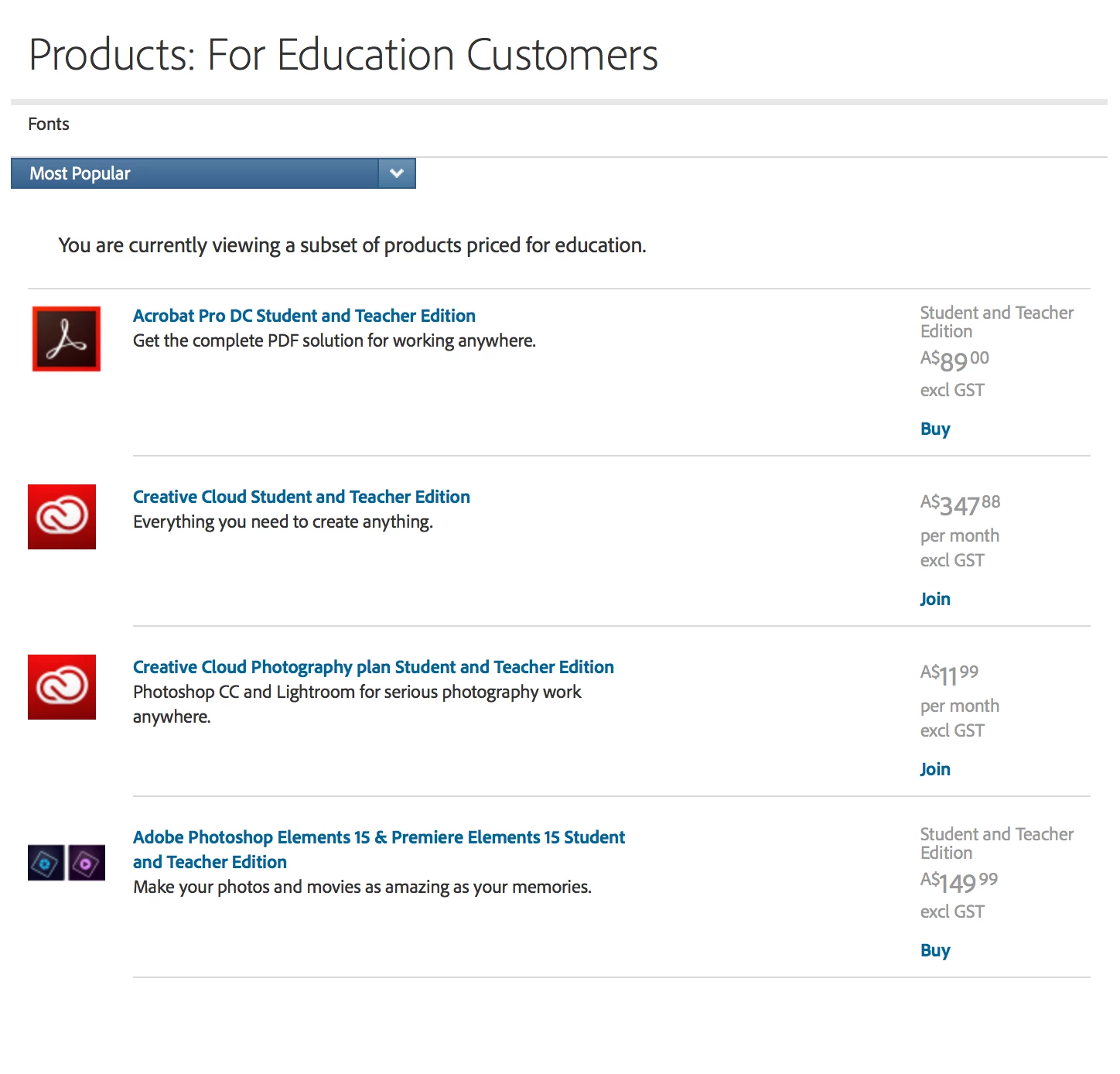
When I click on the Products page link there is not a Lightroom option !!!   I get the following screen and can navigate my way to find a "buy" button next to LR.

Some help would be greatly appreciated.

Cheers

Steve
    This topic has been closed for replies.
    Correct answer 99jon

    UPDATE -

    Try using a different browser or clear your cache as you are only getting student/teacher products.

    1 reply

    99jon
    Legend
    January 15, 2017

    If you meet the system requirements, you can buy LR6 as an upgrade from the following link. After clicking "Buy" change from Full to Upgrade; then select your existing LR product from the drop-down menu and the correct pricing will be displayed. Then simply choose “Add to Cart”

    Products

    Affroo77
    Affroo77Author
    Participant
    January 15, 2017

    Thanks - I meet the system requirements.

    But when I click on the link you provided I get the following screen. There is NO   LR product for sale ??

    99jon
    Legend
    January 15, 2017

    Try here:

    https://www.adobe.com/products/catalog/software._sl_id-contentfilter_sl_catalog_sl_software_sl_mostpopular_uk.html

    You can switch between pages 1 & 2 at the bottom and change region if needed.