

How to use presets in Lightroom Classic 🔎 Quick Tips

Learn how to apply presets in Lightroom Classic
Lightroom Classic customers primarily use presets to simplify their editing workflow. If you have a lot of photos, and all of them need some touch-up, using a preset will help you get through the post-production process much more quickly. This guide on using Lightroom Classic presets takes you through the steps to apply stunning effects with the click of a button.
Watch this video to see how to use presets in Lightroom Classic
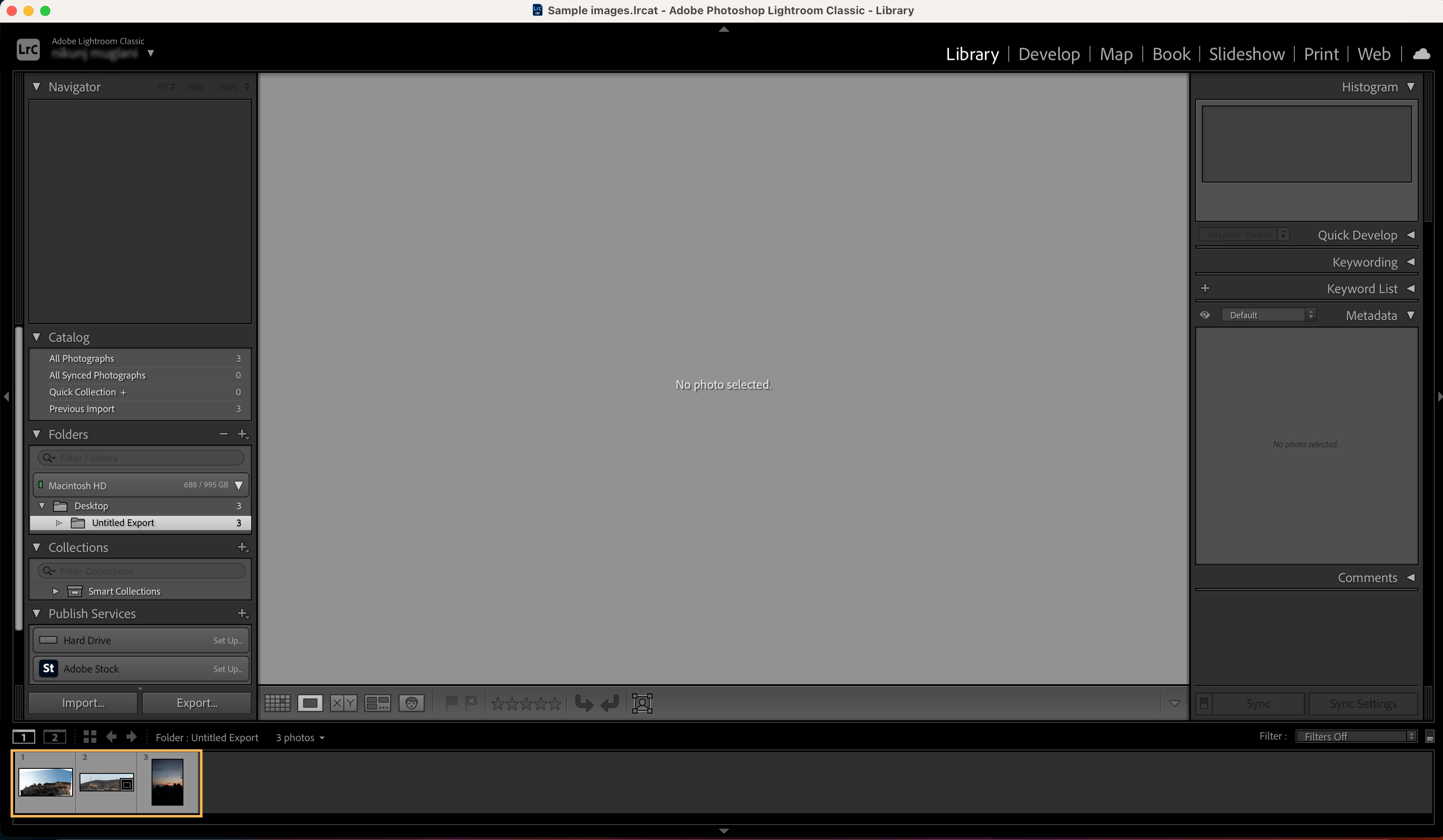
❶ Find an image
Open Lightroom Classic and navigate to the Library module. Select or import an image you would like to edit.
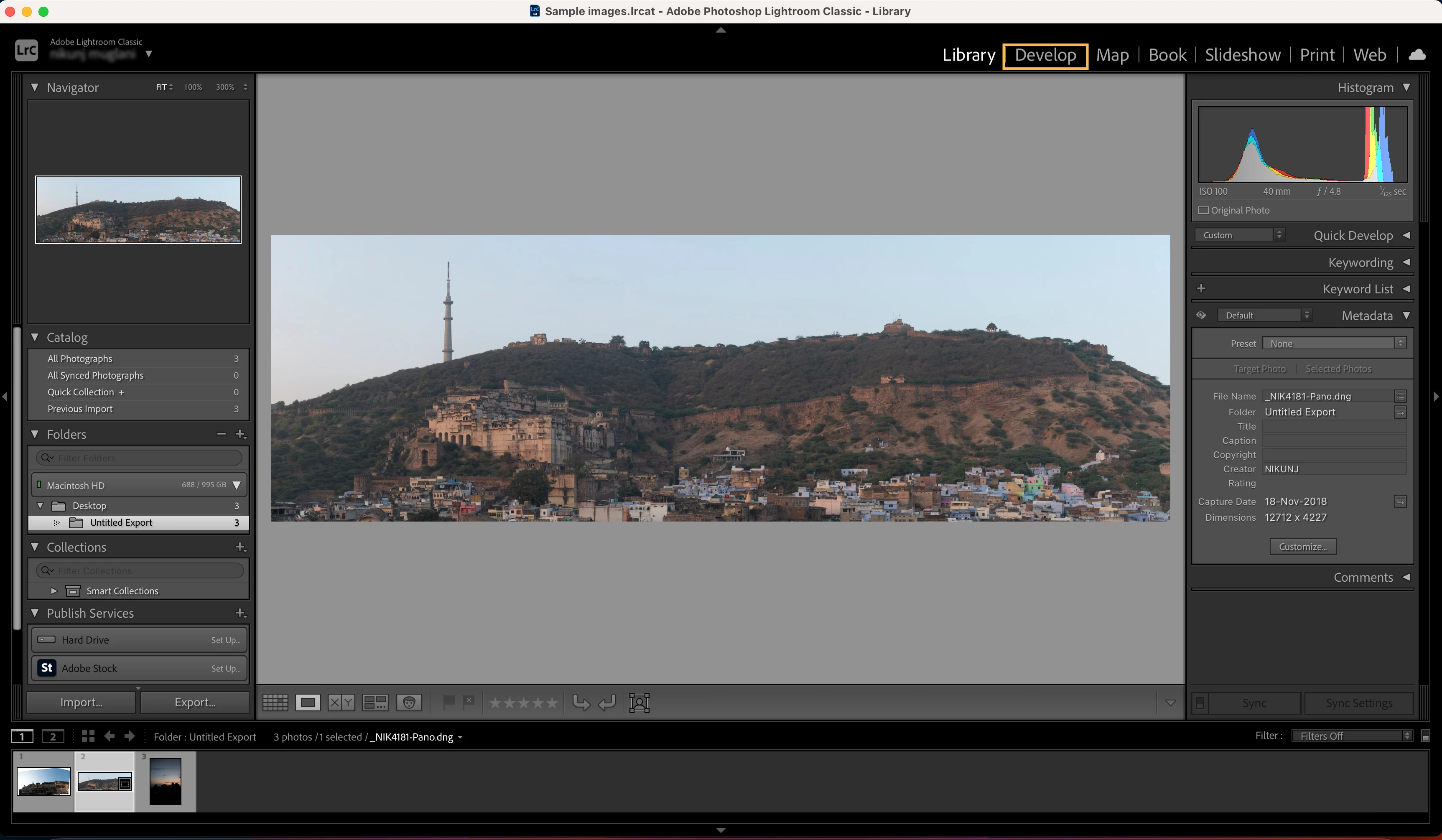
❷ Go to Develop Module
Click on the Develop module, and the selected image will open there.
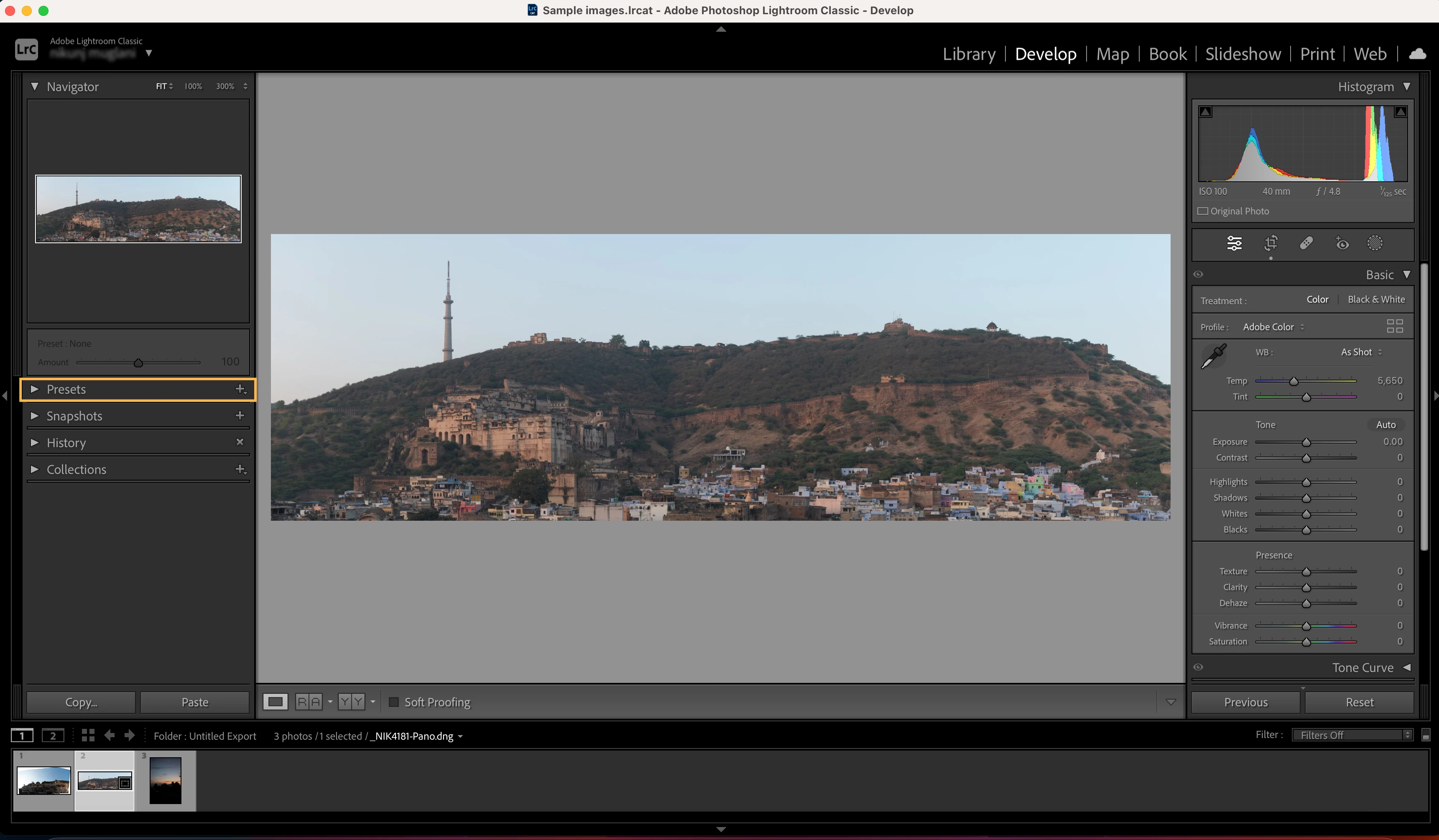
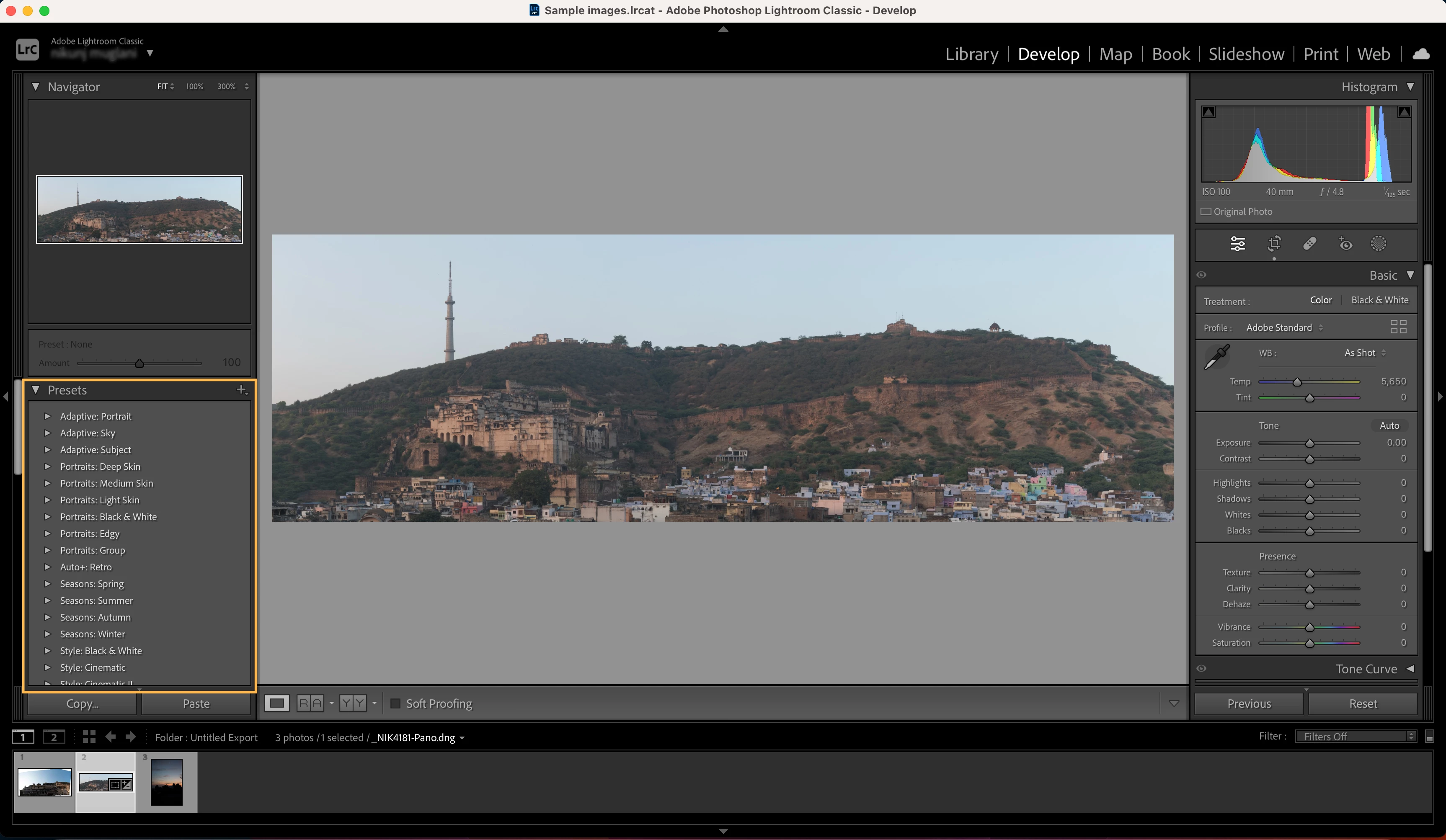
❸ Open presets panel
Navigate to the Preset panel on the left side of the screen. Click on the drop-down menu to check the options.
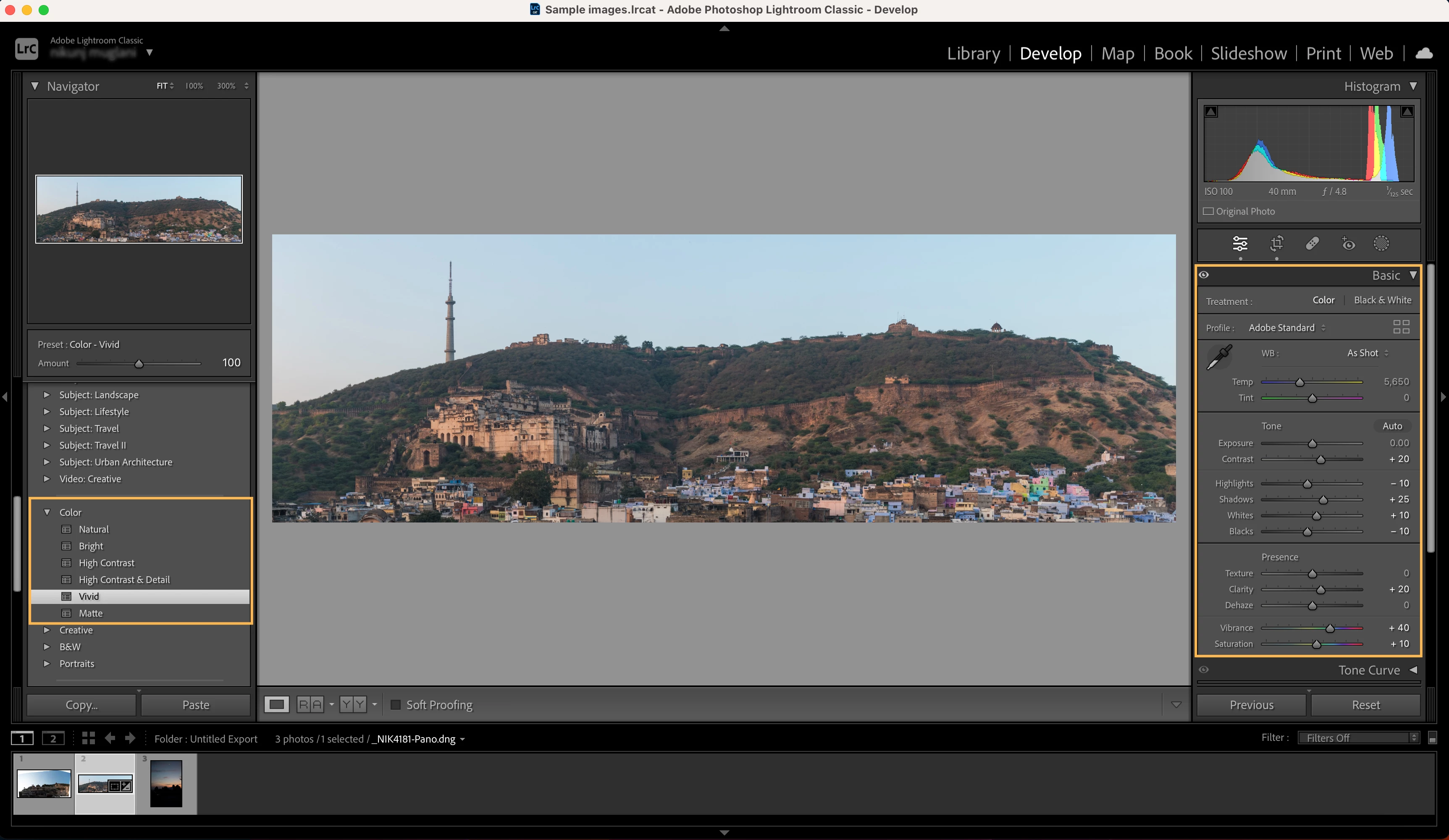
❹ Select and apply your presets
Related links:


 AdChoices