HP Graphics Driver can't be updated
Hi,
I have a HP Laptop running the latest version of Lightroom 12.2.1. It has been giving the following warning for some time about graphics drivers. I was told by my local IT support that HP releases custom drivers and I have the latest they have released.
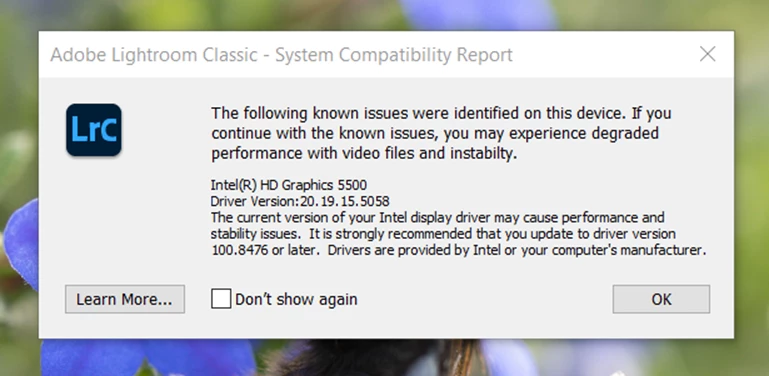
I was continuing to run with this, persisting with slow and unstable editing at times. However, further odd things have progressed in the last 24 hours, in this order:
1. Was unable to drag and drop into collections - I can technically move them, but the collections have a grey "no" symbol (circle with slash) when I try to drop the files in
2. Auto button was greyed out in the Tone panel
3. Develop module popup "The file appears to be unsupported or damaged"
I've searched through troubleshooting posts and can't find anything that resolves these issues so I'm left to believe its to do with the HP driver being out of date. I'm now not able to edit my photos at all and also can't update the driver.
Has anyone else had this problem and resolved it? I can't be the only HP user facing this problem.
 AdChoices