

Inspiring
February 13, 2024
Answered

I again have problems with LRC (sorry)

  • February 13, 2024
  • 3 replies
  • 839 views

For whatever reason, LRC will not load (or has not retained) photos from before 2019.  I couldn't find a photo with a question mark under Elements X, and couldn't find X on any other drive.  So, woe to me, I again imported folder X, and here is what I see....
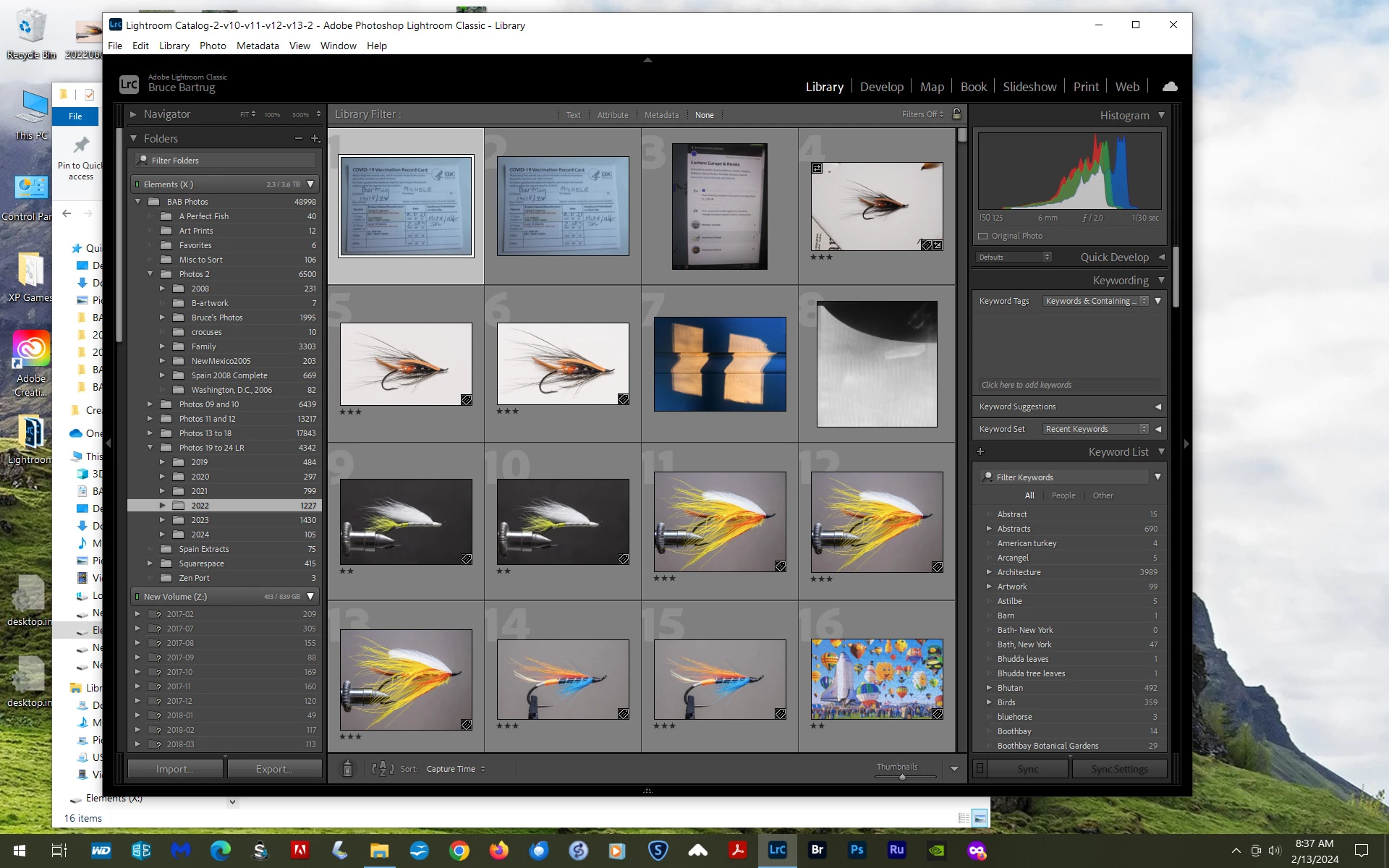
You'll note the import is not "valid" and that there are folders with question marks under Folder Z (the folder on the main computer drive.)  I right-clicked on a couple of these and selected "find missing file."  I selected the corresponding folder under drive X and got a message saying that folder already exists would you like to merge the two?  Well, I cancelled since I didn't know if that was appropriate.  Too, none of these photo files are stored currently on drive Z, so I just delete them? 


I'll show you today's catalog....
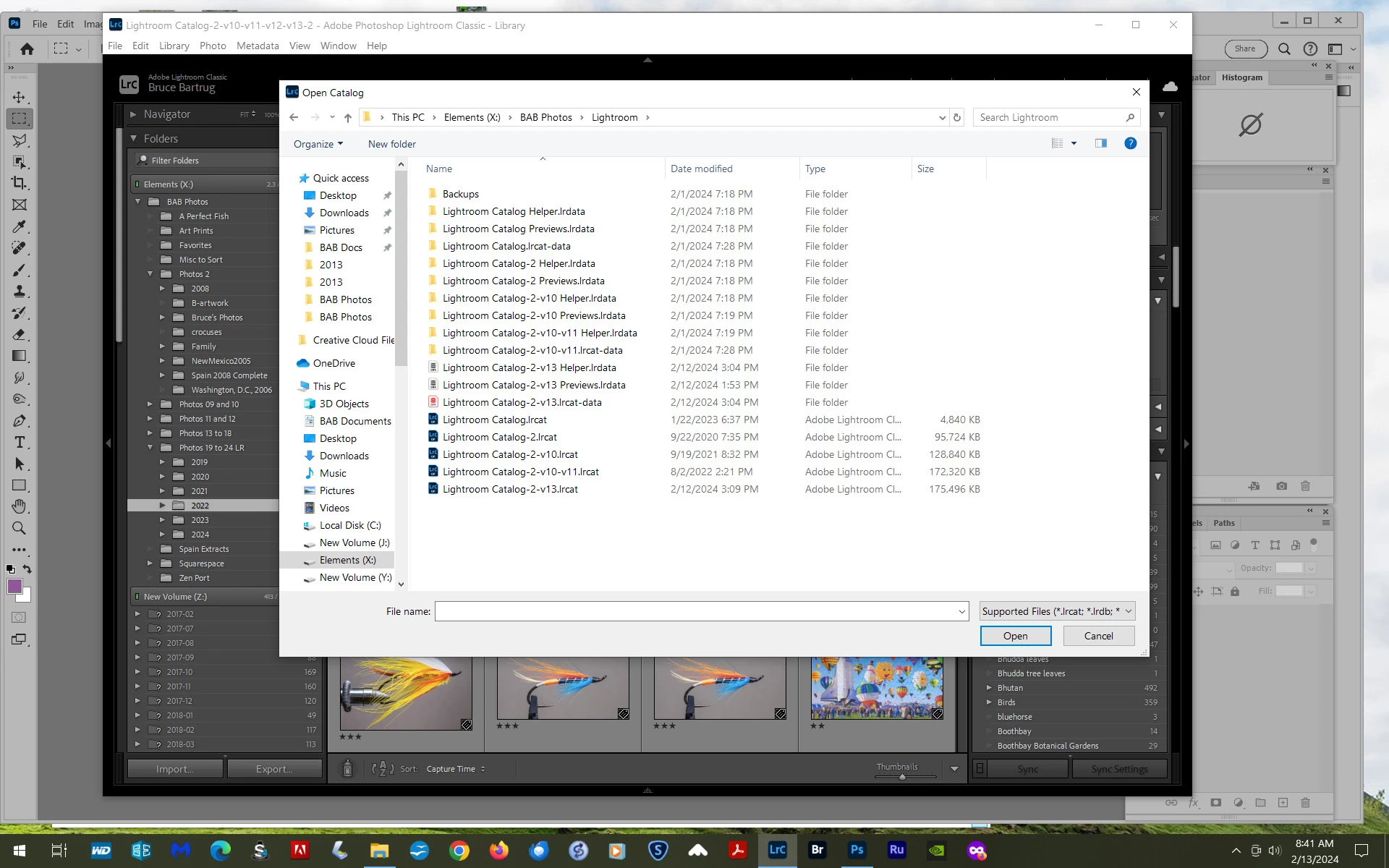
 

Ain't it sumpin?  So kindly indicate how I might recover the files and folders that we saw a couple days ago, which must exist somewhere.


Cheers?

This topic has been closed for replies.
Correct answer dj_paige

Regarding the folders with the ? icon, here is the solution: https://www.computer-darkroom.com/lr2_find_folder/find-folder.htm


Importing is never a solution. It should only be used the first time you get the photos onto your computer to allow LrC to work with them. After that, never import the same photos into LrC again.

3 replies

GoldingD
Legend
February 16, 2024

1. CATALOG CONDITION

A catalog all missed up, and I am looking at all those issues with the Z drive, can lead to corruption. Errors in the database, errors in various fields, can eventually degrade the database.


How about correcting all those issues in the photos, the folders in drive Z. You may need to expand the folder view of the imports supposedly in drive Z to see the parent folder, then fix that location.


Fix all ? and ! marks up.


Quite frankly, you might not be able to see the forest through the tress with the catalog in it's current state.


2/ WINDOWS PC HARD DRIVE NAMING CONDITIONS


Now if this was MACOS this would be a bigger issue, (actually MACOS would have not allowed this) . You have at least two hard drives with the same name. In Windows, the hard drive name is only important to the users logic, not the file managers logic. Windows uses the hard drive letter assigned to different drives. BUT, what are those drives for, and do they have the missing files, etc.


This may be a bit OCD of me, but I recommend that you go and rename those drives (the New Volume ones) to something you like. And while you are at that, make sure that the drive letters are permanently assigned.  Not sure if after renaming if you will once again have issues with LrC identifying the drive/folder. but perhaps.


Inspiring
February 16, 2024

Thanks for your time!

1)  The catalog IS all messed up, but how do I change that to something that will work?  You make no suggestions?

Also, as I mentioned, I can't find the photos under Maine Immigrants. Anywhere.  Too, trying to match the two other folders under drive Z didn't work.  Any ideas on how to fix that?

2)  I do not have two E drives; I have two versions of E drive inside the software of LRC.  I re-imported the E drive, which apparently is a no-no.  So LRC is seeing two E drives but they do not exist.  Here's a print screen of "My Computer"....


GoldingD
Legend
February 17, 2024
GoldingD
Legend
February 13, 2024

So, from that first screenshot, if you navigate some three folders up (Photos 13 to 18) , you are saying that pre 2019 (2013 thru 2018???) images do not appear?


Inspiring
February 13, 2024

They do now, but not before I mistakenly re-imported.

Thanks,

Inspiring
February 16, 2024

So I've tried to find all the missing folders (although I haven't moved the folders yet, as per instructions).  I haven't changed anything, because the changes I make without your suggestions always add to my problem with LRC.  I must admit I use LRC only for the DAM quality, so I'm not familiar with the program at all.  I do all my photo operation in PShop, as I did so for years and fine LR's develop page cramped.  I do, however, add metadata (in LRC) to all the photos I Import, just to be sure the metadata corresponds to that in PShop.


So, I have several posts here....

1.) An indication that I was unable to merge successfully the folders in Z still showing.  It would be very helpful if LR could recover the Maine Immigrants folders as I can't find them anywhere in PShop and they are very important in some of the investigational work I have done.

dj_paige
dj_paigeCorrect answer
Legend
February 13, 2024

Regarding the folders with the ? icon, here is the solution: https://www.computer-darkroom.com/lr2_find_folder/find-folder.htm


Importing is never a solution. It should only be used the first time you get the photos onto your computer to allow LrC to work with them. After that, never import the same photos into LrC again.

Inspiring
February 13, 2024

Thank you, but that was the procedure I was using when I got the Merge? note mentioned above.  I'll try again.


And thanks again for not reminding me to import a second time, but.....there were no missing folder question marks under Drive X (where I'm trying to move all my photos and the LRC catalog for same), so I thought I had no other option.  Is there a way to remove the photos in the last Import?  Then I can start all over, again. 


Cheers, and thanks

dj_paige
Legend
February 13, 2024

When you get the message asking if you want to merge folders, answer Yes or OK or whatever the affirmative is.