Participant
September 25, 2026
Answered

I can´t import any files whatsoever into LRC. Please help!

  • September 25, 2026
  • 4 replies
  • 67 views

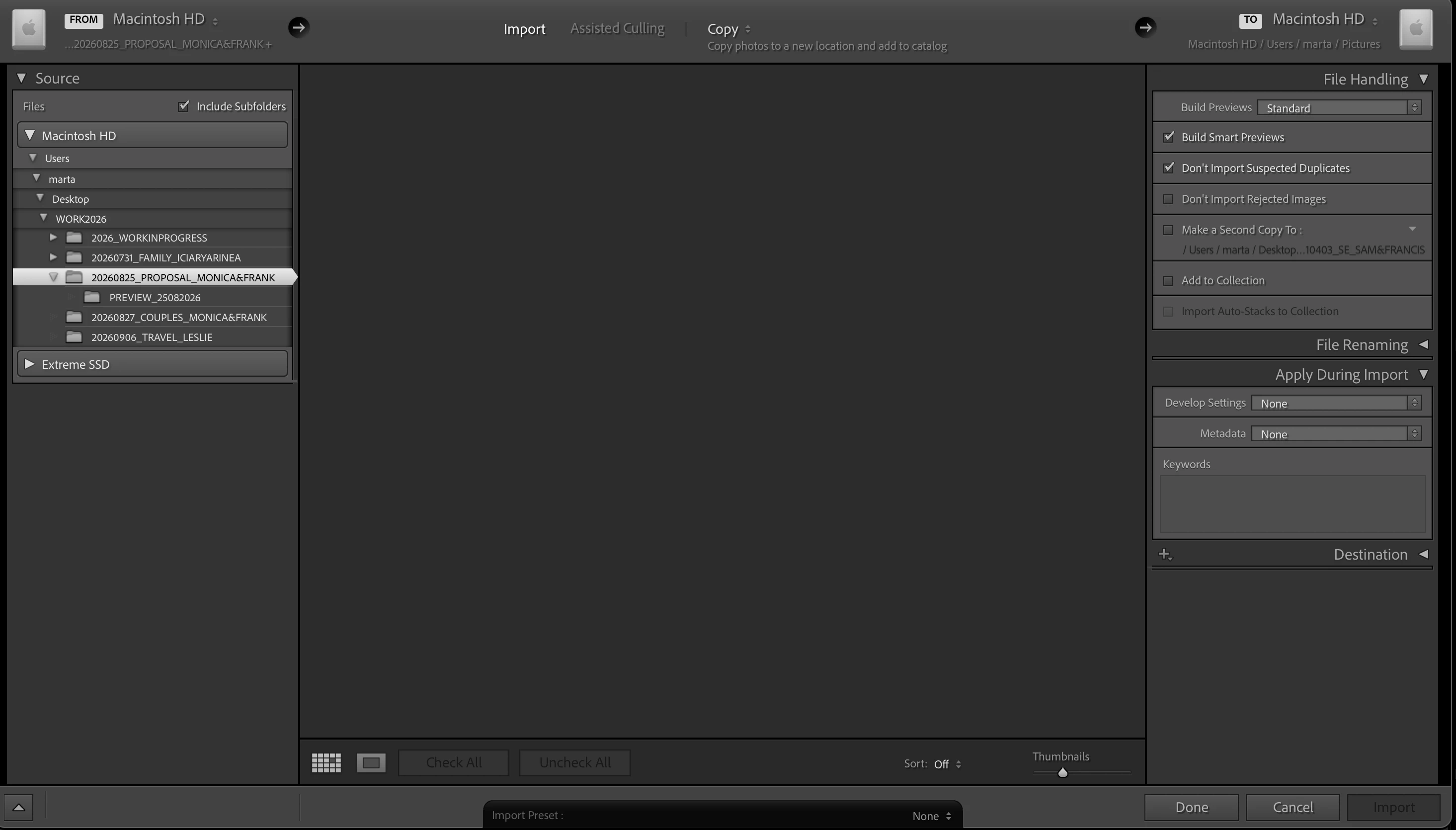
I can´t import any files whatsoever into Lightroom. They just dont appear as if the folder was empty but the files are there. Please help! 
 

    Correct answer JohanElzenga

    There is a known ‘feature’ that Lightroom Classic will not show the photos at all, as long as you have not yet selected the destination for copying.

    4 replies

    dj_paige
    Legend
    September 28, 2026

    I think ​@JohanElzenga has the answer. Open the Destination Panel, and make sure there is a Destination Folder shown, and that this is a folder that actually exists.

    JohanElzenga
    Community Expert
    JohanElzengaCommunity ExpertCorrect answer
    Community Expert
    September 27, 2026

    There is a known ‘feature’ that Lightroom Classic will not show the photos at all, as long as you have not yet selected the destination for copying.

    -- Johan W. Elzenga
    Victoria Bampton LR Queen
    Community Expert
    Community Expert
    September 27, 2026

    ​@MZPhoto Can you firstly double check that you’ve for the right Privacy & Security Settings?https://helpx.adobe.com/lightroom-classic/desktop/technical-support/performance-guidelines/allow-permissions.html

    The interface has changed slightly since Adobe did the screenshots in that document, so this might look more familiar: https://www.lightroomqueen.com/disk-permissions-sequoia-classic/


    ​@Sameer K Needs to move to Classic forum please.

    Victoria - The Lightroom Queen
    Rob_Cullen
    Community Expert
    Community Expert
    September 25, 2026

    I have two comments on your screen-clip:

    1] Your photo files are already in a folder on your desktop. Do you really want to [Copy] the files in the selected folder to another location? Or perhaps you need to choose the [ADD] option.

    2] If you intention is to [Copy] the files then you need to check the ‘Destination’ you have set in the destination panel.


    Regards. My System: Windows-11, Lightroom-Classic 15.4.1, Photoshop 27.8, ACR 18.4, Lightroom 9.4, Lr-iOS 10.4.0, Bridge 16.0.3 .
