Participant
November 20, 2022
Question

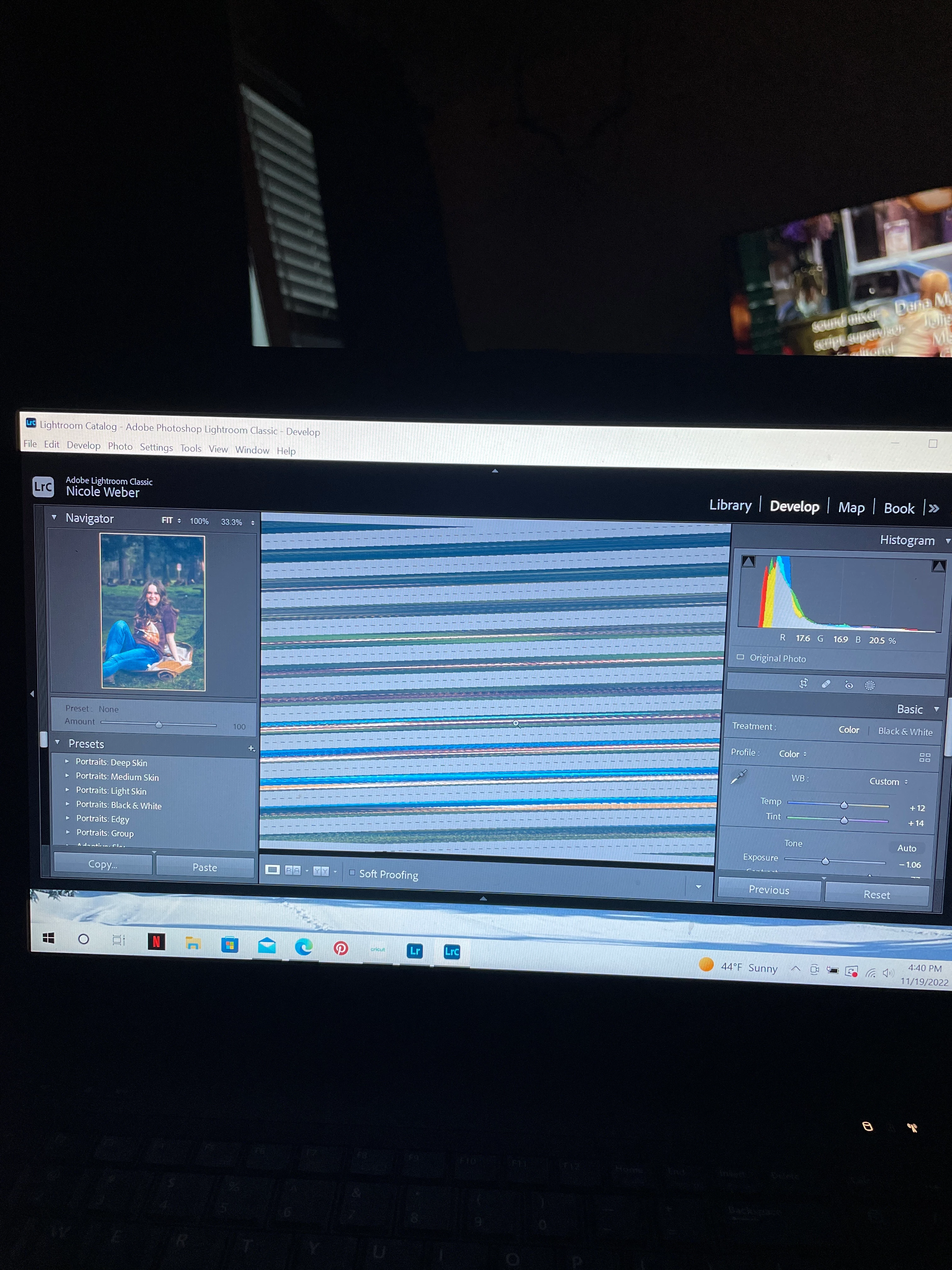
I can’t see any pictures in developing tab! Help!
  • November 20, 2022
  • 2 replies
  • 89 views

Has anyone had this happen before? It's only when I'm on the develop tab, but I feel like ive tried everything! Lightroom works great, this only happens on Lightroom classic. 

This topic has been closed for replies.

2 replies

TheDigitalDog
Inspiring
November 20, 2022

First, try disabling GPU in the preferences (Performance). Any better?

If not, recalibrate and build a new ICC display profile; the old one might be corrupted. If you are using software/hardware for this task, be sure the software is set to build a matrix, not LUT profile, Version 2, not Version 4 profile.

If turning OFF the GPU works, it's a GPU bug, and you need to contact the manufacturer or find out if there's an updated driver for it. 

Also see: https://helpx.adobe.com/lightroom-classic/kb/troubleshoot-gpu.html

If the GPU and display profile isn't causing the problem, see:
https://helpx.adobe.com/lightroom-classic/kb/lightroom-gives-error-preview-cache.html

Author “Color Management for Photographers" & "Photoshop CC Color Management/pluralsight"
GoldingD
Legend
November 20, 2022

In LrC, in /preferences/performance/  turn Off use GPU, restart LrC, and see what happens.

Would indicate a GPU issue, if that works.