



TMP_Smile
Participant
February 12, 2026
Question

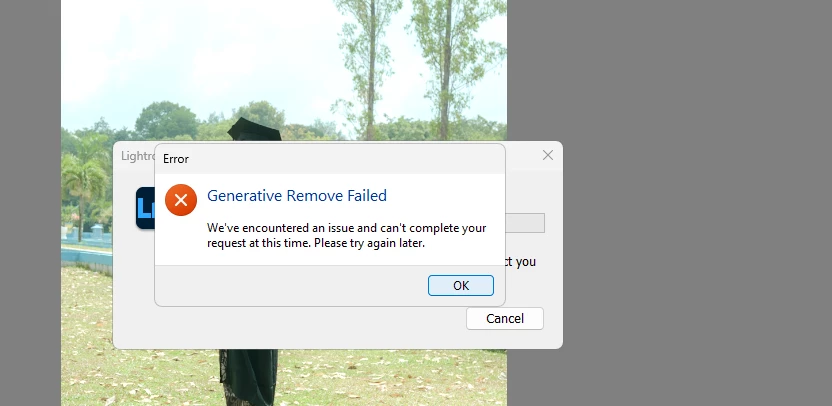
I cant use Generative Ai Removes Tool.

  • February 12, 2026
  • 1 reply
  • 19 views

I Got error message "We've encountered an issue and cant complete your request at this time. Please try again." but this problem has been going on for more than a day.


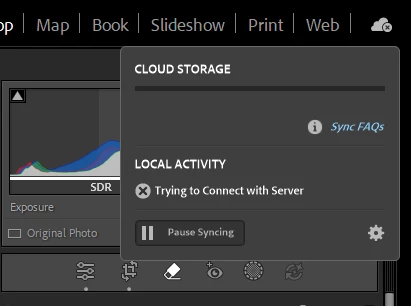
I was checked my cloud status and the status is always “trying to connect with server”
 

I've followed all the advice on this forum, including disabling Windows protection and antivirus, changing my Wi-Fi connection, and even reinstalling the app, but the problem still exists.

please help me 😭

    1 reply

    AxelMatt
    Community Expert
    Community Expert
    February 13, 2026

    Restart your router.

    check the router firewall if it’s block the requests.

    Check (and reset) your HOSTS file: How to resolve connection errors with Creative Suite applications

    If you use a VPN for Internet access, try to connect directly to the Internet.

    Try to connect your PC via LAN cable to your router.


    You can try also a reset of Lightroom’s preferences:  How to reset Lightroom Classic preferences (adobe.com)

    It's recommended to backup your preferences before you reset the preferences to the default settings: https://helpx.adobe.com/lightroom-classic/kb/preference-file-and-other-file-locations.html


    My System: Intel i7-8700K - 64GB RAM - NVidia Geforce RTX 3060 - Windows 11 Pro 25H2 -- LR-Classic 15 - Photoshop 27 - Nik Collection 8 - PureRAW 5 - Topaz Photo