


Known Participant
March 24, 2026
Answered

I'm getting an error when trying Export as catalog.

  • March 24, 2026
  • 1 reply
  • 68 views

I am getting this error message when trying to Export as Catalog:
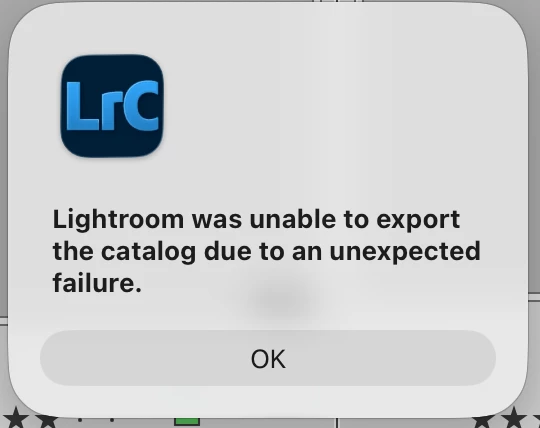
 

I’m running on macOS Tahoe 26.3.1 with Lightroom Classic 15.2 on MacBook Pro 16-inch, 2023 with 16GB of memory and about 197 GB free space on the hard drive.  The target for the export is an external hard drive with 1.85 TB available.  There are about 113 GB of images in the catalog (some are on external media).  

A few minutes after starting the export, the progress bar seems to freeze.  About five hours after starting the export, the export process appears to die with the above message opening in its own window.  I’m trying to export around 10,000 images.  While the export is running, Lightroom Classic does not appear to be consuming a large amount of CPU or Memory.

    Correct answer dj_paige

    I’m thinking of importing the images into a new catalog from either  that external drive copy of my internal drive.


    Restore a recent backup copy of your catalog file and see if that works properly. Importing the photos again is not recommended unless absolutely nothing else works.

    1 reply

    dj_paige
    Legend
    March 24, 2026

    This may be because your catalog is corrupted.


    One thing that could possibly work is to import your existing catalog into a brand new empty catalog. Sometimes this eliminates the corruption. Steps:


    1. File->New Catalog and give it a name and press ENTER
    2. File->Import from Another Catalog and select your existing catalog file (not the new one you just created)


    Another option is to restore a recent backup of your catalog file.

    Known Participant
    March 25, 2026

    I think you’re on the right track.  I have other reasons to believe the catalog may be corrupted, such as giving improbably paths to find missing images.  So, I tried importing the existing catalog and got a different message this time:

    I have already made a copy (using copy/paste) of all the images on my internal drive to an external drive.  I’m thinking of importing the images into a new catalog from either  that external drive copy of my internal drive.  If it’s from the internal drive, I’ll use ADD.  Ultimately, I want to re-import images I had previously copied (using LR, not copy/paste) into the new catalog (again, using ADD, not move) in order to rebuild the thumbnails, many of which have disappeared.

    dj_paige
    dj_paigeCorrect answer
    Legend
    March 25, 2026

    I’m thinking of importing the images into a new catalog from either  that external drive copy of my internal drive.


    Restore a recent backup copy of your catalog file and see if that works properly. Importing the photos again is not recommended unless absolutely nothing else works.