
Participant
April 24, 2023
Question

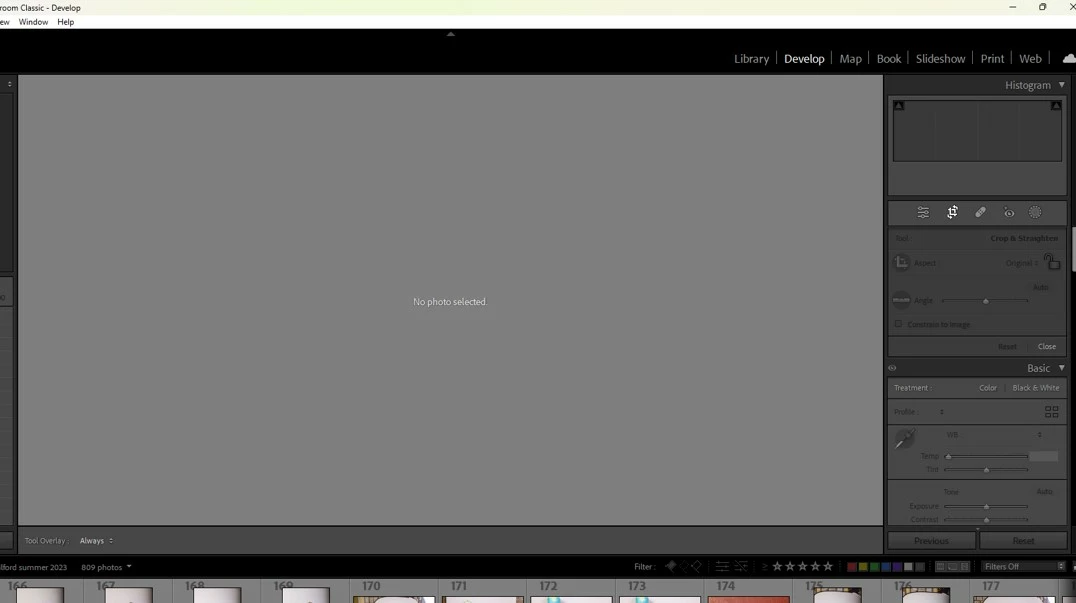
If I make any edit on LR classic, the image disappears & LR says 'no photo selected'

  • April 24, 2023
  • 1 reply
  • 366 views

I get this screen when I  make any edit on LR classic.  I managed fine editing yesterday and was okay for a couple of images today then suddenly this error started.  I have closed LR down, no difference.  I closed laptop down, no difference.  I re-uploaded all my raw files, no difference.   I have to edit over 1000 images today so am freaking out a tad !!!  Will unistalling the LR update from 4 days ago make any difference seeing as the problem started today but was okay yesterday (so update happened and it worked fine for 3 days).  How do I uninstall an update (if you think I need to)?  Any other hints? 
This topic has been closed for replies.

1 reply

Rikk Flohr_Photography
Community Manager
April 24, 2023

It sounds like you have a filter selected to show "Unedited Images" or have configured a Smart Collection to show unedited images,  and when you edit, the image longer moves out of the active group. 

Rikk Flohr: Adobe Photography Org
Participant
April 24, 2023

hi, thank you for taking the time to reply. I do use filters.  I make them all 5* and to show those only on date of capture.  When I don't like an image I simply rate it to 0 and it disasppears.   However, I have not come across a filter option to only show unedited images before. I will see if I can find something in the filters options  - thank you

Rikk Flohr_Photography
Community Manager
April 24, 2023

The most obvious location - but not the only one

Between Flags and Stars....

Rikk Flohr: Adobe Photography Org