


Participating Frequently
December 11, 2025
Question

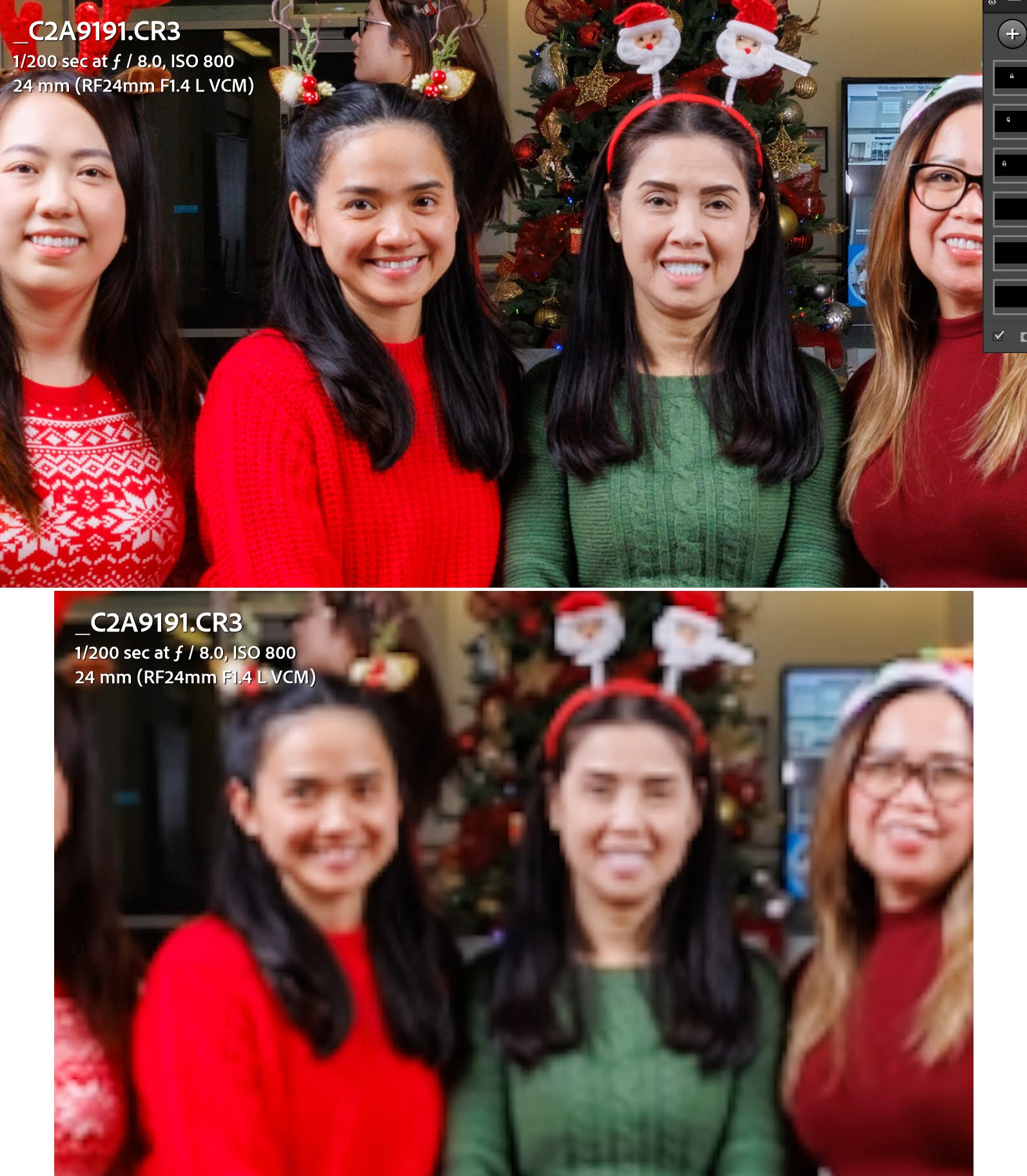
image suddenly becomes pixelated while editing masks in LRC
  • December 11, 2025
  • 1 reply
  • 340 views

combo.jpg


Does anyone know what's happening?  So I'll be editing masks and suddenly the image because very pixelated and I can't adjust anymore (I'll move a slider or a curve but no changes happen to the image).  At that point, all I can do is close LRC and reopen it.  But it starts to happen again.  Sometimes it'll turn to a red background.
Screenshot 2025-12-10 215955.jpg

AMD Ryzen 7900X.  128GB RAM of DDR5.  Nvidia 5090 with 32GB of GDDR7.  Lightroom Classic 15.0.1 Release Camera Raw 18.0.  Nvidia Studio Driver version 591.44

1 reply

Community Expert
December 11, 2025

Such are often based on issues/incompatibilies with the graphic device or the device driver.

On a first step you should try is to switch off the GPU support from the Lightroom preferences and check if that helps to fix the issue.

Go to Lightroom > Preferences > Performance tab > Uncheck "Use Graphics Processor" > Restart Lightroom.

https://helpx.adobe.com/lightroom-classic/kb/troubleshoot-gpu.html


If it's help see here Troubleshoot GPU issues | Lightroom Classic (adobe.com) and check the different steps.


Another step is to try to reset the Lightroom preferences.

https://www.lightroomqueen.com/how-do-i-reset-lightrooms-preferences/

It's recommended to backup your preferences before you reset the preferences to the default settings:

https://helpx.adobe.com/lightroom-classic/kb/preference-file-and-other-file-locations.html


If this doesn't help we need more informations about your environment. Please provide also a copy of your 'System Info'. This can be get from the LrC Help > System Info menu item. There's a copy button in the System Info dialog. Press this button and paste the info into your next forum post.


My System: Intel i7-8700K - 64GB RAM - NVidia Geforce RTX 3060 - Windows 11 Pro 25H2 -- LR-Classic 15 - Photoshop 27 - Nik Collection 9 - PureRAW 6 - Topaz Photo AI
Participating Frequently
December 11, 2025

thank you so much for the help!  So I initially turned off the GPU use and the problem went away.  However, it became slower to edit.  So I turned GPU back on but left GPU off for previews and that still worked.  So right now, I have GPU for editing and rendering but not for previews.

MassC
Legend
December 11, 2025

Hey @Patrick22478442njpf 

Can you share what driver version your Nvidia is currently using? I remember seeing a few others having to roll back to a previous version of their Studio Driver. You can find this info in your system info. You can find it by going to Help > System Info, then copying and pasting it into a text file to attach here. This will enable us to investigate it further.


^CM