
Question
Images coming from LR development module are set to Adobe RGB when opened in PS
Hi there,
I'm dropping this message to get some help on the color space the image gets attributed when sent to PS for further editing.
When PS opens, the Embedded Profile Mismatch dialog window informs me that the Embedded [Color working space coming from LR then] is Adobe RGB - instead of Prophoto.
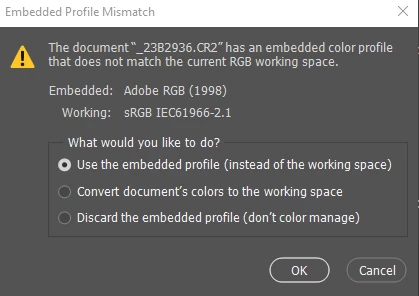
I do not understand as my LR's External Editing "Edit In PS" is set to Prophoto RGB.
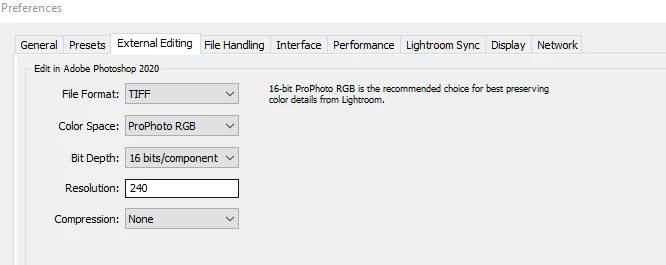
Would you happen to know how to resolve this please?
Thanks in advance


 AdChoices