Millward Shoults
Inspiring
April 3, 2019
Question

Images exported from Lightroom Classic CC being resized?

  • April 3, 2019
  • 2 replies
  • 515 views

Hi all,

I've googled my socks off looking for the answer to this but no avail. I normally work on images in Lightroom Classic CC from an external HDD. Some of these are synced via Lightroom CC. Today, I'm working on a laptop, not my usual desktop computer, editing a batch of images that has been synced with Lightroom CC into Lightroom Classic CC.

The issue I'm having is that upon export, the image dimensions are being changes, resized to far smaller images. All the RAW images I am working on are shown in LR as 4608 x 3456 dimension - but when exported to jpg it's resizing to 2560 x 1920. All my settings are to maximum jpg output - 100% quality, no resizing - I'm baffled. I've not had this problem before on my other machine.

Any ideas? Could it be because I'm working on synced files rather than directly from a hard drive?

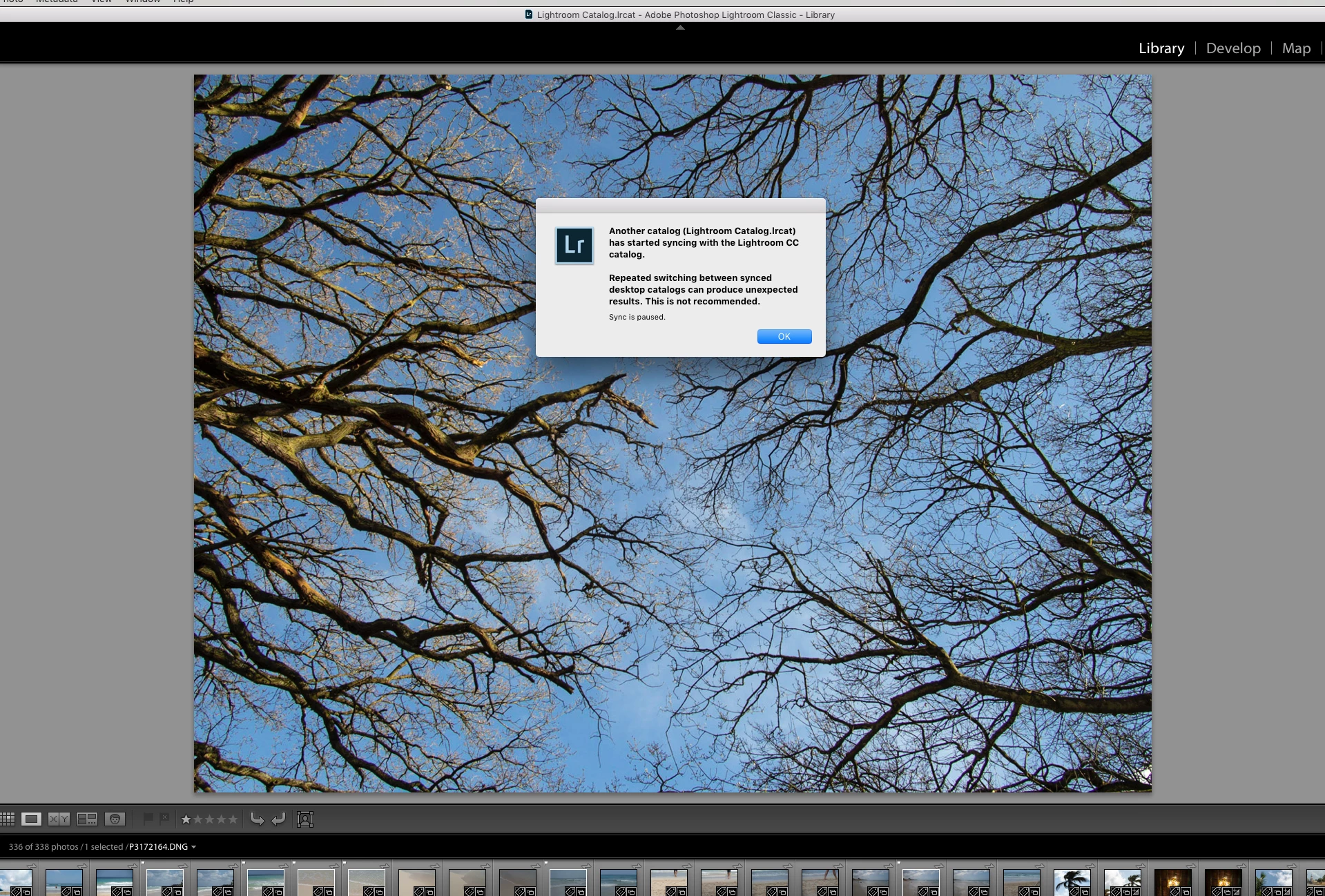
**Edited to add*** I just went back to my usual desktop machine and got this message:

Another catalog (Lightroom Catalog.lrcat) has started syncing with the Lightroom CC catalog.

Repeated switching between synced desktop catalogs can produce unexpected results. This is not recommended.

I'm wondering if this might have something to do with it.
This topic has been closed for replies.

2 replies

Legend
April 3, 2019

Your JPG has long side of 2560 because you are exporting from a Smart Preview, as the actual original is not available.

DdeGannes
Community Expert
Community Expert
April 4, 2019

Exactly the point I was making in my post.

Regards, Denis: iMac 27” mid-2015, macOS 11.7.10 Big Sur; 2TB SSD, 24 GB Ram, GPU 2 GB; LrC 12.5,; Lr 6.5, PS 24.7,; ACR 15.5,; (also Laptop Win 11, ver 24H2, LrC 15.0.1, PS 27.0; ) Camera Oly OM-D E-M1.
DdeGannes
Community Expert
Community Expert
April 3, 2019

So I hope that I am understanding your problem correctly.

a. You have original files in your Lr Classic Catalog on your desktop computer with files stored on an external drive?

b. You have synced the files or some of the files to the Creative Cloud storage?

c. You are access those files on line from your Laptop?

Then you Need to be aware that the uploaded files from your Classic to the cloud are smart previews with the resolution you see from the files exported from the laptop. What you are experiencing is normal.

Regards, Denis: iMac 27” mid-2015, macOS 11.7.10 Big Sur; 2TB SSD, 24 GB Ram, GPU 2 GB; LrC 12.5,; Lr 6.5, PS 24.7,; ACR 15.5,; (also Laptop Win 11, ver 24H2, LrC 15.0.1, PS 27.0; ) Camera Oly OM-D E-M1.
Millward Shoults
Inspiring
April 3, 2019

Yes, those things are all correct. So the workflow I was hoping for, i.e. to switch between workstations using sync to continue with the set of images I'm currently editing, isn't going to fly... Unless I can get back to the 'main' workstation for the export part.

Thanks for your response.