dantera83
Participant
September 13, 2019
Question

Images look cooler after export

  • September 13, 2019
  • 1 reply
  • 534 views

Hi all,


I noted an issue today where images that I am exporting look significantly cooler than they do within photoshop/lightroom.


I'm viewing them on the same monitor so I don't understand why they look so different. I'm presuming it may be the export options I have selected but am not sure. I've attached an image showing the difference when in lightroom and windows image viewer (the issue is the same on my Pixel smartphone) and my export settings. I'll admit i'm no expert on colour theory so may be missing something basic. A
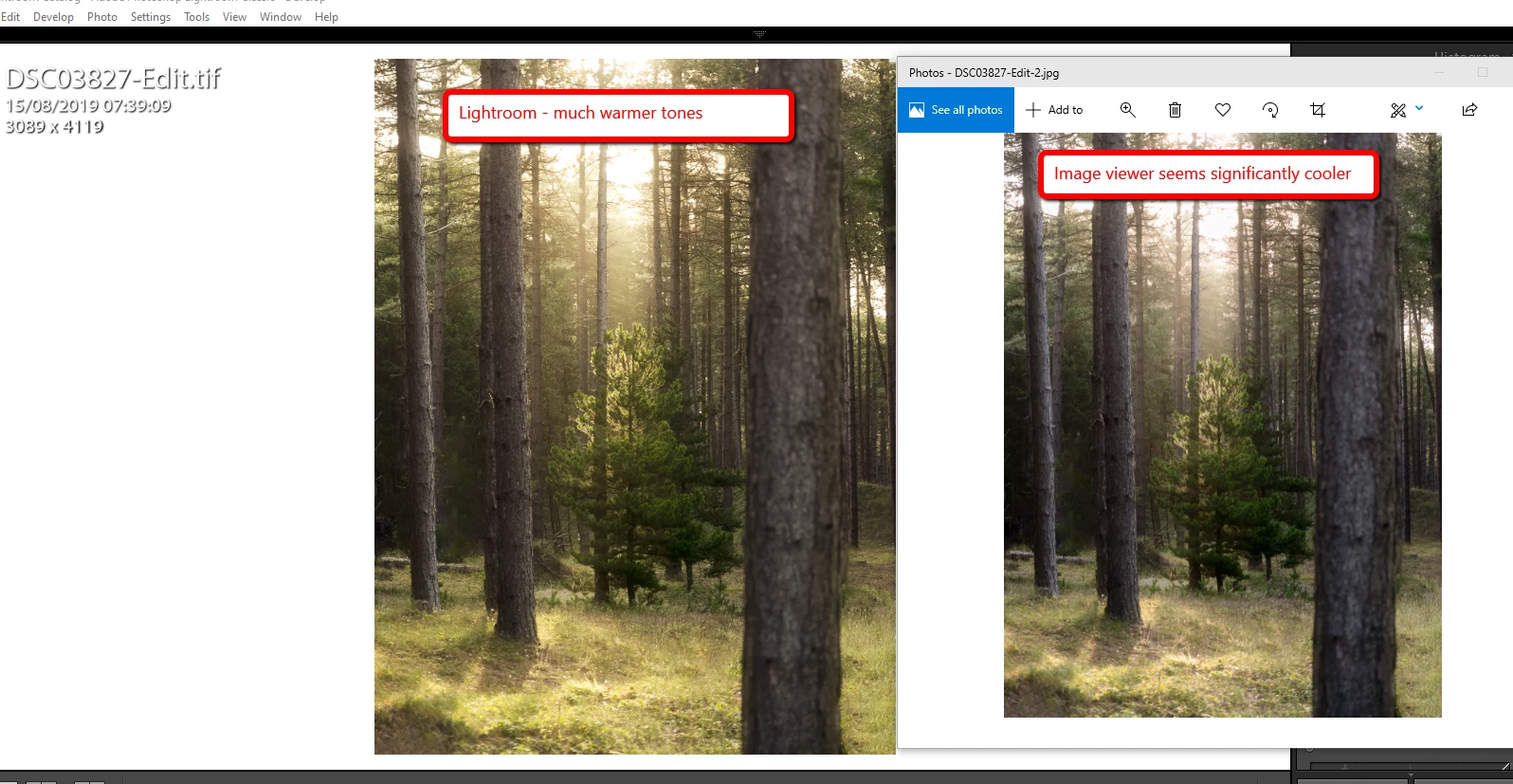
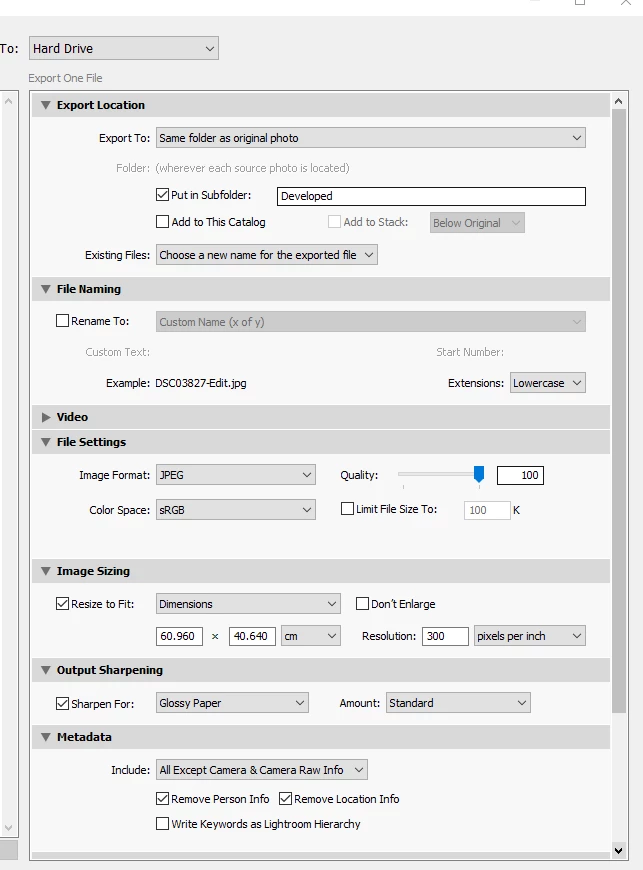
  

ny ideas?

This topic has been closed for replies.

1 reply

Per Berntsen
Community Expert
Community Expert
September 13, 2019

Lightroom is color managed, and will display correct colors by converting colors from the document profile (in this case sRGB) to the monitor profile.

The Photos app is not color managed, and doesn't do this conversion – it's not even aware of the monitor profile.

The only native color managed application on Windows is the Windows Photo Viewer. It's hidden on Windows 10, do a search for it.


Alternatively, use a third party color managed image viewer like FastStone. It's free for personal use.

Make sure that color management is set up like below.