

Import Develop Presets and Local Adjustment Brushes
- 8 replies
- 3893 views
- Translate
Hello all!
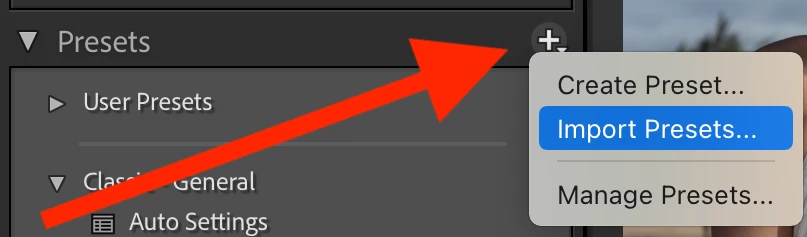
I am sorry, I have just spent the last 2 hours trying to figure out how to import presets into an earlier version of Lightroom into the current one and I am not having any luck. Here is the breakdown:
Old Version of Lightroom: Lightroom CC 2015
Current Version I am trying to use: Lightroom Classic 11.2
I am trying to get back into photography after finally getting a current laptop. The problem I am having is that I have a lot of presets on my old PC which has Lightroom CC 2015. Namely Develop Presets as well as Local Adjustment Brushes. All of my presets have the lrtemplate file extension and I do know that the current version of Lighrtoom should convert them into the xmp file extension.
I have tried to copy all the adjustments from the old Lightroom folders (Develop Presets folder and Local Adjustment Presets folder) into the same named folders in the new Lightroom version. I launch Lightroom Classic on the new laptop and I don't see any of my presets. I do know that reading tons of articles that I should see something popping up that it is converting the files from lrtemplate to xmp but I never see that happen.
I would hate to loose all of these presets as most of them I have purchased and really work well when I am editing my photos.
I have attached a couple of screenshots to show the old folder stucture and files of my presets.
Rob



 AdChoices