


Participant
Nov 4, 2016 4:27 AM UTC
Answered

Import Error - Files Could Not Be Read

I read a ton of threads with this same issue, and tried all the suggestions but it's still not working.

When I try to upload I get the error "files were not imported because they could not be read."

So far I've tried:

  • Checking read/write privileges
  • Keeping import dialog 'destination' section open
  • Resetting preferences file

It's LR 6.1.

Any suggestions? Thank you!!
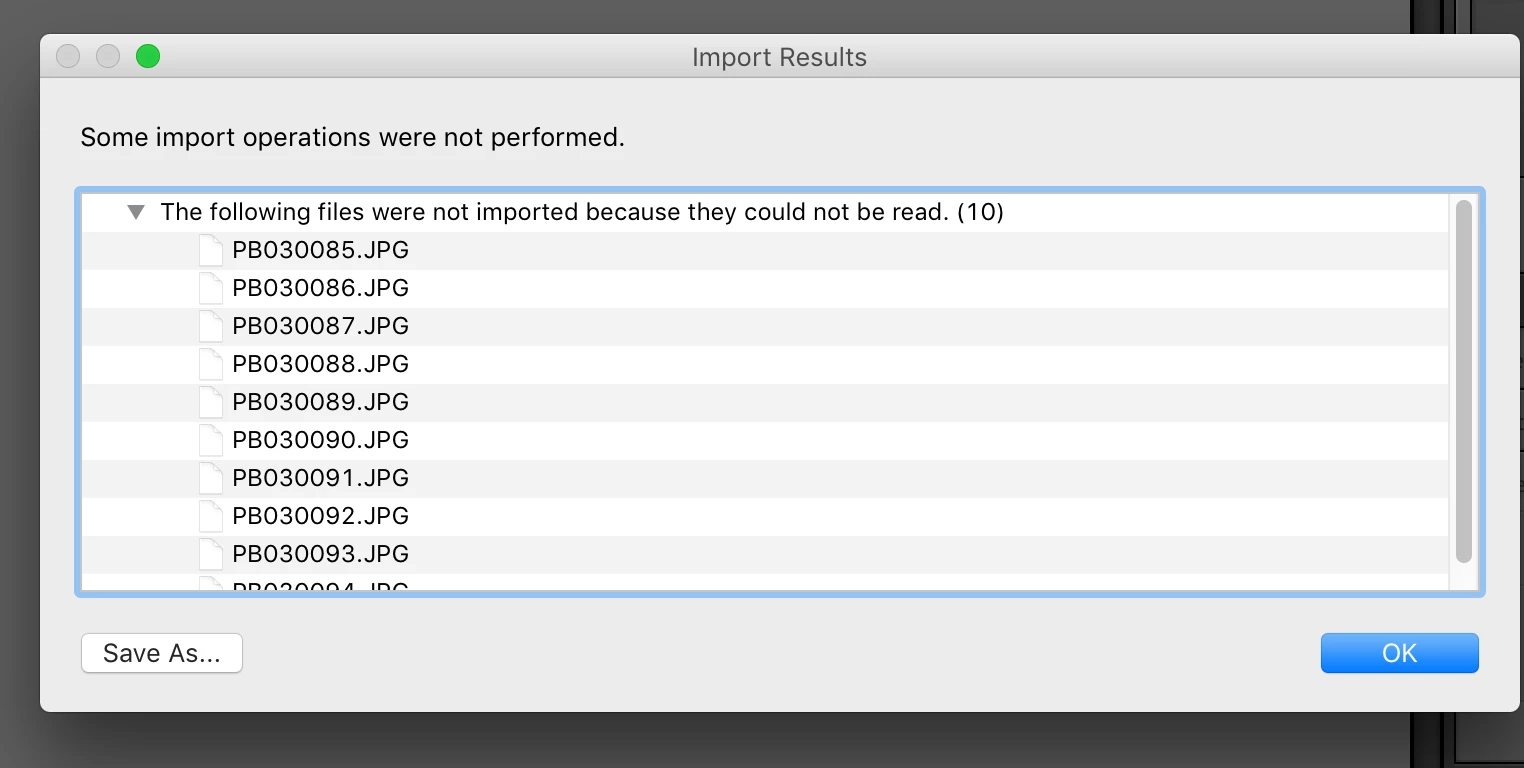
This topic is closed to new replies. Start a new post to keep the conversation going.
dj_paige
dj_paigeCorrect answer
Legend
Nov 4, 2016 11:47 AM UTC

alysonj wrote:

I read a ton of threads with this same issue, and tried all the suggestions but it's still not working.

When I try to upload I get the error "files were not imported because they could not be read."

So far I've tried:

  • Checking read/write privileges
  • Keeping import dialog 'destination' section open
  • Resetting preferences file

It's LR 6.1.

Any suggestions? Thank you!!

This error message means you do not have WRITE permission to the Destination folder. You need to find the Destination folder (it is in the Lightroom Import dialog box on the right hand side under Destination), and then check the permission on that EXACT folder, make sure it has WRITE permission.

You say you have checked the permissions, then obviously you have checked the permissions on the wrong folder.

8 replies

Participant
Sep 7, 2020 8:48 PM UTC

I had the same error-message, but when I put the files to be  imported on another harddisk there was no problem. So It can also be caused by a faulthy hard disk.

Translate
catheriner54907083
Participant
Nov 8, 2017 5:51 PM UTC

I'm having this same problem with a new version of LR, but using the same external drive as destination. Where exactly do I go to check permissions?

Translate
Peru Bob
Community Expert
Community Expert
Nov 8, 2017 5:53 PM UTC

Have a look here:

check permissions

Translate
Participant
Dec 5, 2016 11:51 PM UTC

I don't know where to ask this Q.  When importing, it balks at forward slashes in file name.  In the import error window it shows that the / was replaced with a colon (:) but it still won't import.  It ONLY works if I go to the orig file and change the name.  BUT, BIG PROBLEM:  All my photos are used in Indesign and when a finished project is packaged, all files are linked.  If I change the file name, all links will be broken.  I'm talking about several 1000s of photos.

How do I import files without changing the name and wrecking my InDesign work?

Thanks,

Norm

Translate
dj_paige
Legend
Dec 6, 2016 12:14 AM UTC

Well normp49520190 , you have created a thread with this question, that's the right place for it. You shouldn't put it here in a totally unrelated thread. Everyone put their answers in Norm's other thread.

Translate
dj_paige
dj_paigeCorrect answer
Legend
Nov 4, 2016 11:47 AM UTC

alysonj wrote:

I read a ton of threads with this same issue, and tried all the suggestions but it's still not working.

When I try to upload I get the error "files were not imported because they could not be read."

So far I've tried:

  • Checking read/write privileges
  • Keeping import dialog 'destination' section open
  • Resetting preferences file

It's LR 6.1.

Any suggestions? Thank you!!
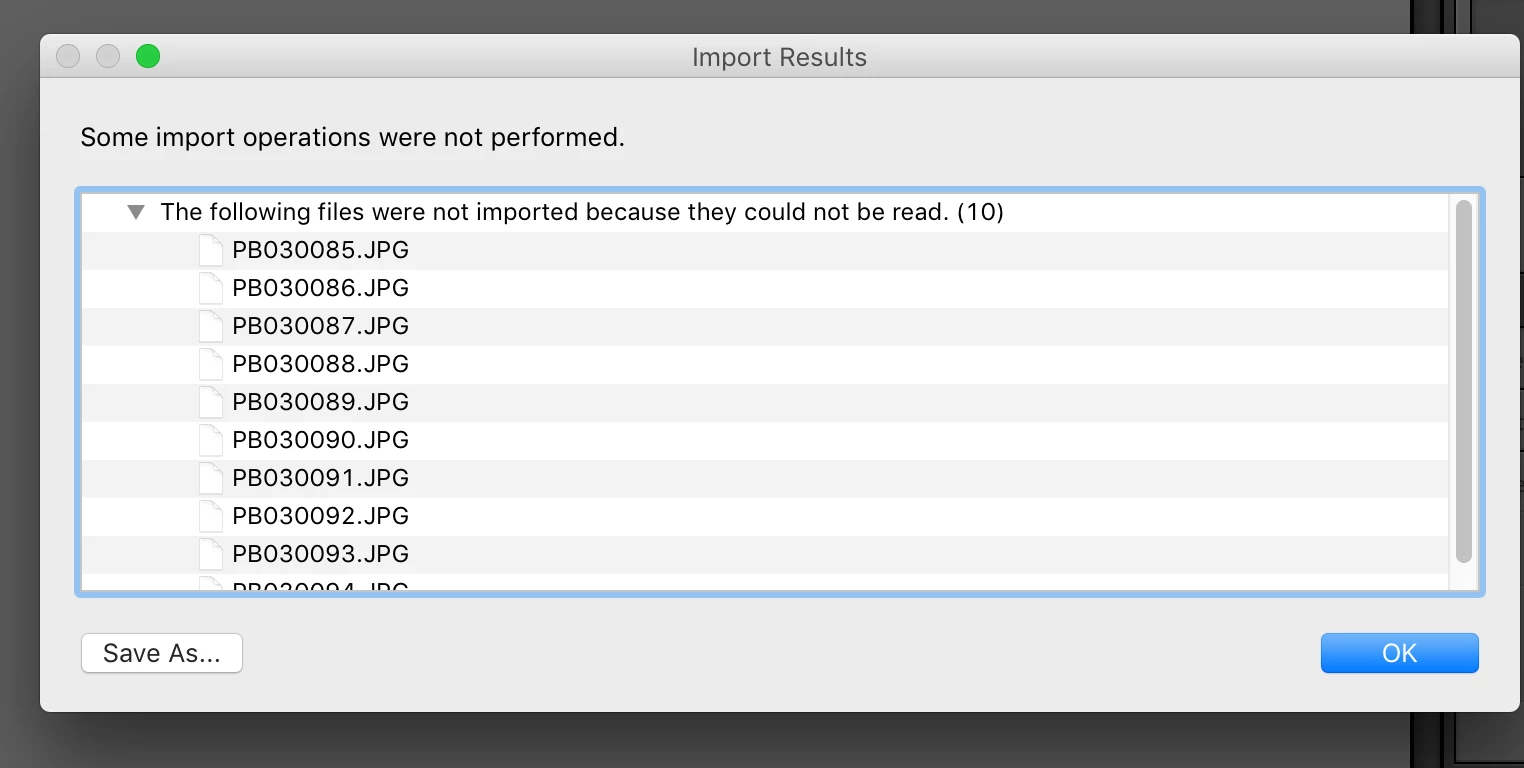
This error message means you do not have WRITE permission to the Destination folder. You need to find the Destination folder (it is in the Lightroom Import dialog box on the right hand side under Destination), and then check the permission on that EXACT folder, make sure it has WRITE permission.

You say you have checked the permissions, then obviously you have checked the permissions on the wrong folder.

Translate
AlysonJAuthor
Participant
Nov 6, 2016 6:38 PM UTC

I had read & write on all the folders for my account.. but there was another "level" that it needed to be granted to. Thanks!

Translate
F. McLion
Community Expert
Community Expert
Nov 4, 2016 6:55 AM UTC

First, update to 6.7: Install Photoshop Lightroom

Please let us know the target location of your import. Do you copy or add in LR import?

What do you mean with Keeping import dialog 'destination' section open ?

Translate
--- Got your issue resolved? Please label the response as 'Correct Answer' to help your fellow community members find a solution to similar problems. ---