bartonlew
Legend
October 27, 2022
Question

Import not finding photos in Explorer

  • October 27, 2022
  • 2 replies
  • 132 views

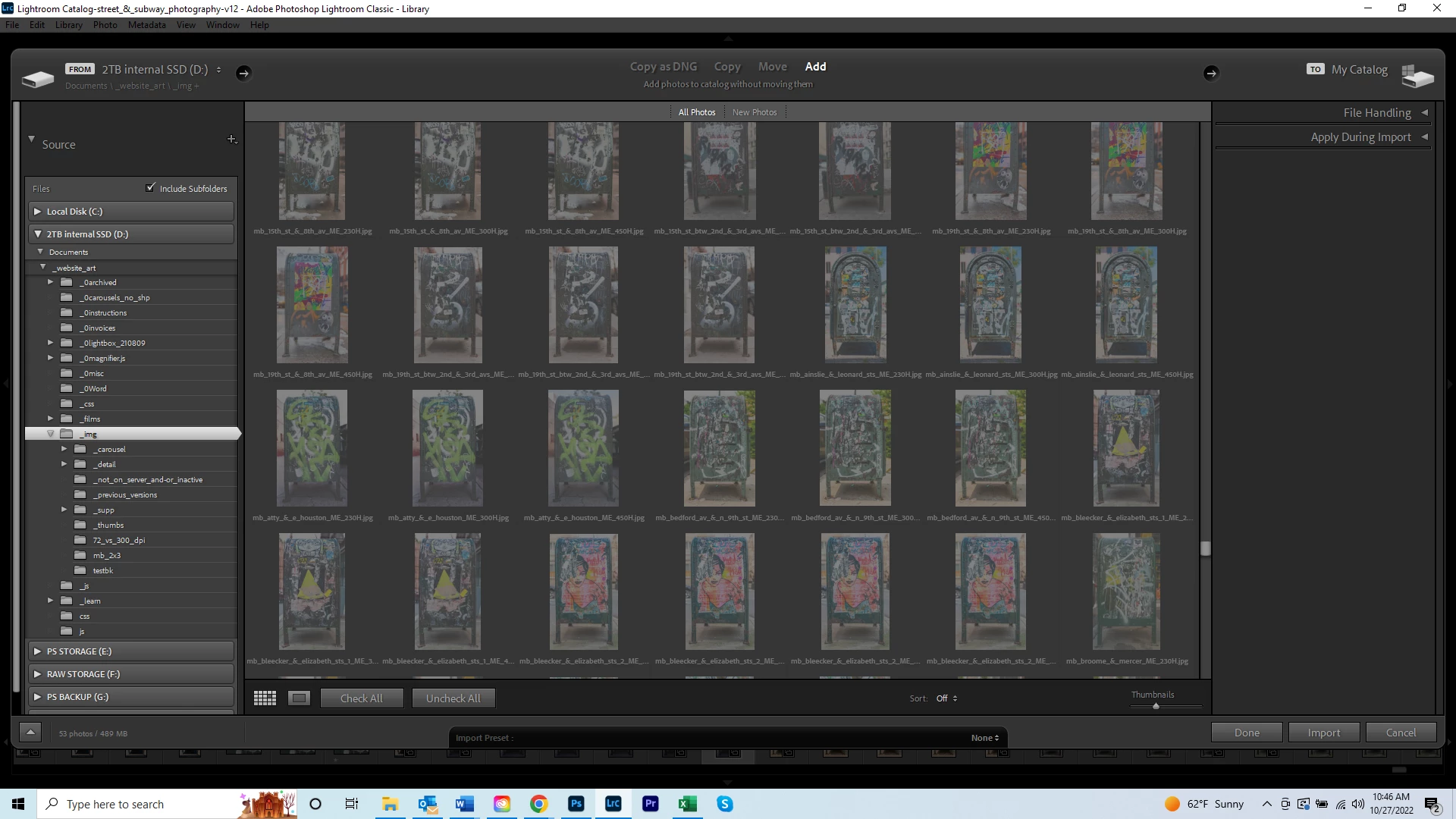
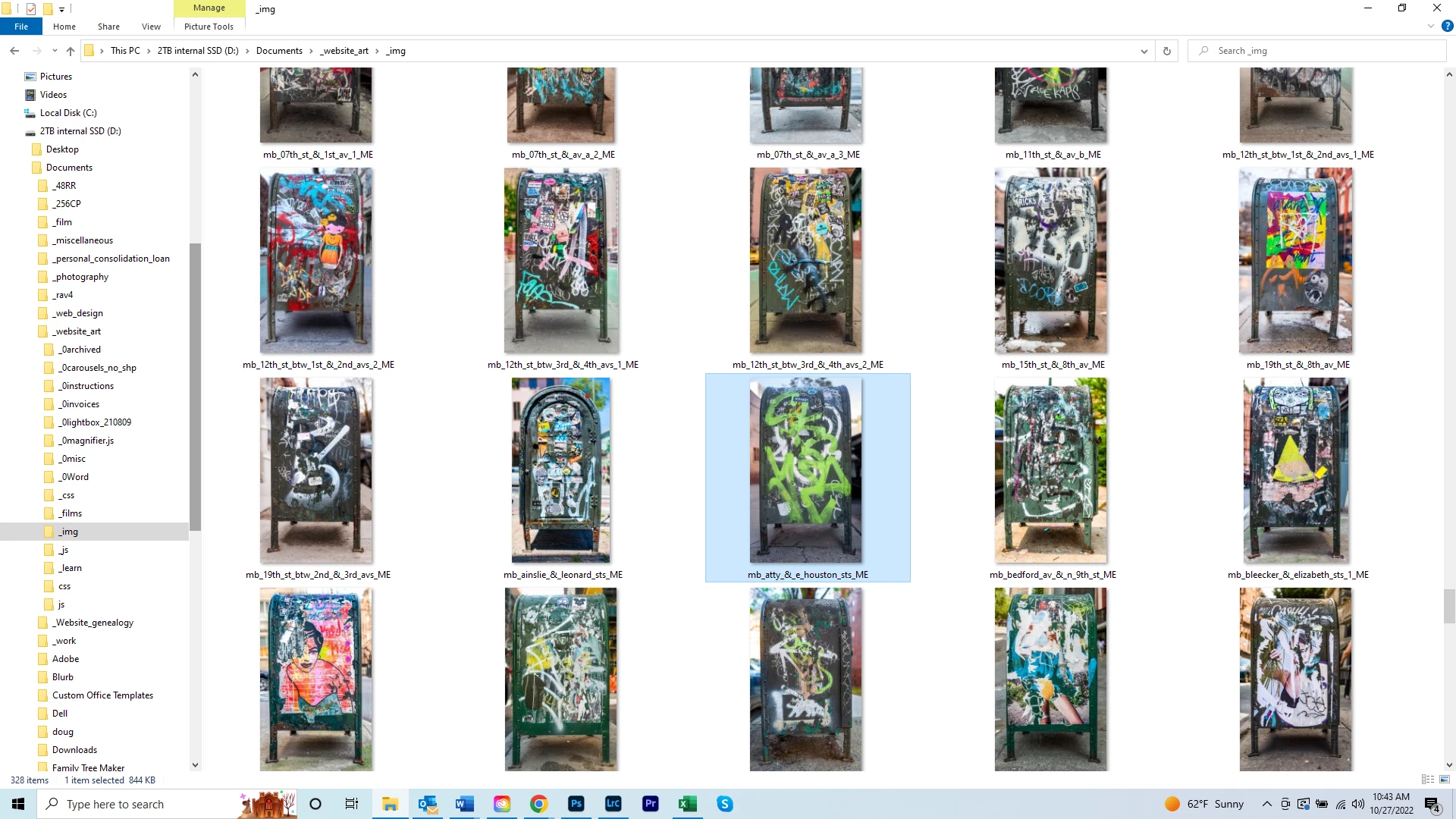
I went to import a photo and LR isn't seeing it.  Per the first screenshot, the selected photo is in the D drive in the Documents/_website_art/_img folder.  The name of the file is "mb_atty_&_e_houston_sts_ME."  Per the 2nd screenshot, the 1st 3 files in the 2nd to last row have similar names but none are this file.  None of the files beginning with "mb" that live in the parent "_img" folder are showing up in LR; all the ones in LR are in a subfolder called "_thumbs."  Why isn't LR showing the "mb..." files in the parent _img folder?


This topic has been closed for replies.

2 replies

dj_paige
Legend
October 27, 2022

I don't really see a connection between your two screen captures. in the first one, all the file names end with _ME while in the second screen capture, all the file names have something after _ME. So I don't think these are the right screen captures, or something else is wrong.

bartonlew
bartonlewAuthor
Legend
October 27, 2022

What I was trying to show is that when I Import, I am selecting the "_img" folder, which contains the files ending in "ME."  The files ending in something after ME are thumbs and in a subfolder called "thumbs."  My understanding is that LR shows all image files in a parent folder and their subfolders, so that's why you are seeing the files with something after "ME."  But I wasn't seeing the images just ending in "ME" - until I changed the Sort option from Off to File Name.  Now it looks like everything is there.  

JohanElzenga
Community Expert
Community Expert
October 27, 2022

What is the file type of those images? Lightroom does not support PDF, for example.


-- Johan W. Elzenga