Merry_Diamondc9e0
Participant
August 17, 2026
Question

Import Options Missing

  • August 17, 2026
  • 1 reply
  • 18 views

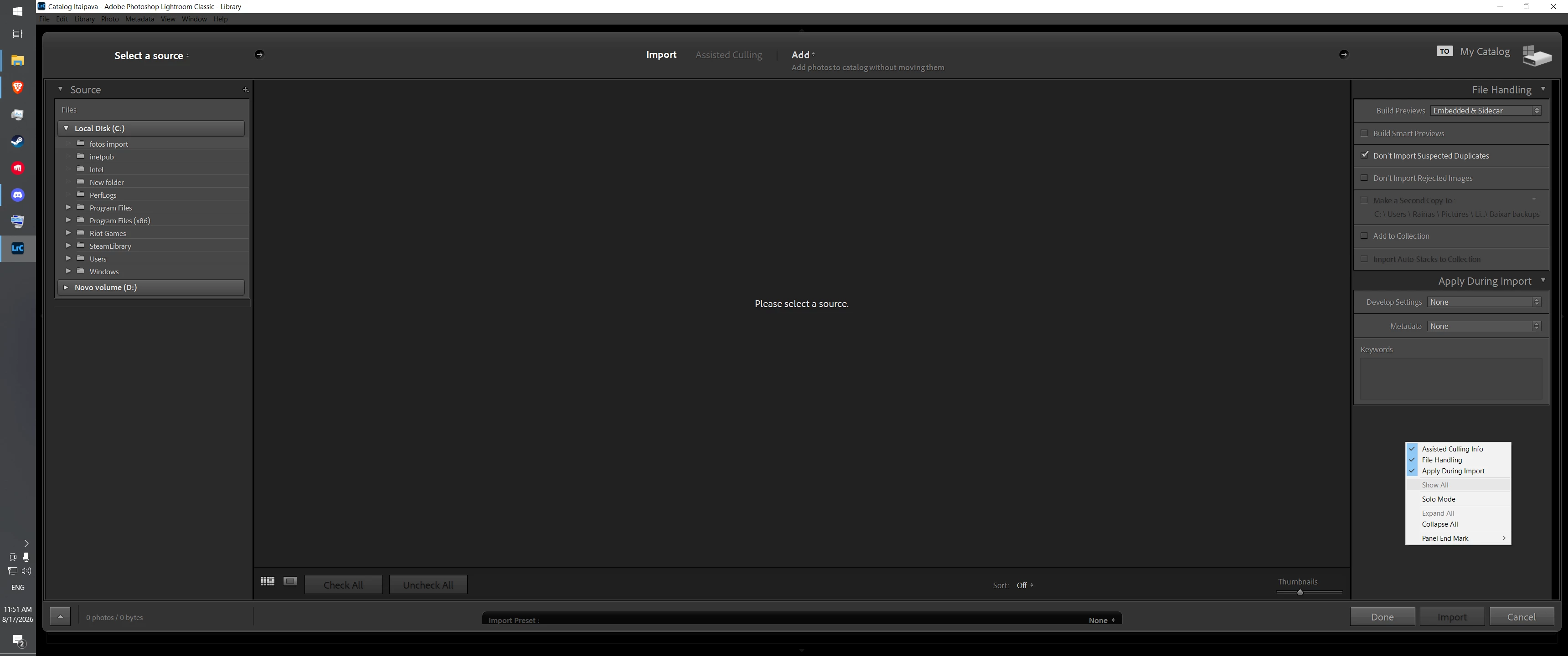
Hi Guys! I was trying to import some of my photos to LrC, and I found both the “rename files” and “destination” pannels were gonne. I tried basically all of the suggestions from previous posts, from right clicking on the existing pannels, right clicking outside of them, and even resetting my preferences, still nothing. What can I do to fix this? Screenshot of my screen above to showcase the problem. Thanks!

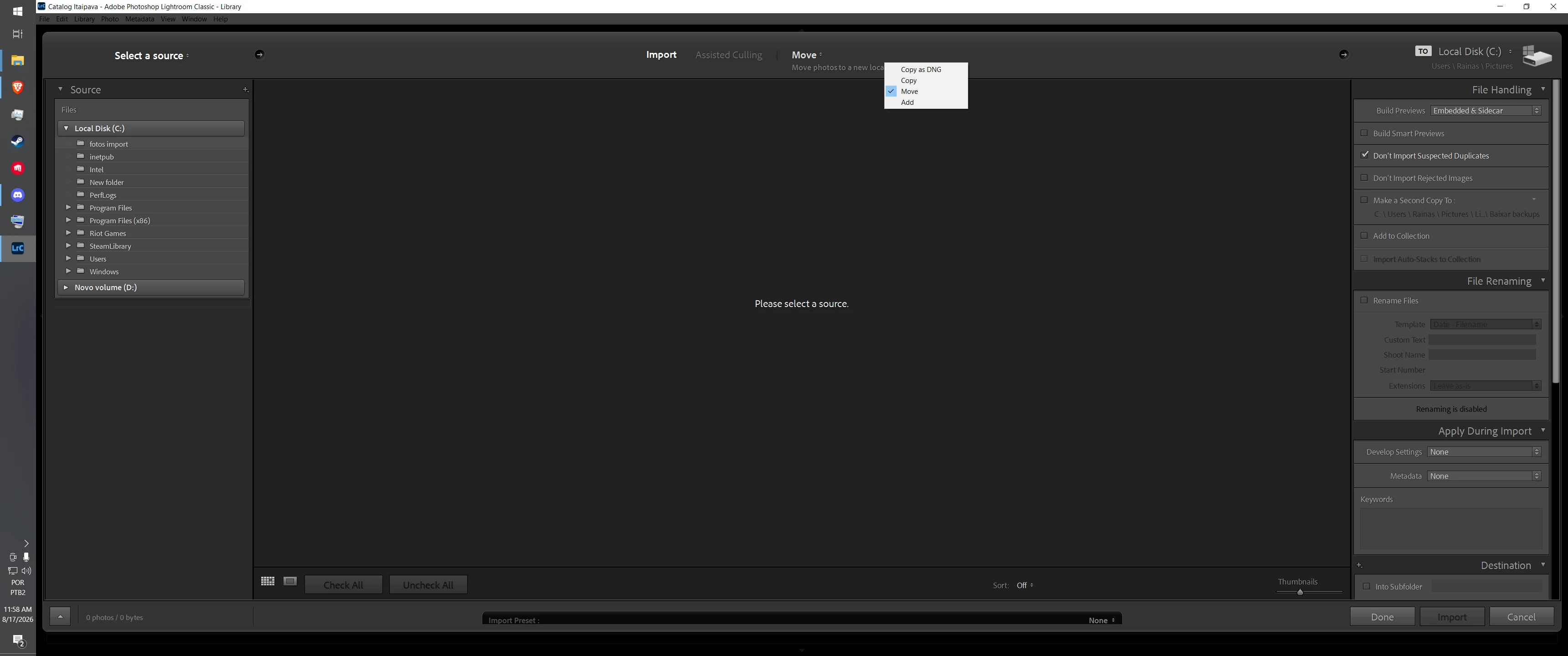
[EDIT] Literally as soon as I made the post I figured out what was wrong. I had to change the setting from ADD to MOVE on the middle. For reference to anyone having the same issue
 

    1 reply

    Conrad_C
    Community Expert
    Community Expert
    August 17, 2026

    [EDIT] Literally as soon as I made the post I figured out what was wrong. I had to change the setting from ADD to MOVE on the middle. For reference to anyone having the same issue


    Just to clarify that a bit further: 

    It is not specifically because you switched to Move. It’s because Add is the only option that can’t offer Rename and especially Destination. All of the other options – Copy, Copy as DNG, and Move — can allow Destination.


    The reason for that is simple: Add means catalog the files exactly as they are, in the folder where they are currently. If they’re added as is, that means don’t change the name (so, no Rename), and if they’re added where they are, that mans don’t change the location (so, you can’t set a new Destination).

    The Add option is the best way is for those who want to use Lightroom Classic to catalog existing files while preserving the work they already did to organize their files and folders. For any import where you do want to change something, you pick any of the other options, not Add.