

TheMatia
Inspiring
October 21, 2025
Question

Import picking and choosing jpg/Raw file type in sequence

  • October 21, 2025
  • 1 reply
  • 98 views

LRC 14.5.1

Mac Studio M2 Max

OS Sequoia 15.6.1


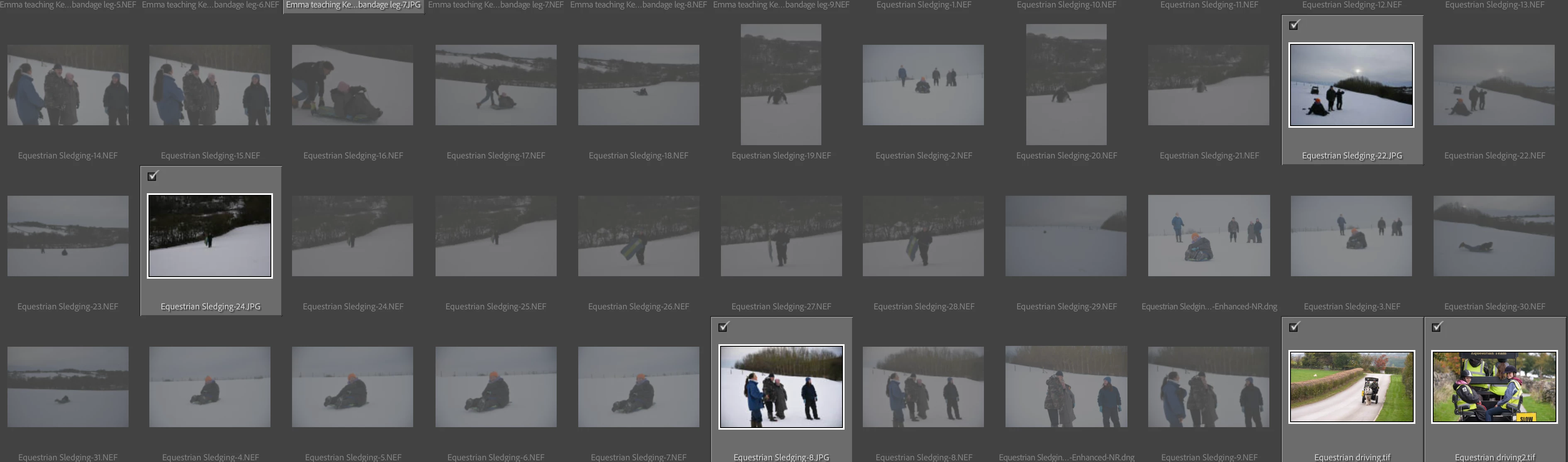
Sometimes, when I try to drag a shared folder into LR for import, I'm used to the raws being the selected files, however, recently I've been faced with a mixture of raws or jpgs in the sequence. E.g. importing 4 images which were all captured in jpg + raw, import selection may give me "DSC_1001.jpg, DSC_1002.NEF, DSC_1003.NEF, DSC_1004.jpg".


I'm also having an issue when I drag in a shared folder, that has already been imported previously, now wanting to import jpgs from the previously imported sequence of raws imported. Example image below.
 

1 reply

Community Manager
October 21, 2025

Hi @TheMatia! Thanks for reaching out.
Could you check what the Sort option in the Import dialog is set to? Also, in Preferences > General, see if the setting Treat JPEG files next to raw files as separate photos is checked.
When you drag in a folder that’s already been imported, Lightroom Classic will only show files that haven’t been imported yet. If you’d like to bring in JPEGs from a previously imported RAW sequence, you may need to enable Show Photos Already Imported in the Import dialog.
Let me know if that helps!
Thanks,
Alek

*(If you mention me with an @, like @Aleke, I’ll get a notification and can respond faster.)*
TheMatia
TheMatiaAuthor
Inspiring
October 22, 2025

Hi @Aleke , thanks for the reply.  I've attached photos of the import dialogue and preferences. This time, my import is behaving as expected and desired, it's just on the odd occasion that LRC seems to pick a random jpg in the sequence, when I just want to import the raws.


Thanks again,

Matt