
number1muzicguy
Participant
July 30, 2026
Answered

Imported photos have color splotches since last update - about 7/20/26

  • July 30, 2026
  • 2 replies
  • 31 views

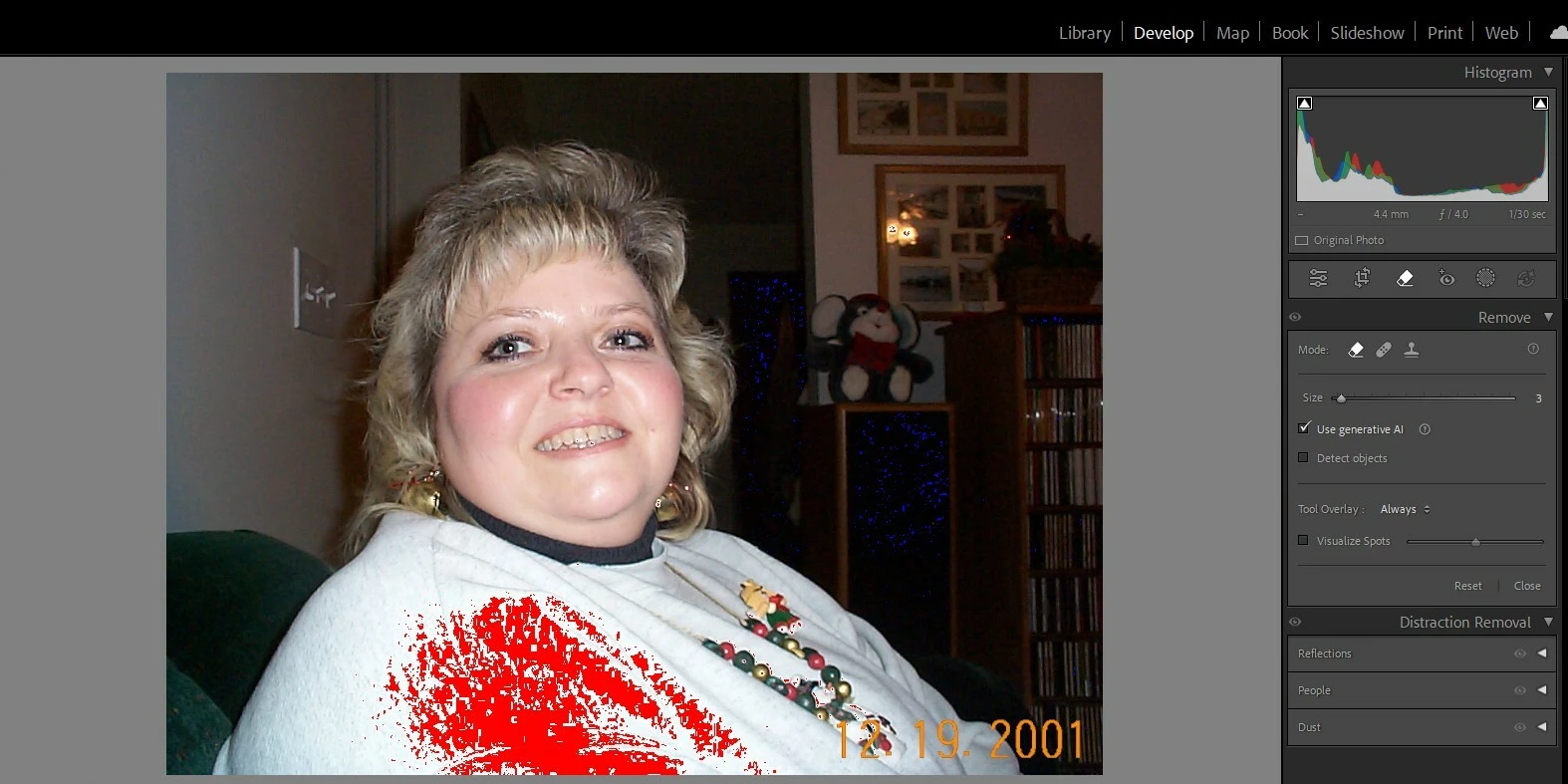
Once a photo is loaded from my library, after hitting develop, pictures have color splotches on them that makes editing them impossible. This seems to have started on or about 7/20/26.

Original:

In Develop mode without starting any editing (note: I have restarted my computer since the issue started):
 

    Correct answer Rikk Flohr_Photography

    This is not a bug. You’ve turned on the Blown Highlight indicator. 

    Either click the Triangle in the upper right of the Histogram or use the [ J ] key to turn this off. 
     

    Moving to Questions. 

    2 replies

    Rikk Flohr_Photography
    Community Manager
    July 30, 2026

    This is not a bug. You’ve turned on the Blown Highlight indicator. 

    Either click the Triangle in the upper right of the Histogram or use the [ J ] key to turn this off. 
     

    Moving to Questions. 

    Rikk Flohr: Adobe Photography Org
    number1muzicguy
    Participant
    July 30, 2026

    Ahhh...you da man!