



Importing Directly To A Network Folder
All of my photos and videos are on Network Attached Storage with backups, redundancy etc.
I am trying to make an import preset that takes Videos off of an SD card, and copies them to the network folder. \\HomeServer\Video
Yet, when I attempt to import, this network location does not show up as a destination. There's no way for me to add it.
I only see local drives an mapped drive letters.
The problem is that if i map a drive (example V:\ to \\HomeServer\Video) then all of the videos open under a new folder name inside lightroom instead of the \\HomeServer\Video folder.
How can I get my imports to go right to V:\ to \\HomeServer\Video without having a folder called V:\
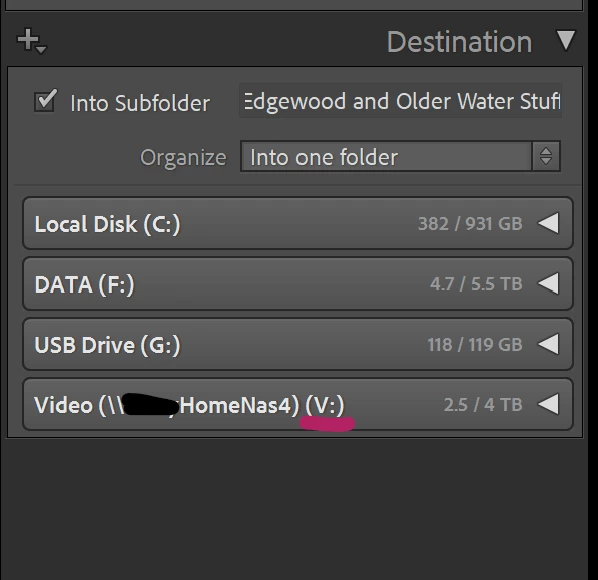
Hitting the little "+" at the top of this dialog doesn't seem to do anything.
 AdChoices