Answered
Importing duplicate CF & SD cards?
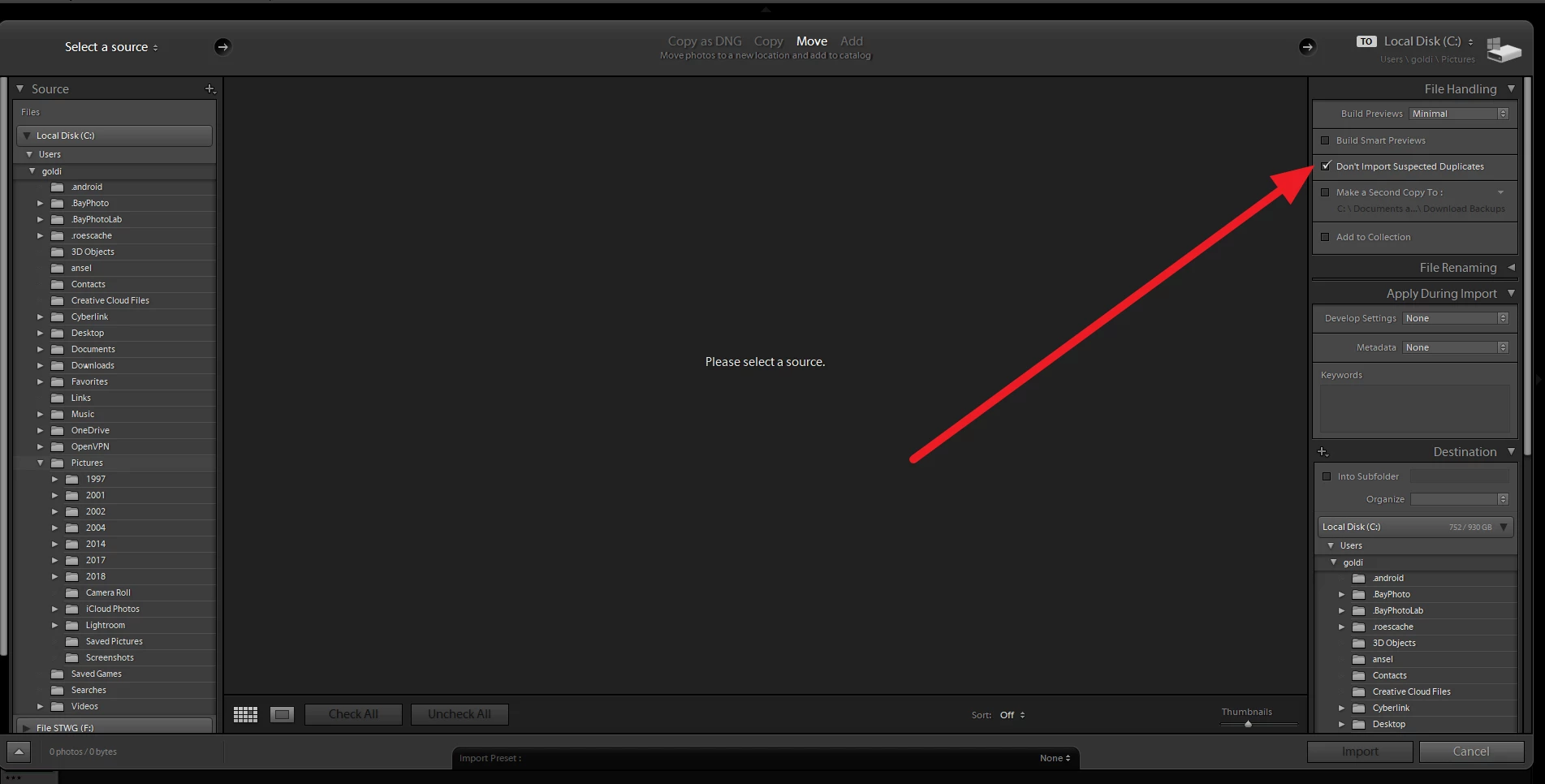
I have duplicate photos on my CF cards and SD cards from a weddingcloth shot in raw. I have successfully downloaded the CF photos and saved to a folder. I want to now download the photos from my SD cards as a back up and have created a new folder. However Lightroom ClassIc the initial import screen are shaded which suggests they are already imported. They are, in a sense, and identical but from different card. Can I import again or do I simply copy original folder. Would this be different if one set were RAW and the other JPEG...Thanks ROB
[Here is the list of all Adobe forums... https://forums.adobe.com/welcome]
[Moved from generic Cloud/Setup forum to the specific Program forum... Mod]
 AdChoices