Inspiring
November 16, 2024
Answered

Importing files creates seperate folders in left side 'Folders'

  • November 16, 2024
  • 1 reply
  • 117 views

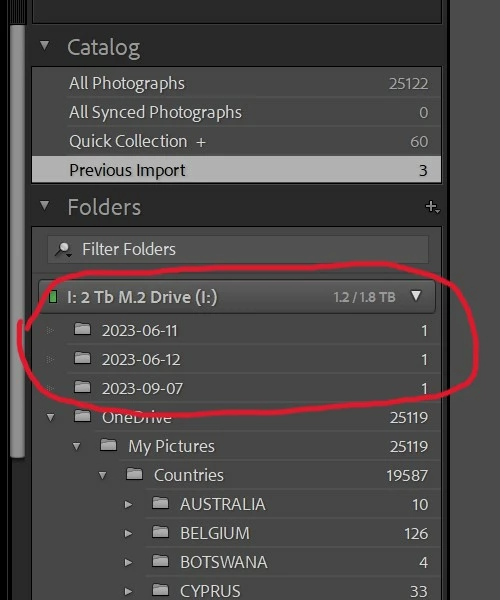
PHOTO #1
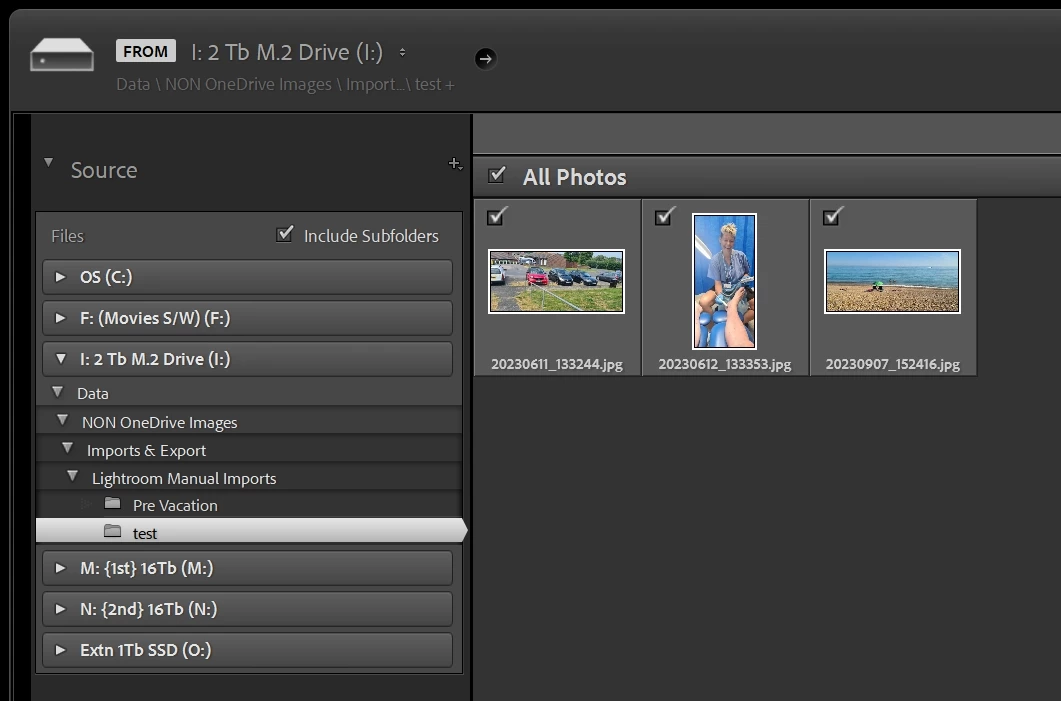
3 test photos in test folder. Then c
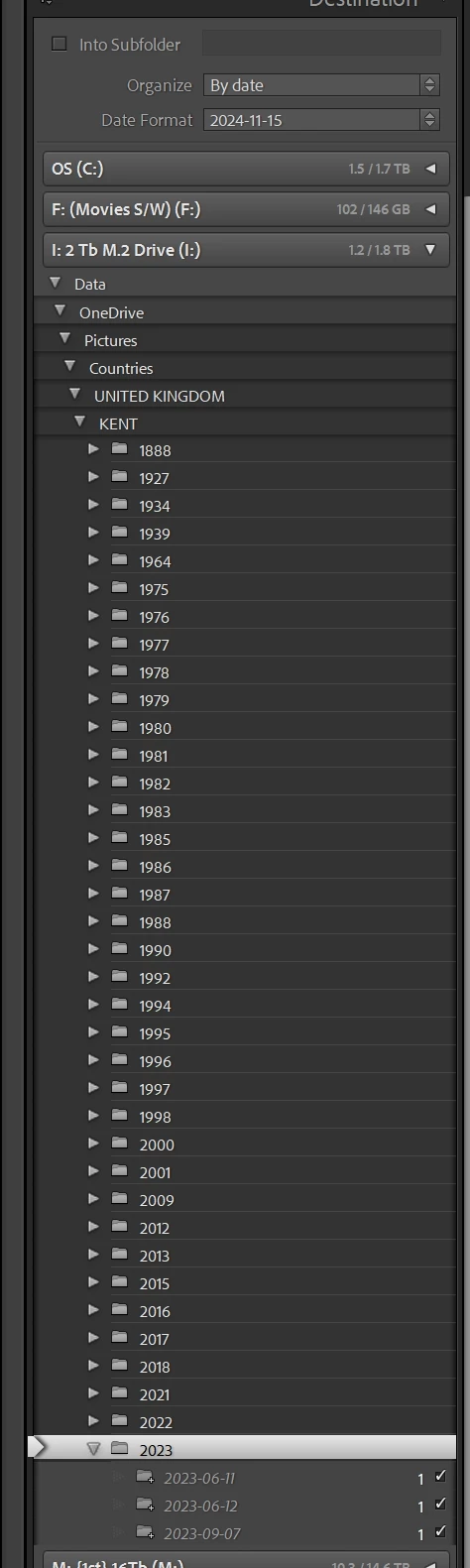
hose to import into l:data\onedrive\pictures\countries\united kingdom\kent\2023 as per photo #2


BUT

When I click on Import yes they do place them into the correct folders BUT also display as seperate folders as in pic 3, OUTSIDE the top folder structure, at the top of the tree. If I go to delete the ones showing at the top of the tree, they also get deleted from the real folders.


Its been working fine for ages, but only just noticed this error.


I would appreciate your opinion.

David
 

[moved from bugs to discussions according to the community rules - Mod.]

This topic has been closed for replies.
Correct answer JohanElzenga

This is a well-known problem, called the 'Capitalisation problem'. Basically, what happens is that you have two different folders, one called ‘XXXX’ (or a combination of upper- and lower cast) and the other one called ‘xxxx’. In other words, the names are the same, except for the capitalisation of at least one letter. Because MacOS and Windows are case-insensitive, your OS sees those two folders as one and the same folder and so it deals with this without you even being aware of it. You will only see one single folder in the Mac Finder or Windows Explorer!!! But Lightroom is case-sensitive, so Lightroom does see two different folders. Here's how to fix the problem. https://www.lightroomqueen.com/capitalization-catalog-error/


1 reply

JohanElzenga
Community Expert
JohanElzengaCommunity ExpertCorrect answer
Community Expert
November 17, 2024

This is a well-known problem, called the 'Capitalisation problem'. Basically, what happens is that you have two different folders, one called ‘XXXX’ (or a combination of upper- and lower cast) and the other one called ‘xxxx’. In other words, the names are the same, except for the capitalisation of at least one letter. Because MacOS and Windows are case-insensitive, your OS sees those two folders as one and the same folder and so it deals with this without you even being aware of it. You will only see one single folder in the Mac Finder or Windows Explorer!!! But Lightroom is case-sensitive, so Lightroom does see two different folders. Here's how to fix the problem. https://www.lightroomqueen.com/capitalization-catalog-error/


-- Johan W. Elzenga