
Jumajan
Participant
July 19, 2024
Question

Importing from another LR catalog

  • July 19, 2024
  • 1 reply
  • 114 views

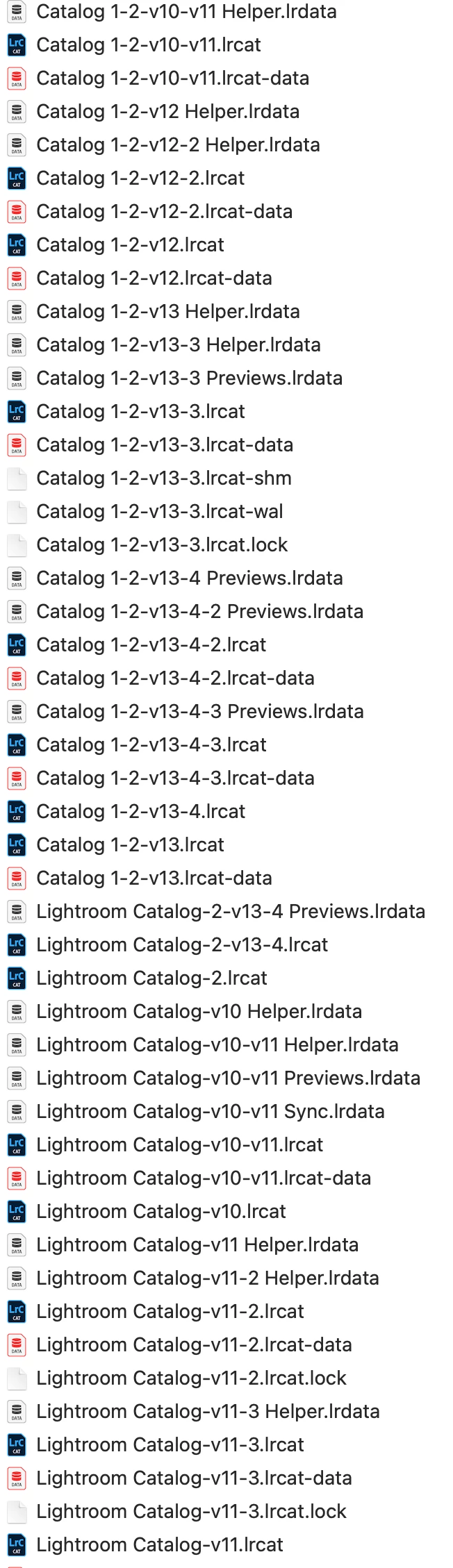
I am trying to clean up my LRC catalogs.  I have SO many of them!  I've been using the "Import from another catalog", and it's working fine.  However, once I have imported into my existing catalog, can I then delete the ones that are still sitting in my folder?  I'm really confused!   I have attached a view of my folder - LOOK AT THEM ALL!  There must be a lot of redundant files here, right?  Please help!      
This topic has been closed for replies.

1 reply

AxelMatt
Community Expert
Community Expert
July 19, 2024

If the import is completed successfully your can delete the appropriate catalog including all corresponding folders.

Before you delete some files I would recommend to make a backup of all files.

Here you'll find a lot of tips do to a merging and cleanup: Merging Catalogs - The Overview | The Lightroom Queen


My System: Intel i7-8700K - 64GB RAM - NVidia Geforce RTX 3060 - Windows 11 Pro 25H2 -- LR-Classic 15 - Photoshop 27 - Nik Collection 8 - PureRAW 6 - Topaz Photo AI