Participant
June 13, 2017
Answered

Importing images

  • June 13, 2017
  • 3 replies
  • 362 views

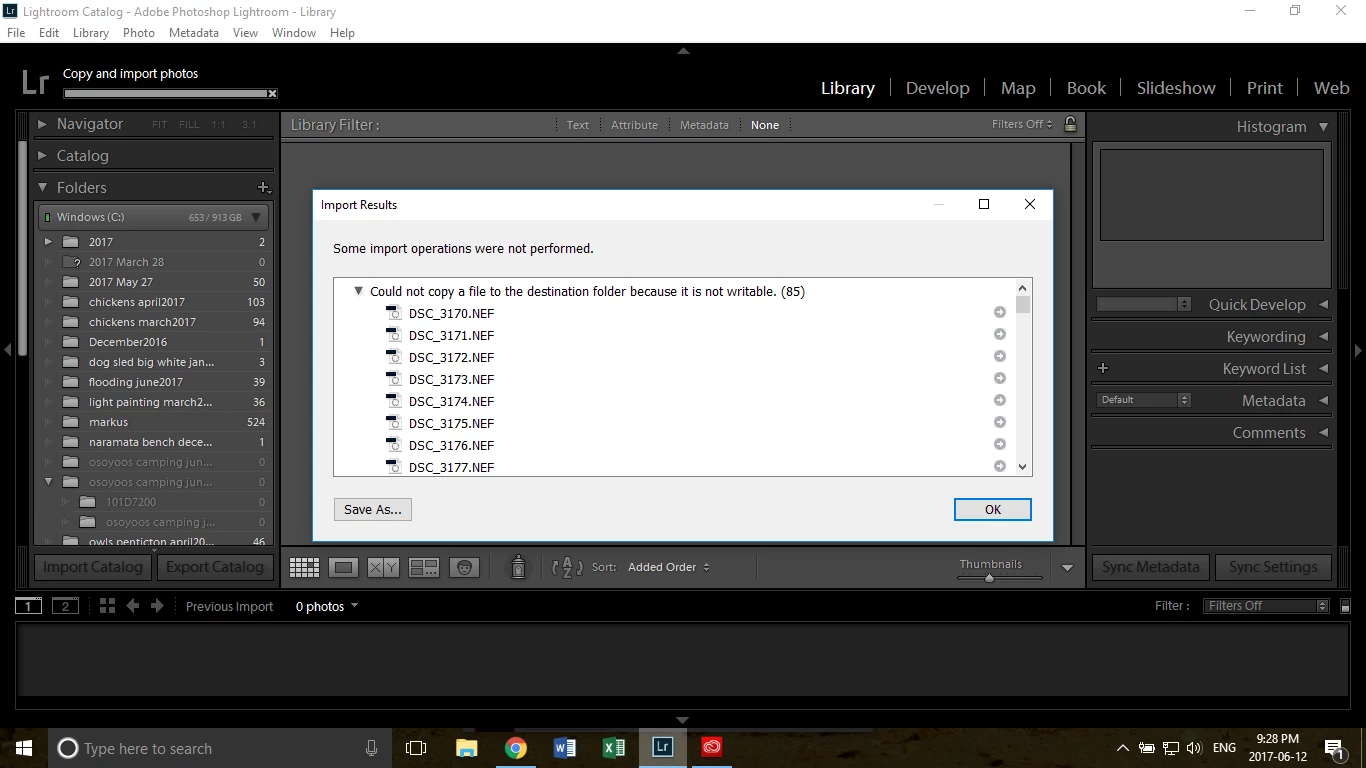
I'm trying to import images and a window pops up saying "some import operations were not performed". "could not copy a file to the destination folder because it was not writable". And in brackets the number of photos.

Below that all the the photos that I wanted to import, e.g. DSC_123.NEF

Save as... and OK

Any idea how I can make this work again?? I tried older photos just to see if it was just these particular ones. And it did the same thing for older photos.

Please help!

Thank you,

Nicole.

See below.
    This topic has been closed for replies.
    Correct answer Rob_Cullen

    "because it was not writable".

    Do you think this might be a clue?

    Check the folder that you have in the "Destination" panel of the Import dialog. Know what folder exactly you are trying to copy your files into (or the options for a  folder that Lr is trying to create for your).

    If the Destination and folder is set correctly, then exit Lightroom and check the Read/Write permissions for the Destination location.

    Do you have full Read/Write permissions for the Hard-drive, the parent folders, and any sub-folders, that are in the destination?

    3 replies

    Mohit Goyal
    Community Manager
    Community Manager
    June 13, 2017

    Hi nicoleh,

    Normally this type of error message is a permissions issue. In addition to checking the permissions of the destination drive and folder tree, you may need to do a Disk - Repair Permissions on that drive.

    Also, you can refer the below discussion related to the same issue.

    Lightroom: Error message "could not copy a file to the requested location." | Photoshop Family Customer Community

    Lightroom encountered an error when reading it's preview cache 

    Regards,

    Mohit

    Participant
    June 13, 2017

    Thank you! You solved my problem :-)

    Rob_Cullen
    Community Expert
    Rob_CullenCommunity ExpertCorrect answer
    Community Expert
    June 13, 2017

    "because it was not writable".

    Do you think this might be a clue?

    Check the folder that you have in the "Destination" panel of the Import dialog. Know what folder exactly you are trying to copy your files into (or the options for a  folder that Lr is trying to create for your).

    If the Destination and folder is set correctly, then exit Lightroom and check the Read/Write permissions for the Destination location.

    Do you have full Read/Write permissions for the Hard-drive, the parent folders, and any sub-folders, that are in the destination?

    Regards. My System: Windows-11, Lightroom-Classic 15.3, Photoshop 27.5, ACR 18.3, Lightroom 9.3, Lr-iOS 10.4.0, Bridge 16.0.3 .