
Importing large amounts of photos to Lightroom (500k+) is failing
Hi!
It seems like Lightroom hangs when importing large amounts of photos. I've been having this problem several times over the past years, and right now I'm starting from scratch with a fresh install of Windows 11 and Lightroom Classic.
Trying to import a folder with 580k photos to a new, empty Lightroom Catalog.
Catalog files are sent to a 2TB, 7300 MB/sec m.2 SSD.
Photos usually resides on a 4x16 TB RAID-5 array, but right now I'm trying to import from a 3x14 TB RAID-0 array, read speeds about 600 MB/sec.
Computer specs: Intel i9 14900K CPU, ASUS ProArt Z790 motherboard, 64 GB 6000 MHz RAM.
It seems like the RAM is filling up after a while, and importing slows down.
Now, the import process has taken 48 hours and all photos seems to be finished imported to the catalog. BUT - "Fetching initial previews" still has a long way to go, probably a week or so, when looking at the progress bar. It should not be so time consuming!
Lightroom now hangs when I try to press the "x" on the Fetching initial previews bar to stop preview generation. The whole system is slowed down and computer is practically unusable.
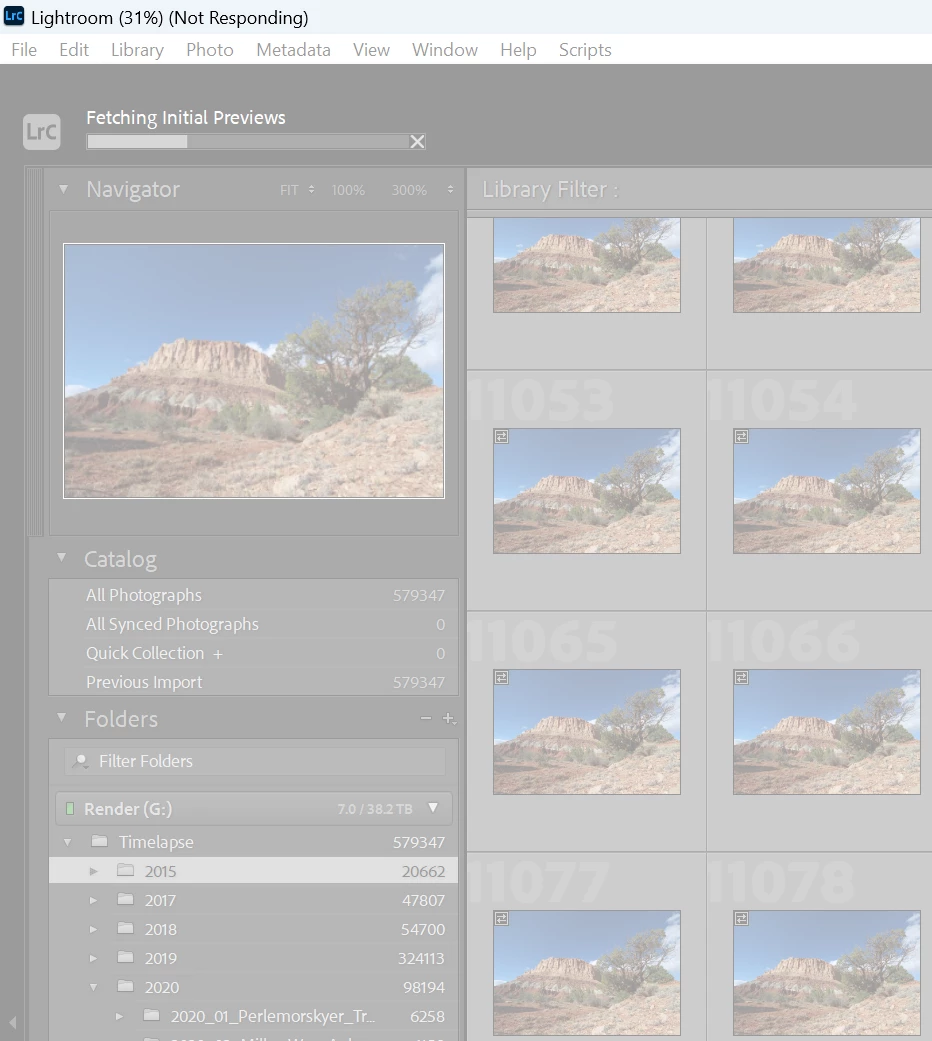
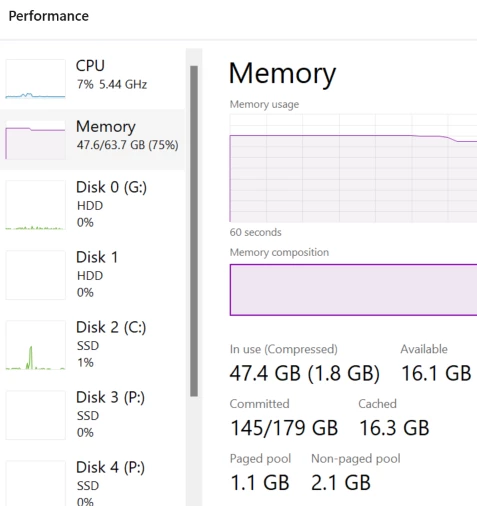
Seems like RAM usage has been up to 179 GB including page file? CPU/disk usage has went lower and lower, while memory usage has went upwards.
Is there a workaround for this? A setting I should change?
Kind regards,
- Jørn T


 AdChoices