Participating Frequently
March 18, 2017
Answered

Importing RAW Files - Canon 5D Mark IV

  • March 18, 2017
  • 5 replies
  • 13719 views

I am using a trial version of Lightroom CC. I have updated the Camera Raw as well to the current version. I am having issues importing RAW files from my Canon 5D Mark IV.

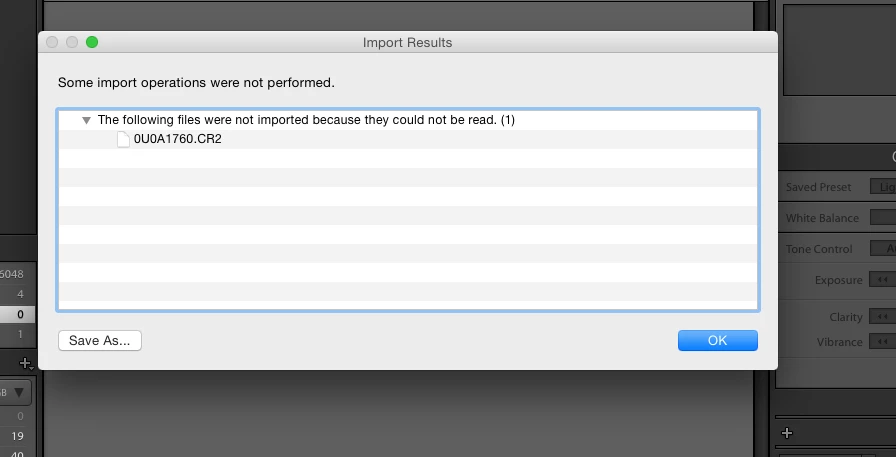
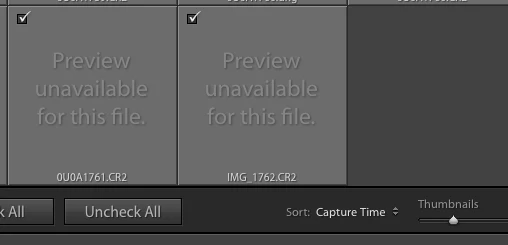
I get a "Preview Unavailable For This File" message. and when I try to import I get a message saying the file can't be read. Not sure what to do since I have updated all software and Camera RAW support.

Thanks, for the help.
This topic has been closed for replies.

5 replies

JoeGuyon
Participant
May 14, 2017

I have the same problem here :-(

Participating Frequently
January 18, 2020

Hi, I really don't know what else to do...

Hardware: I have a Mac Book Pro, Lightroom Classic, Canon 5D Mark IV, USB Tethering cable and a Compact Flash Extreme Pro or SD Extreme Pro in the camera. All softwares and firmwares are the latests versions.

Problem:

When importing files (I use only RAW) Lightroom recognize the camera under "Devices" but shows "No Photos Found". 

When trying the tethering option to control the camera and take pictures, LR shows "No Camera Detected"

Actions taken:

Updated all versions and firmwares...followed all instructions at https://helpx.adobe.com/lightroom-classic/kb/troubleshoot-tethered-capture-lightroom.html, used different ports and cables...

I assume that both related to same problem but I am about to give up...PLEASE HELP!

(before I had a Canon 60D and it worked perfectly)

Participant
February 1, 2020

I am having the same issue and  been chatting with a "Specialist" from Adobe who says "this is a bug and it will be fixed soon with the next update and our engineering team is still working on this". Not very helpful, Funny thing is I see this has been an issue for quite some time.  I have downloaded LR Classic V 9.1 which supports this file version but the problem is it's way too slow on my Macbook pro vs the older LR version.  I never used to see the Spinning Disk pointer on LR CC 2015, but if you can overcome that you can at least get your work done until a update is available.

franca_rame1
Participant
April 2, 2017

I found out What it is: You need  the latest  version 2015.9 and You Have to go under preferences, the fifth or siete tab, and uncheck the graphic acceleration of graphic CPU. Thai makes everything work.

Community Expert
April 1, 2017

The error shown above is normally due to the destination being set to a location where you don't have write permissions. Make sure that the destination is set correctly to a folder where the user you are logged in under can write to.

Noemy.AE
Participating Frequently
March 27, 2017

Hi! I am having the same issue! Have you found a solution yet to importing your Mark IV RAW files into Lightroom yet? I just did a wedding with the Mark IV and am trying not to freak out over this issue.... Just trying to find a solution as quickly as possible!

Participating Frequently
March 27, 2017

Yes. I did an online chat with customer support. He did a remote session on my computer and had to delete a file in my library and then he downloaded and installed a patch. After that I have not had any issues with importing images from my 5D Mark IV

franca_rame1
Participant
April 1, 2017

I have the same issue, could you please send me the address where to download the patch to install?

kglad
Community Expert
kgladCommunity ExpertCorrect answer
Community Expert
March 18, 2017
Participating Frequently
March 18, 2017

The images that I am trying to import were taken with Dual Pixel RAW turned off.

kglad
Community Expert
Community Expert
March 18, 2017

update lr so it has cr 9.7.

if you have updated to cr 9.7 attach a screenshot showing that.