


Participant
March 2, 2025
Answered

Impossible d'accéder au Développement sous LR Classic

  • March 2, 2025
  • 1 reply
  • 267 views

Bonjour à tous,

J'ai un souci depuis tout à l'heure, je n'arrive plus à accéder au Developpement sur Lightroom Classic, j'ai le message d'erreur suivant :
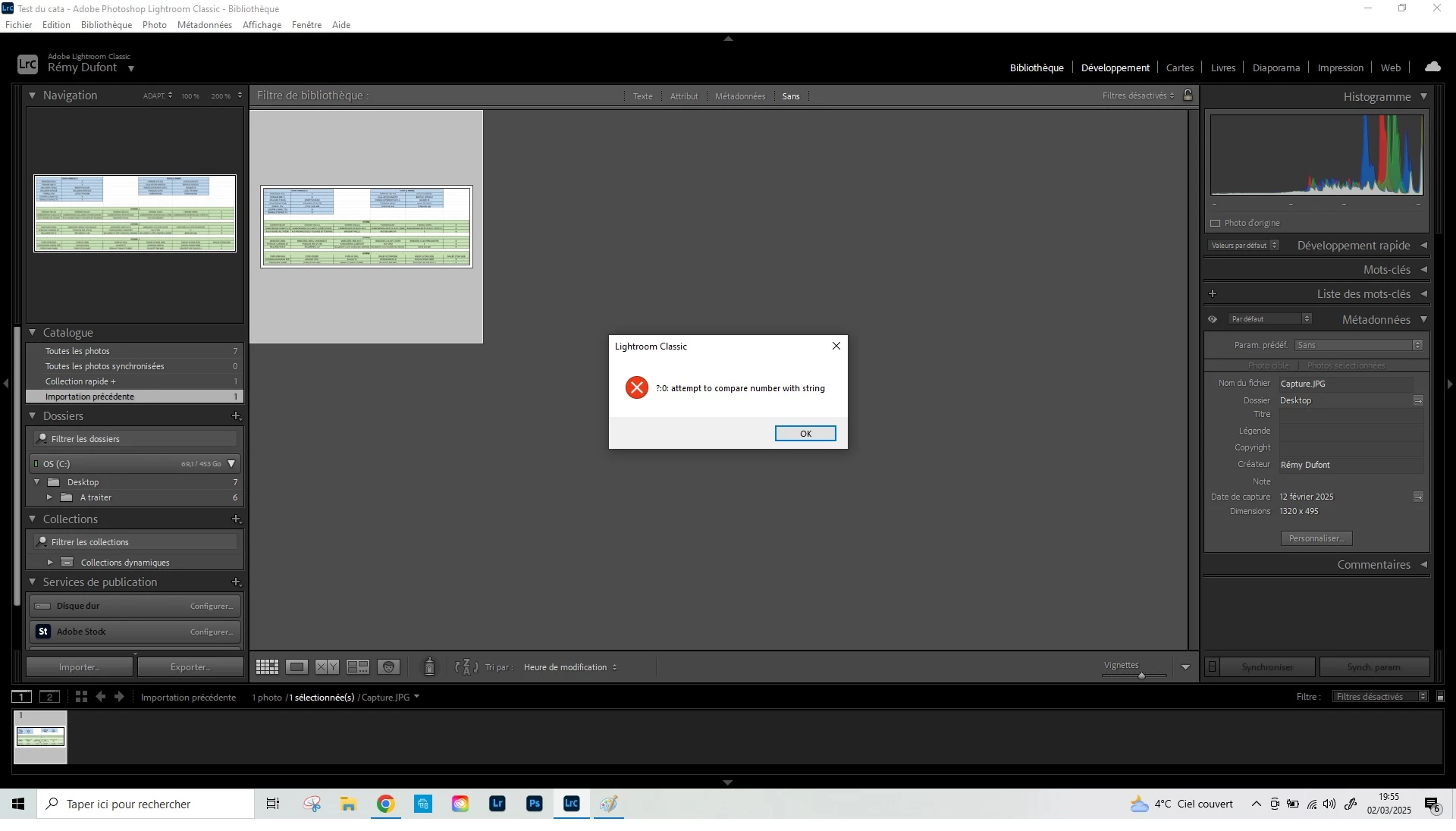
J'ai essayé de réinstaller, redémarrer le PC, rien ne fonctionne. J'ai peut-être fait une fausse manip' en tapant sur mon clavier, d'où cela peut-il venir ? 

Merci d'avance pour votre aide, je suis complètement impuissant. 


[Moved from ‘Bugs’ to ‘Discussions’ by moderator, according to forum rules.]

Correct answer AxelMatt

Try resetting the preferences of Lightroom Classic:  How to reset Lightroom Classic preferences (adobe.com)

It's recommended to backup your preferences before you reset the preferences to the default settings: 

https://helpx.adobe.com/lightroom-classic/kb/preference-file-and-other-file-locations.html


Is your system up-to-date? Do you have installed all recent updates and patches for the operating system and the device drivers, especially the graphic driver. If you have a NVidia graphic card installed, make sure that you are using the recent Studio version of the driver, not the Game Ready version.


Please provide a copy of your 'System Info'. This can be get from the LrC Help > System Info menu item. There's a copy button in the System Info dialog. Press this button and paste the info into your next forum post.


1 reply

AxelMatt
Community Expert
AxelMattCommunity ExpertCorrect answer
Community Expert
March 3, 2025

Try resetting the preferences of Lightroom Classic:  How to reset Lightroom Classic preferences (adobe.com)

It's recommended to backup your preferences before you reset the preferences to the default settings: 

https://helpx.adobe.com/lightroom-classic/kb/preference-file-and-other-file-locations.html


Is your system up-to-date? Do you have installed all recent updates and patches for the operating system and the device drivers, especially the graphic driver. If you have a NVidia graphic card installed, make sure that you are using the recent Studio version of the driver, not the Game Ready version.


Please provide a copy of your 'System Info'. This can be get from the LrC Help > System Info menu item. There's a copy button in the System Info dialog. Press this button and paste the info into your next forum post.


My System: Intel i7-8700K - 64GB RAM - NVidia Geforce RTX 3060 - Windows 11 Pro 25H2 -- LR-Classic 15 - Photoshop 27 - Nik Collection 8 - PureRAW 6 - Topaz Photo AI
Participant
March 3, 2025

Thank you very much AxelMatt, you are the best. The preferences reset worked. As I had only one preset, I know it perfectly and can just recreate it easily.