
Participant
October 26, 2022
Question

Impossible to open Lightroom Classic

  • October 26, 2022
  • 2 replies
  • 868 views

Hello everyone,


Since this morning, after the update of Ventura 13.0 (22A380), I can't open Lightroom classic...


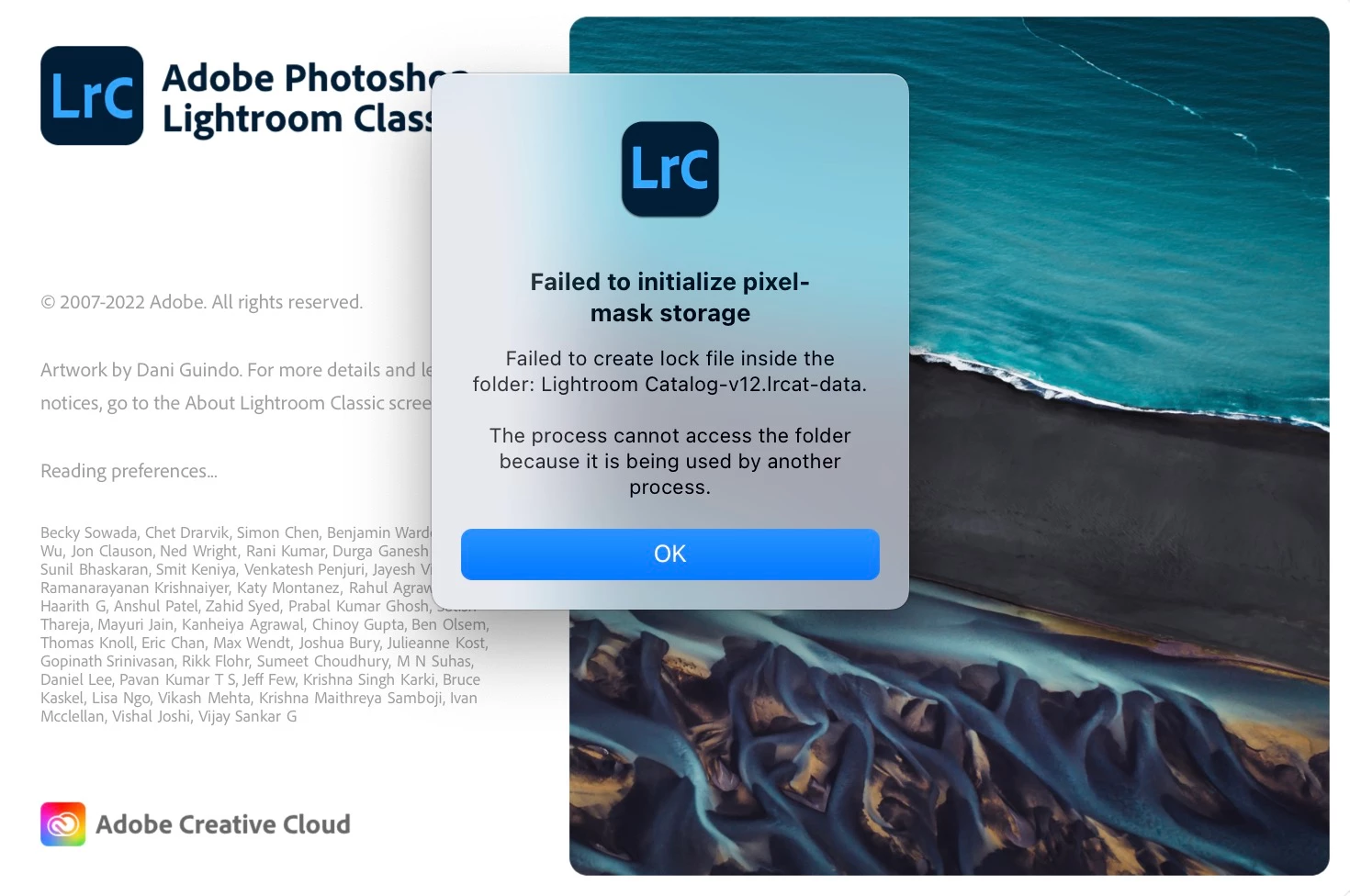
Here is the error message:

Failed to initialize pixel-mask storage

Failed to create lock file inside the folder: Lightroom Catalog-v12.lrcat-data.

The process cannot access the folder because it is being used by another process.


Please help 😞
 

This topic has been closed for replies.

2 replies

GoldingD
Legend
November 23, 2022

I take it that your catalog is on an external hard drive.

I also take it that you are not using v12.0.1 (bug fix)


see: P: (Mac) Ventura Known Issues - Please read before you upgrade your OS


Participant
November 24, 2022

Hi. GoldingD


I am still having the issue after installing Lightroom v12.0.1. I also tried another fix from a different thread where I deleted the CURRENT file in the lrcat-data "show package content". 


I have my catalog synced from Dropbox. Not sure if my problem is there. Any thoughts? 

Sean McCormack
Community Expert
Community Expert
November 24, 2022

There's potential issues where conflicted copies can be created with Dropbox. My first thought is to see if there's a file ending with .lock there. If there is delete it and try again. 

Sean McCormack. Author of 'Essential Development 3'. Magazine Writer. Former Official Fuji X-Photographer.
Participant
November 23, 2022

I am having the same issue opening a couple of my galleries since my update to Ventura. I first was able to load & edit the images a few days ago. I'm now getting the error when attempting to open up the gallery