

BrandonBB
Known Participant
August 18, 2026
Question

In Adobe Lightroom, the filter rating will all the time automatically go to equal to. If I miss this, then I miss out on anything rated above one star.

  • August 18, 2026
  • 2 replies
  • 26 views

Oftentimes, I cull my images in Lightroom and rate my selections from 1–5 stars. Once I’m finished, I want to filter the images to show anything rated one star or higher. However, Lightroom frequently defaults the filter back to “equal to”, so clicking one star only displays images rated exactly one star, causing me to miss images rated two stars or higher.

I recommend adding an option to lock the star-rating filter setting to “greater than or equal to” so Lightroom remembers the user’s preference instead of continually reverting to “equal to.”
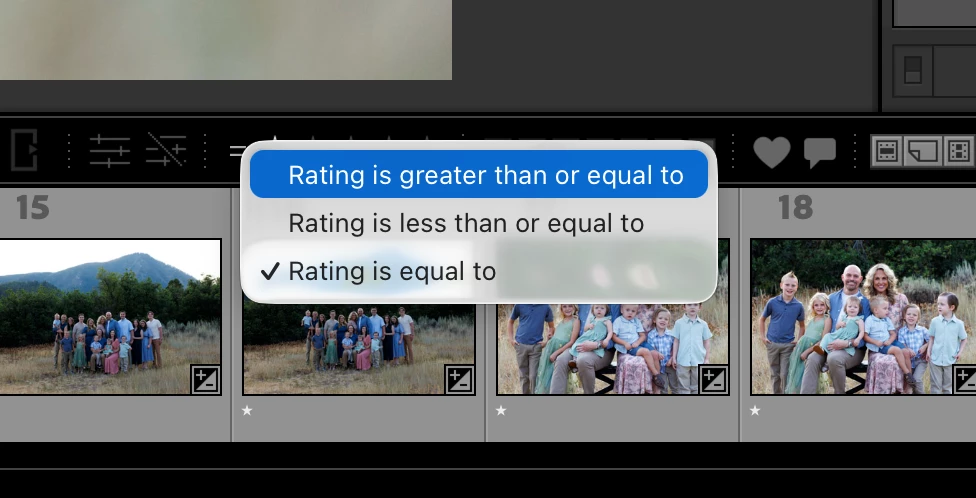
Rating is equal to - This auto populates all the time and sometimes I dont notice.


    2 replies

    JohanElzenga
    Community Expert
    Community Expert
    August 19, 2026

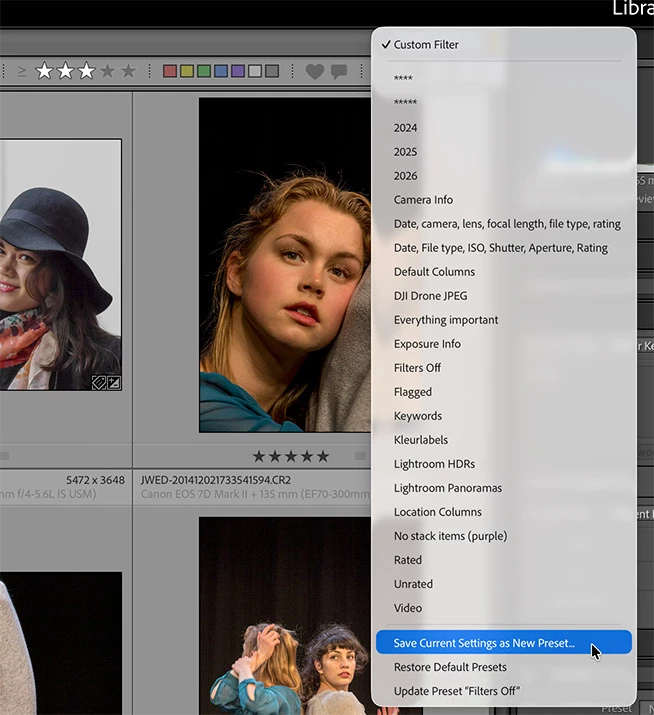
    Just create a filter preset for it…


    -- Johan W. Elzenga
    dj_paige
    Legend
    August 19, 2026

    If you change the behavior to default to “Rating is greater than or equal to” then someone else who has the opposite workflow from you will be unhappy. 

    If you click on the word Attribute so it is not highlighted, then filtering by Rating is NOT applied. So I don’t see a reason why you would need to change this behavior at all. See below, Attribute is not highlighted (but Metadata is highlighted).