Ken Nielsen
Legend
June 15, 2022
Answered

In masking mode, can you 'Option' select at a point and paint with the brush. to mask that hue?

  • June 15, 2022
  • 1 reply
  • 284 views

The seems to be a feature that is now missing from Lightroom Classic 'Masking' while painting with the brush. Option - click' used to select the hue or value and then painting while holding down the Option key would. paint a mask only over those areas of intensity. Very handy for changing the value of selected areas in a selected part of an image. Does this feature still exist? It does not seem to be working in the last four or five releases of Lightroom. Maybe it has been updated? I know Adobe has been scrambling to build on this wonderful masking environment so I could be missing what is going on with this.

TIA,  Ken
This topic has been closed for replies.
Correct answer Rob_Cullen

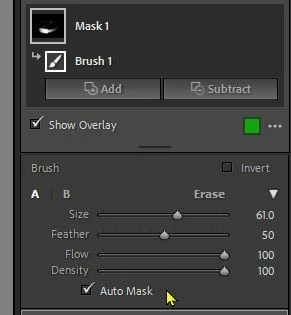
I think you are asking about 'Auto Masking'- Check the [Auto Mask] button.

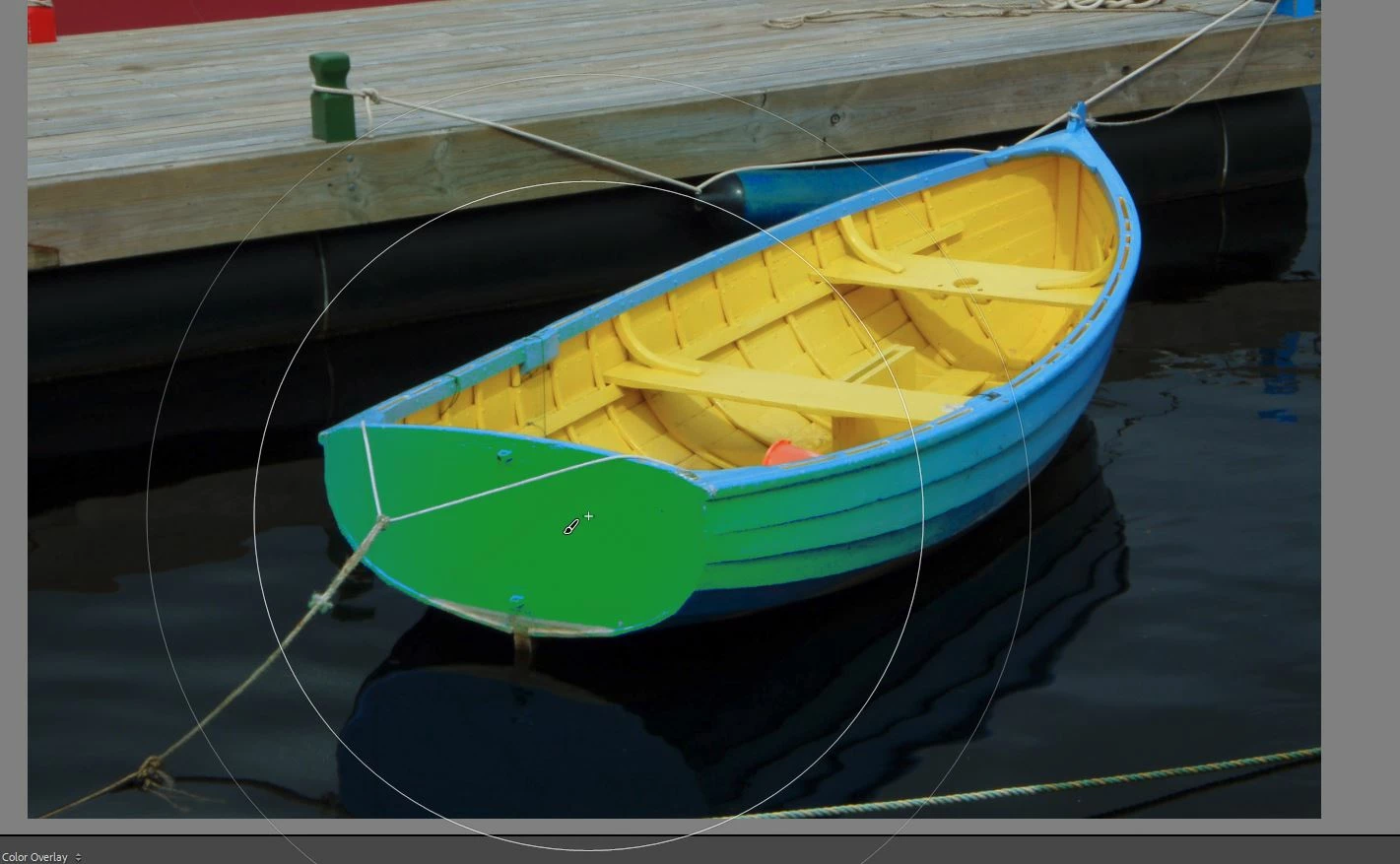
One 'trick' with the Auto Mask selected is to use a giant brush that covers ALL the color area you want to edit (even the whole image!) and Click once- you will find that the brush selects all the tones as per the spot you clicked.

My Brush selecting Blue color (green overlay)


1 reply

Rob_Cullen
Community Expert
Rob_CullenCommunity ExpertCorrect answer
Community Expert
June 15, 2022

I think you are asking about 'Auto Masking'- Check the [Auto Mask] button.

One 'trick' with the Auto Mask selected is to use a giant brush that covers ALL the color area you want to edit (even the whole image!) and Click once- you will find that the brush selects all the tones as per the spot you clicked.

My Brush selecting Blue color (green overlay)


Regards. My System: Windows-11, Lightroom-Classic 15.1.1, Photoshop 27.3.1, ACR 18.1.1, Lightroom 9.0, Lr-iOS 10.4.0, Bridge 16.0.2 .
Ken Nielsen
Legend
June 15, 2022

Thank You Rob, I'm so glad this is still a part of our abilities in Lightroom masking. Appreciation!