
Answered
Inconsistent panels
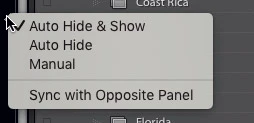
I have a small screen and need to hide all of the four side panels that I don’t use to save space. In the Library module I can toggle left, right and bottom panel by just holding the cursor over the small arrow at the edge of the screen. They disappear when I remove the cursor. To toggle the upper panel (Module picker), I must click, and the panel don’t hides until I click again.
In the Develop module, I must also click on the right panel to make it appear, but it disappears when I remove the cursor (I can click twice to let it stay).
So there are three different ways to toggle the side panels. Why can’t just all have the same behavior in all modules? Is there a reason for this inconsistency?
 AdChoices