



frankraney130
Inspiring
November 22, 2020
Question

installing printer profiles in windows 10

  • November 22, 2020
  • 1 reply
  • 367 views

How do install an icc file iin lightroom classic.  I have the color profile from Blurb.I've tried to follow the directions here on Adobe site with no luck.


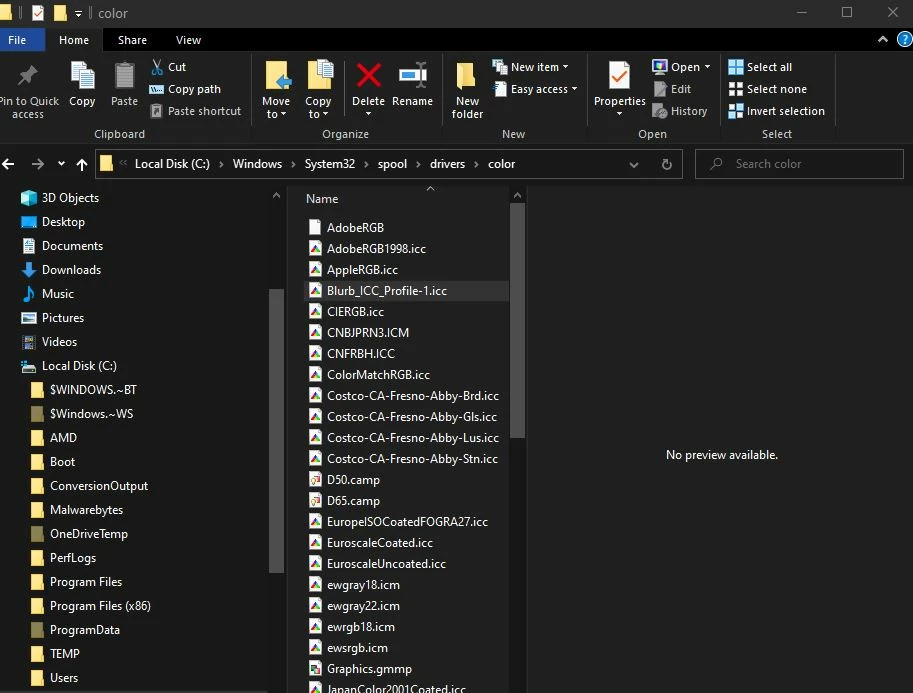
There is a profile in the windows/system32/spool/drivers/color.  It shows as Blurb_ICC_Profile-1.icc, but it does not show up in lightroom. I've even right clicked it to install.  


Help please.
This topic has been closed for replies.

1 reply

Per Berntsen
Community Expert
Community Expert
November 22, 2020

This is probably a CMYK profile.

Support for soft proofing with CMYK profiles was introduced in Lightroom 6, but removed in a later update, apparently because of some problem, and it has never come back.


You can soft proof in Photoshop, by going to View > Proof setup, and selecting the profile.

Then use Ctrl + Y to turn proofing on and off.

frankraney130
Inspiring
November 22, 2020
I didn't think of that since we can design for Blurb and send it whole in
Lightroom.

Sent from my Samsung phone. frankraneyphotography.com