
Participant
September 10, 2018
Answered

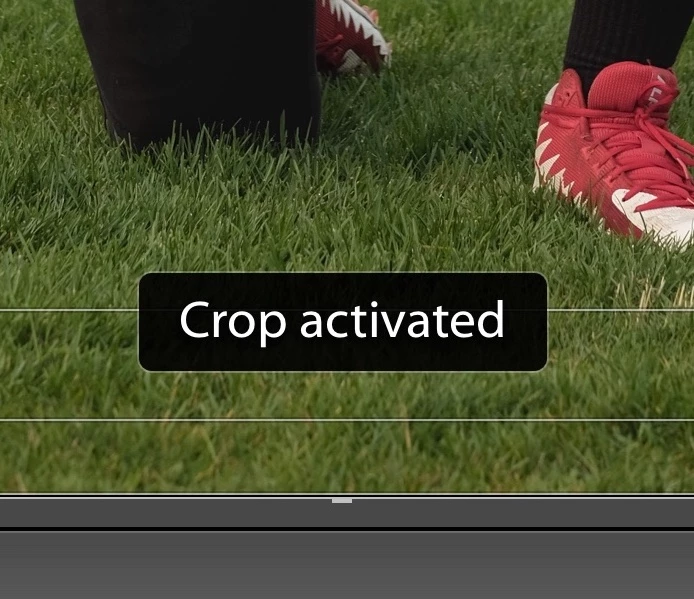
Is there any way to turn off the words "crop activated" in the develop module??

  • September 10, 2018
  • 3 replies
  • 1474 views

When I'm cropping photos in the develop module I usually just hit 'r' to bring up the crop tool and my crop overlay. Theres a little prompt box that pops up at the bottom of my photo that says 'crop activated' and when I hit 'r' again, it says 'develop activated'... Is there ANY way to turn that off?? When I'm going though a ton of photos to crop and pressing 'r' over and over and working quickly, it gets in the way and is super annoying. Like I know I'm cropping, I don't need LR to tell me...
This topic has been closed for replies.
Correct answer Akash Sharma

That very well be causing the issue, but we have not been reported for similar issues with Lightroom/Loupedeck workflow. However, I'd still recommend that you update Lightroom to the latest version Classic CC 7.5 to make use of new/improved  features and added support for new devices. See Keeping Lightroom Up-to-Date

~Akash

3 replies

Participant
October 21, 2023

Hey logjam23!

Have you found a solution to the issue? I'm kinda getting annoyed too with the messages popping all the time.

Thanks in advance!

Rikk Flohr_Photography
Community Manager
Community Manager
October 22, 2023

You’ve posted to an ancient thread. It is highly unlikely that the issue described in this thread, though not impossible, is the same one you are currently experiencing. Rather than resurrect an old thread that is seemingly similar, you are better off posting to a new thread with fresh, complete information, including system information, a complete description of the problem, and step-by-step instructions for reproduction. 


If the issue is the same, we will merge you back into the appropriate location. 


Thank you!


Rikk Flohr: Adobe Photography Org
JP Hess
Inspiring
September 10, 2018

Don't know where I have been. I have used Lightroom since version 2, and I don't recall ever seeing that notification. You could "try" pressing the O key (for overlay) to see if that resolves it. But I must say that I'm puzzled because I'm not familiar with that prompt.

logjam23Author
Participant
September 10, 2018

I think I have figured it out digging a bit deeper. I should have mentioned that I have a Loupedeck photo editing console hooked up as well. Although the words were still showing up when I had it unplugged, those prompts are embedded in the Loupedeck plugin for LR. When I disabled the plugin it seemed to resolve the issue. But now I can't use my editing console... ugh. I will contact the Loupedeck people and see about the fix for this. Thanks for any and all replies!

Akash Sharma
Akash SharmaCorrect answer
Legend
September 10, 2018

That very well be causing the issue, but we have not been reported for similar issues with Lightroom/Loupedeck workflow. However, I'd still recommend that you update Lightroom to the latest version Classic CC 7.5 to make use of new/improved  features and added support for new devices. See Keeping Lightroom Up-to-Date

~Akash

Akash Sharma
Legend
September 10, 2018

Hi logjam23,

Sorry that the tool prompts are continuously popping up while you're working on your images. Could you please let us know the version of Lightroom you're using and do you get this prompt every time you switch working on image or select a new tool to work on?

Thanks,

Akash

logjam23Author
Participant
September 10, 2018

I am using Lightroom CC Classic 7.5.