
Participant
March 17, 2019
Answered

Issue downloading 6.14 update to Lightroom 6.0

  • March 17, 2019
  • 9 replies
  • 39509 views

Hi,

today, I tried updating my Lightroom 6.0 version to the newest (final) version 6.14 via this page:

https://helpx.adobe.com/download-install/kb/lightroom-downloads.html

However, as of today, there is only the application installer for version 6.0 available and no updates.

Accessing the German version https://helpx.adobe.com/de/download-install/kb/lightroom-downloads.html I can find the Updates section, but the link is not working (404 not found error): http://swupdl.adobe.com/updates/oobe/aam20/win/AdobeLightroom-6.0/6.14/setup.zip

Does anyone have a clue where to get the update from? I do not want to switch to any CC or CC-classic version...

Any help would be greatly appreciated!

Cheers

Timo
This topic has been closed for replies.
Correct answer ProDesignTools


If you purchased it direct from Adobe or registered the software, then you may find the installer in your online Adobe account:


https://helpx.adobe.com/download-install/kb/downloaded-older-app.html


If not, then the installers for the last version of Lightroom 6.14 for Windows and macOS can be found here:


Adobe Lightroom 6 Direct Download Links


Be aware that older tools like LR6 will not install on macOS v. 10.15 or newer, as Apple removed all support for 32-bit apps starting from Catalina.

9 replies

ulfw6411525
Participant
August 26, 2020

Thanks for the tip - it helped me download Lightroom latest update!

Participating Frequently
May 9, 2022

hello,

Nowadays, I've tried all links  but I didn't find any version 6.14.

I've got the 6.0 (LR6_LS11.exe).

Some could help me 

thanks


dj_paige
Legend
May 9, 2022
Participating Frequently
October 15, 2019

Is there a list of the dates that LR6 was updated?  I am trying to reolve a problem whereby my RAW images prior to Mar 2018 loaded to OneDrive as images but post that date they are icons. Appreciate a list of updates or being directed to where I can find the list.  

Akash Sharma
Legend
March 26, 2019
GoldingD
Legend
March 17, 2019

You might want to read this and the comment in it:

https://laurashoe.com/2019/03/04/last-chance-to-buy-lightroom-6/

Participating Frequently
March 17, 2019

Thanks David, saw this a few hrs ago. I opened a chat session with Adobe 45 minutes ago and explained politely what's up. I'm sure they have seen my query but don't want to answer lol perhaps hoping I give up...

Rob_Cullen
Community Expert
Community Expert
March 17, 2019

The forum thread at https://www.lightroomqueen.com/community/threads/lightroom-6-14-download.35555/

suggests, by Jim Wilde, that the v6 download is one complete v6.14 and no longer a separate ' v6.0 installer' and '6.14 update patch'.

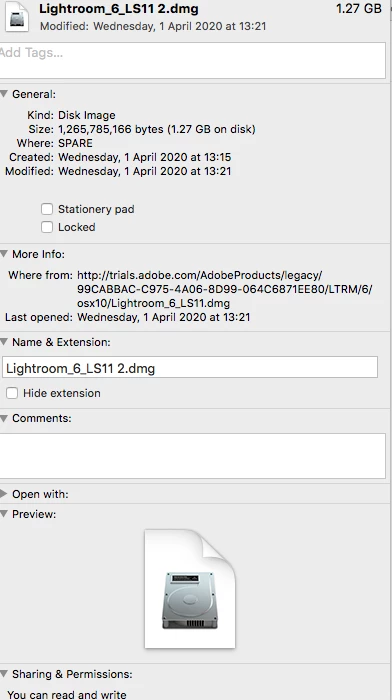
So for re-installing v6 you will get v6.14 (1.1Gb !!! from the download site)- Download Photoshop Lightroom

Regards. My System: Windows-11, Lightroom-Classic 15.1.1, Photoshop 27.3.1, ACR 18.1.1, Lightroom 9.0, Lr-iOS 10.4.0, Bridge 16.0.2 .
GoldingD
Legend
March 17, 2019

Also:

GoldingD
Legend
March 17, 2019

Participating Frequently
March 17, 2019

Thank-you David. I notice there is only v6.0 listed........

I went to this page and tried all the download links but none work Download Photoshop Lightroom

GoldingD
Legend
March 17, 2019

So, as to the link you just posted, scroll down to:

"Download Adobe Photoshop Lightroom "

then scroll down a bit further to:

>Adobe Photoshop Lightroom 6

click on that

Ahh frig, that fails to, you might want to revisit later

but, yes it is looking like they have intentionally removed the downloads of obsolete versions.

GoldingD
Legend
March 17, 2019

Hmm, As to your ACCDA version and updating, I was going to recommend you do the following

Scroll down to Lightroom Classic CC (or whatever yours says), clcik on that down arrow, select Manages, Other Version, scroll down to LR 6.12, BUT, no 6.14 just 6.0. I have no  idea what actually would download.

Probably as dj_Paige has stated, an occasional oops by Adobe. If they were going to finally stop enabling people from downloading the obsolete versions, you would think all the obsolete versions would be pulled.

Participating Frequently
March 17, 2019

thank-you, can you provide a page link for what steps you are referring to David?

Participating Frequently
March 17, 2019

There is simply no reason why Adobe would have removed the 6.14 update option, other than to be cruel, just because.

I get that 6 is no longer available for purchase - but I purchased it 2 years ago - and have had the latest version 6.14.

I reinstalled windows yesterday and now all I can get is Lr6.0 without the ability to upgrade to 6.14.

Simple corporate cruelty.

dj_paige
Legend
March 17, 2019

You should be able to update to 6.14 through the Adobe Creative Cloud Application, which gets installed with LR 6.0.

Participating Frequently
March 17, 2019

Unfortunately no - I click update - the Adobe Application Manager opens and tells me "Your applications are all up to date as checked: less than a minute ago"

Participating Frequently
March 17, 2019

I just learned to my astonishment that Lr6 support is No Longer Available!

I click update in the help drop-down and there are no updates.

So I have Lr 6.0 and I Really want the most recent.

Anyone know how? Please?

JP Hess
Inspiring
March 17, 2019

Lightroom 6 is a dead horse. It died a long time ago, but is becoming more and more obsolete as Lightroom Classic CC continues to be updated and enhanced. Apparently Adobe has decided not only to not sell it anymore but to stop even making the updates available. If you want to continue using Lightroom and having the "latest" then it will be necessary to subscribe. If you want to use the lame excuse that you don't want to rent your software, then you'll have to look somewhere else for your image editing software. There isn't a standalone Lightroom available anymore that will provide you with the latest features. In fact, there isn't any standalone version of Lightroom available for purchase anywhere. Even if you could find Lightroom 6 available on disk from some vendor, it would be version 6.0. You would have no avenue to upgrade to 6.14, which was the final update, because it is no longer available to download. In other words, you're just out of luck.

Participant
June 22, 2019

It did not die, it was brutally murdered.

I find it hard to believe that Adobe is not infringing the rights of those that bought the software recently by removing the possibility to download and install essential updates that we are entitled to...