
Participant
October 19, 2024
Question

Issue importing HEIC in Lightroom Classic

  • October 19, 2024
  • 2 replies
  • 647 views

Hi everybody! I'm using Lightroom Classic 13.5.1 on a macOS Sonoma 14.7


I'm importing some photos shot with iPhone in HEIC format, but for unknown reasons they are shown only with green and magenta colors. 

An example:
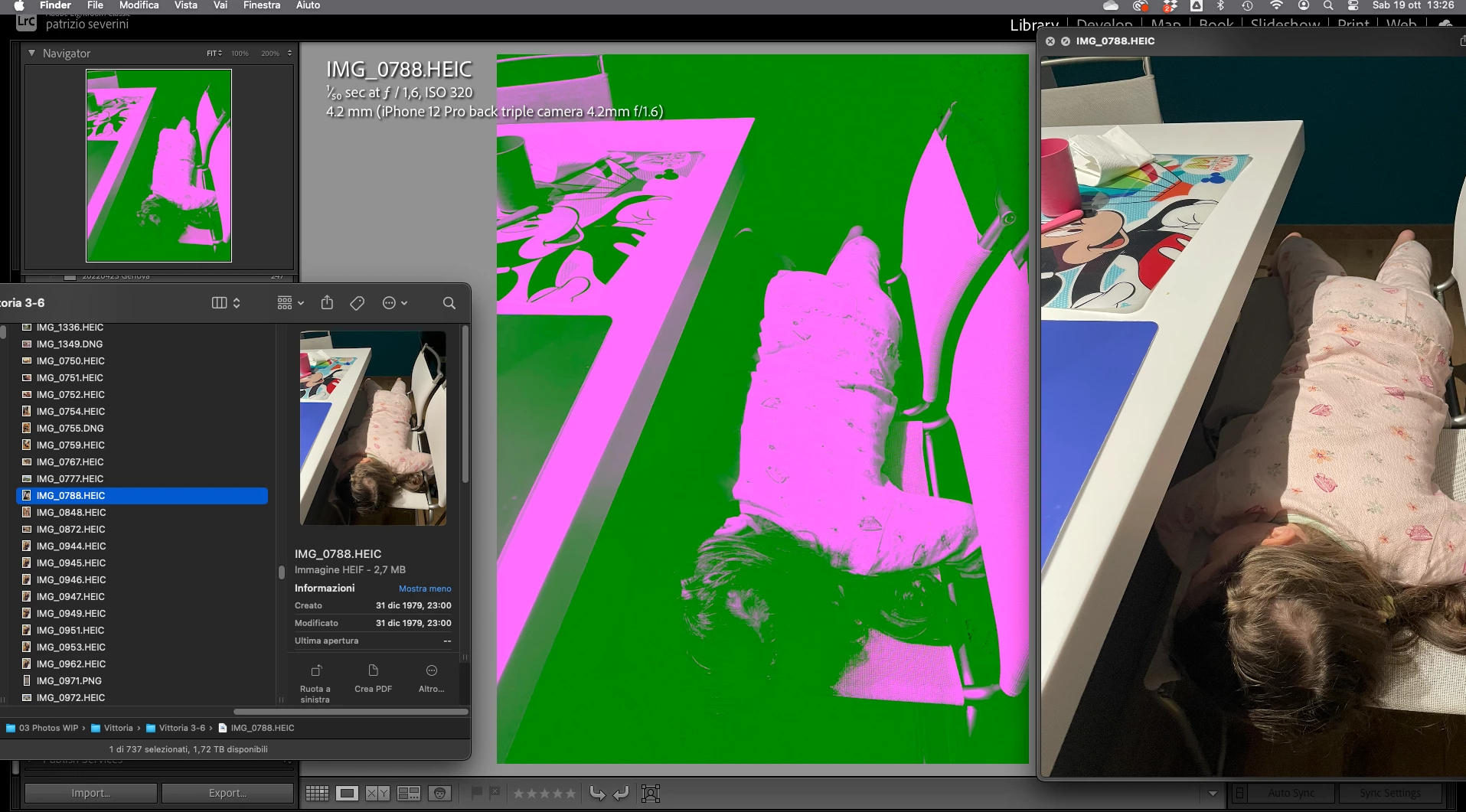
 

Photo is correctly shown in Finder, Preview and Photoshop


Here is a link to the original photo, if anyone wants to try to replicate the issue. 

https://drive.google.com/file/d/1Nwtqp88C0X4xUC7fS4xnWhImJrUKFZ4e/view?usp=sharing


I already tried to remove and import again, but still same result


Really grateful to anyone who can help me


Thanks!!


[moved from bugs to discussions according to the community rules - Mod.]

This topic has been closed for replies.

2 replies

Participant
October 22, 2024

Same issue here: LR 13.51 / Camera Raw 16.5., Sonoma 14.7
It seems to be related to Camera Raw: If using Camera Raw 17, the problem appears in Photoshop (25.12.0), too.
After reverting back to Camera Raw 14.5, Photoshop renders .heic correctly, however LR brings its own CR-module, thus 14.5 can't be tested with LR.


Participant
November 5, 2024

Some more investigations:
Highest unaffected CameraRaw version is 15.0:
Everything versioned higher shows above behaviour in Photoshop 2024 and Lightroom Classic.

Inspiring
October 19, 2024

No bug, seniore! It works well by me. Maybe you should modify the hardware gpu settings.
How is your setup? (CPU, GPU, RAM)
On the other hand: Why HEIC??? Even jpeg is better. But if you want to use the full potential of camera and Lightroom, please shoot in RAW (in your case, DNG)

------------------------------------------------------------------------------------------Mann mus imer af di klainen felern aufpasen, den di mahen fiel auß