Participant
September 28, 2017
Answered

Issue with Film Strip

  • September 28, 2017
  • 1 reply
  • 396 views

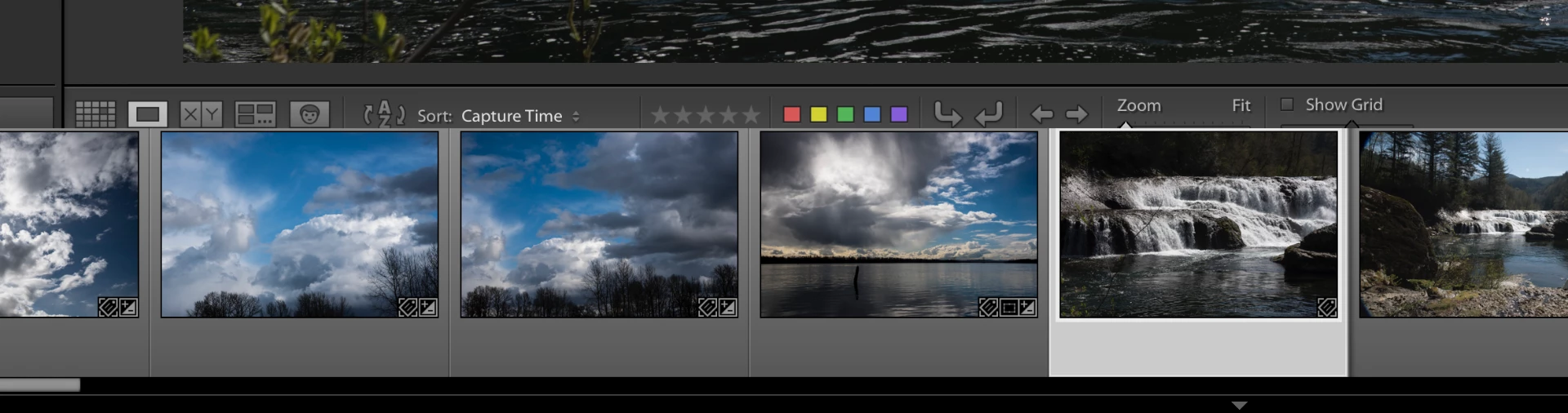
The other day I hit a combination of keys that enlarged the film strip to the point it hides part of the tool bar including the file name.  It will not reduce by clicking on the top and pulling down.  I have tried adjustments in View with no luck.  I have restarted Lightroom, switched to different catalogs and restarted my computer.  The problem remains.  Screen capture below.  Any help would be much appreciated.
This topic has been closed for replies.
Correct answer johnrellis

This bug was fixed in CC 2015.12 / 6.12.  Do Help > System Info -- do you see some version other than CC 2015.12 or 6.12?  If so, you need to update by doing Help > Updates.  If that doesn't work for you (and it sometimes doesn't), you can manually download the 2015.12 / 6.12 update from here: Download Photoshop Lightroom

1 reply

johnrellis
johnrellisCorrect answer
Legend
September 28, 2017

This bug was fixed in CC 2015.12 / 6.12.  Do Help > System Info -- do you see some version other than CC 2015.12 or 6.12?  If so, you need to update by doing Help > Updates.  If that doesn't work for you (and it sometimes doesn't), you can manually download the 2015.12 / 6.12 update from here: Download Photoshop Lightroom

Inspiring
April 13, 2018

I my goodness!!!! I just did this and downloaded the link in the above one and all my Lightroom stuff has gone! It has reverted me to a trial of which I can't access. I most definitely bought Light Room and own it and now I am stuck. Help.