


Participant
March 21, 2026
Question

Issue with folder photos not showing in catalog (previously there) and greyed out on import

  • March 21, 2026
  • 2 replies
  • 33 views

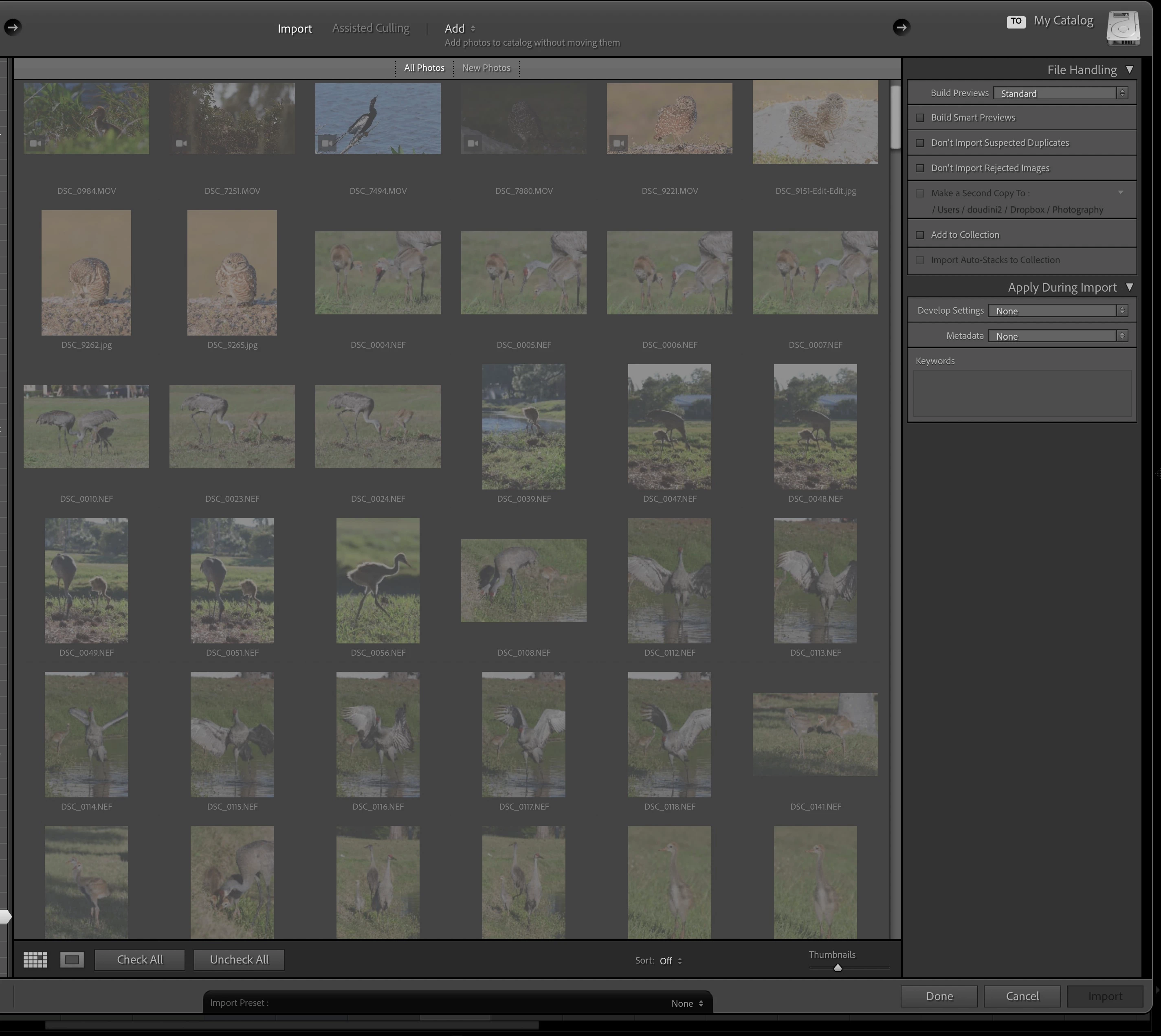
I noticed some of one of my lightroom folders had only 20 photos when the number is showing 400. So I verified that they are all in the folder on drive. So I tried to re-import but it shows all greyed out and I cannot select them. In fact it says the photos have already been imported. They are not corrupted or missing as there is no error icon on them. But yet, they are not showing in library view. 

I saw advice to find old catalog but I am am not sure how and which one even to try with. Either way, I have bunch of edits and do not want to lose all those edits. How can I remedy this? My LR version is 15.1.1
 

    2 replies

    dj_paige
    Legend
    March 21, 2026

    I would not recommend syncing the folder. The photos have already been imported into LrC (that’s what the greyed out files in the Import dialog box is telling you). Most likely you (accidentally?) copied them at Import into a different folder, so LrC knows about the copy but not your originals. In this case, the count in LrC and the count in your operating system do not have to match (and this is the correct behavior of LrC). So you have to find them in LrC.


    To find these photos in LrC, please follow all four of these steps in the Lightroom Classic Library Module, in order. Let us know what you find.

    1. Click on All Photographs (its on the left under Catalog)
    2. Turn off all filters (Ctrl-L once or twice)
    3. Expand All Stacks (Photo->Stacking->Expand All Stacks)
    4. In the Filter Bar, search for one of these photos by File name


    gary_sc
    Community Expert
    Community Expert
    March 21, 2026

    Have you tried performing a synchronize on that folder?

    do do this, be in Library mode, right-click on the the folder, and select “synchronize.” Once done, if this is the solution, the images will open up in a separate window, but click on the primary folder and any imported images will be there. 
    So, let us know if this is the solution.