


January 14, 2026
Answered

Issue with green circles

  • January 14, 2026
  • 1 reply
  • 110 views

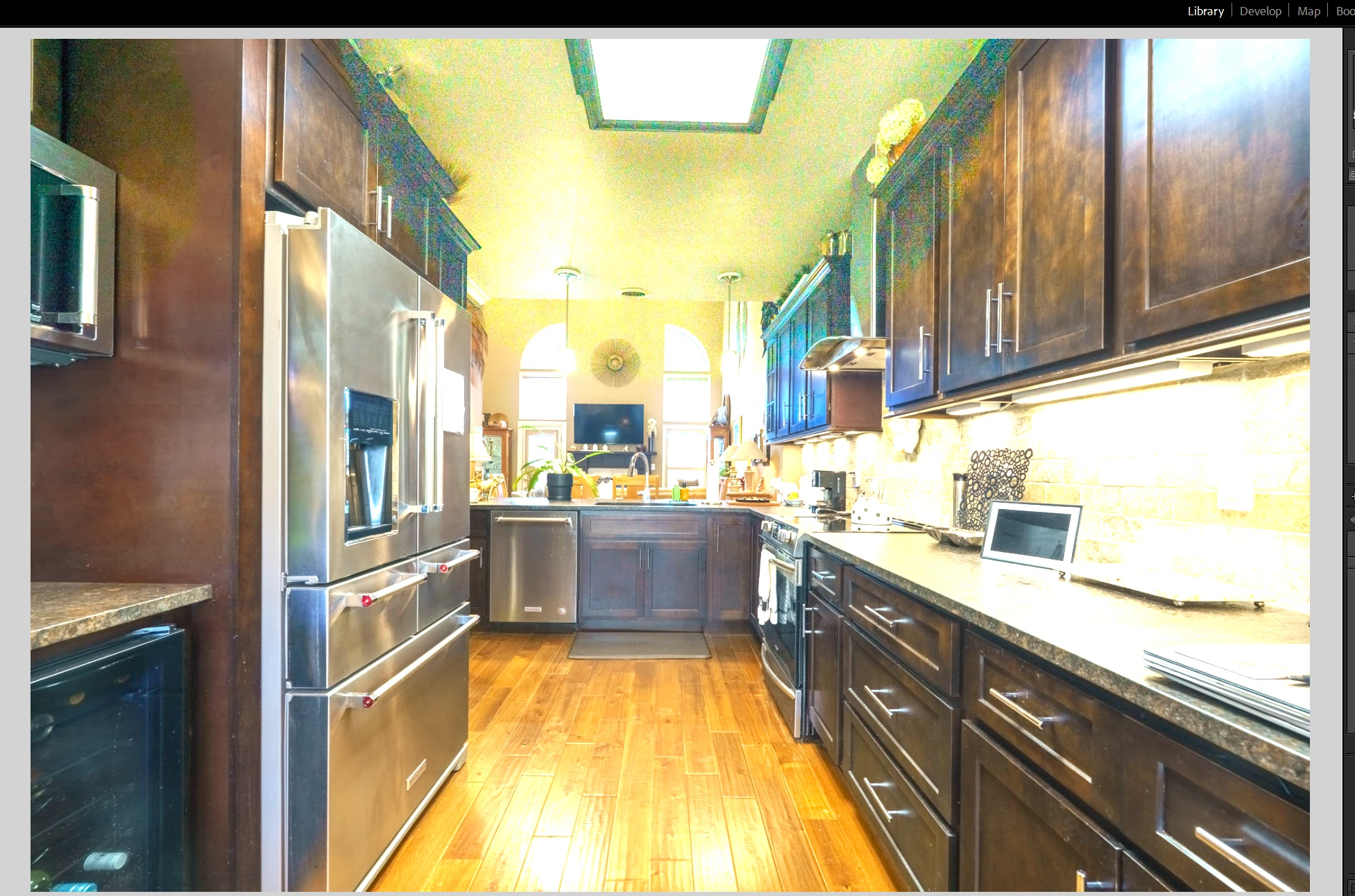
Hey guys, I have been doing real estate photography for a year or so now but never quite figured this issue out. Sometimes when I merge my HDR images, it comes up with these huge screen spots of blurry pixels and its unfixable, leading me to then merge the images manually. Is there a fix to this? image_2026-01-13_202225751.png
Correct answer JohanElzenga

That seems to be my issue! Is there a way to turn it off for when I do bulk photo murges?


Turn it off for one merge. Then batch merge will use that too.


1 reply

Conrad_C
Community Expert
Community Expert
January 14, 2026

It looks a little like high ISO speed broad color noise that’s been overcranked, but it’s hard to know for sure without knowing more about the images or inspecting sample files. What’s the exposure information for the images you merge? What would be the most useful is something like:


Image 1

ISO speed: 

Aperture: 

Shutter speed: 


Image 2

ISO speed: 

Aperture: 

Shutter speed: 


January 14, 2026

Hey! I used ISO1000, Apertue 8.0 and shutter speed 1/25 on a 5 photo bracket with a 2 second timer

JohanElzenga
Community Expert
Community Expert
January 14, 2026

Do you have 'deghosting' enabled in the merge dialog? This looks like the effect of deghosting, where in some parts of the merged image only one (usually darker) image is used to avoid ghosts. In an image like this, deghosting should be unnecessary.


-- Johan W. Elzenga
