
Issue with import into Lightroom Classic - Phantom folder created, unknowingly....
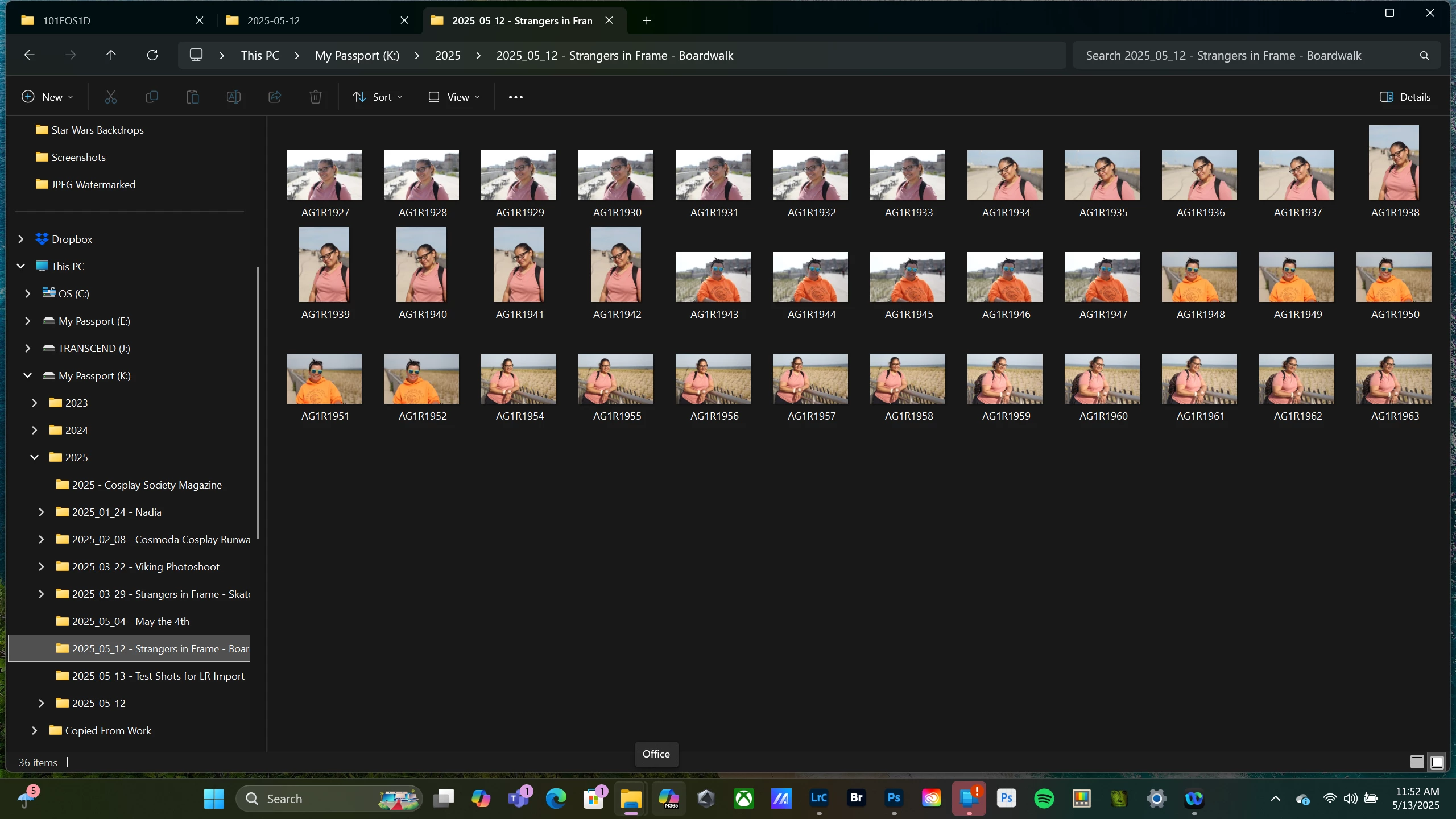
I’ve had an interesting thing happen with my most recent import of photos into Lightroom. I took some photos and copied them to a new folder on my external hard drive using the naming format I always use. Date (2025_05_12) – Description.
I then imported these photos into Lightroom, as I always do, using an existing collection. After doing my edits, I exported the photos as JPEGS as I always do, creating a sub-folder within the original folder.
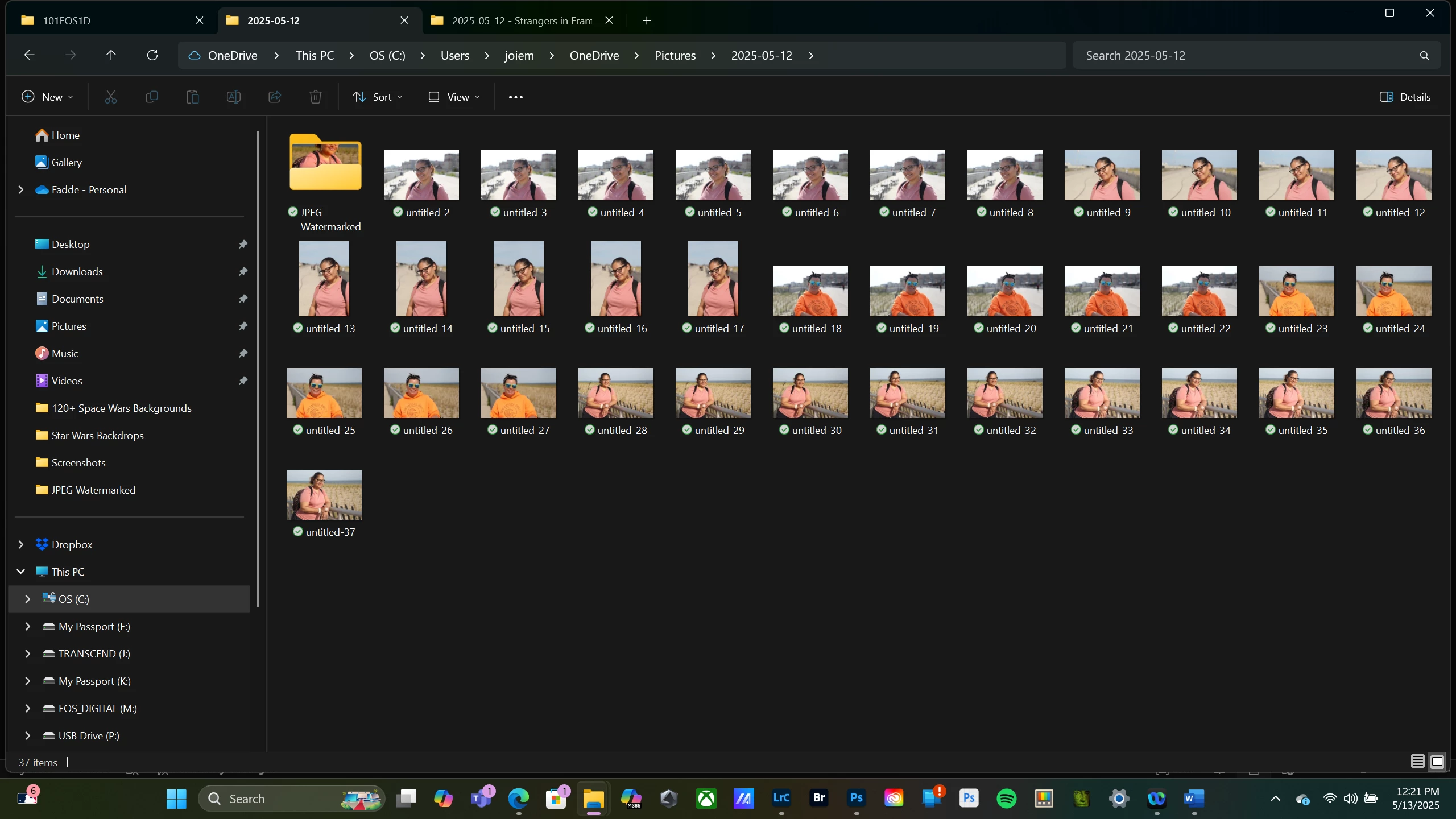
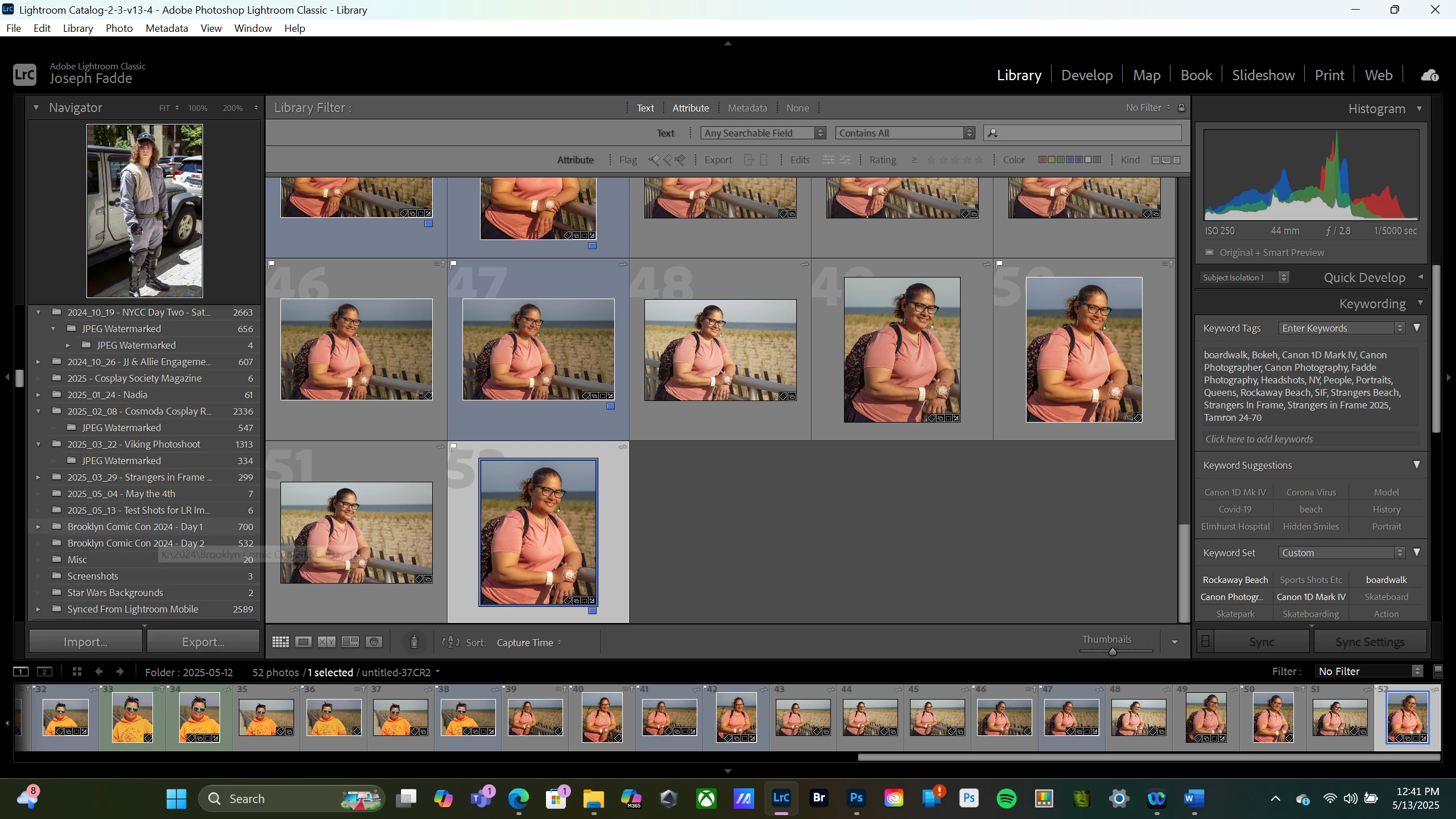
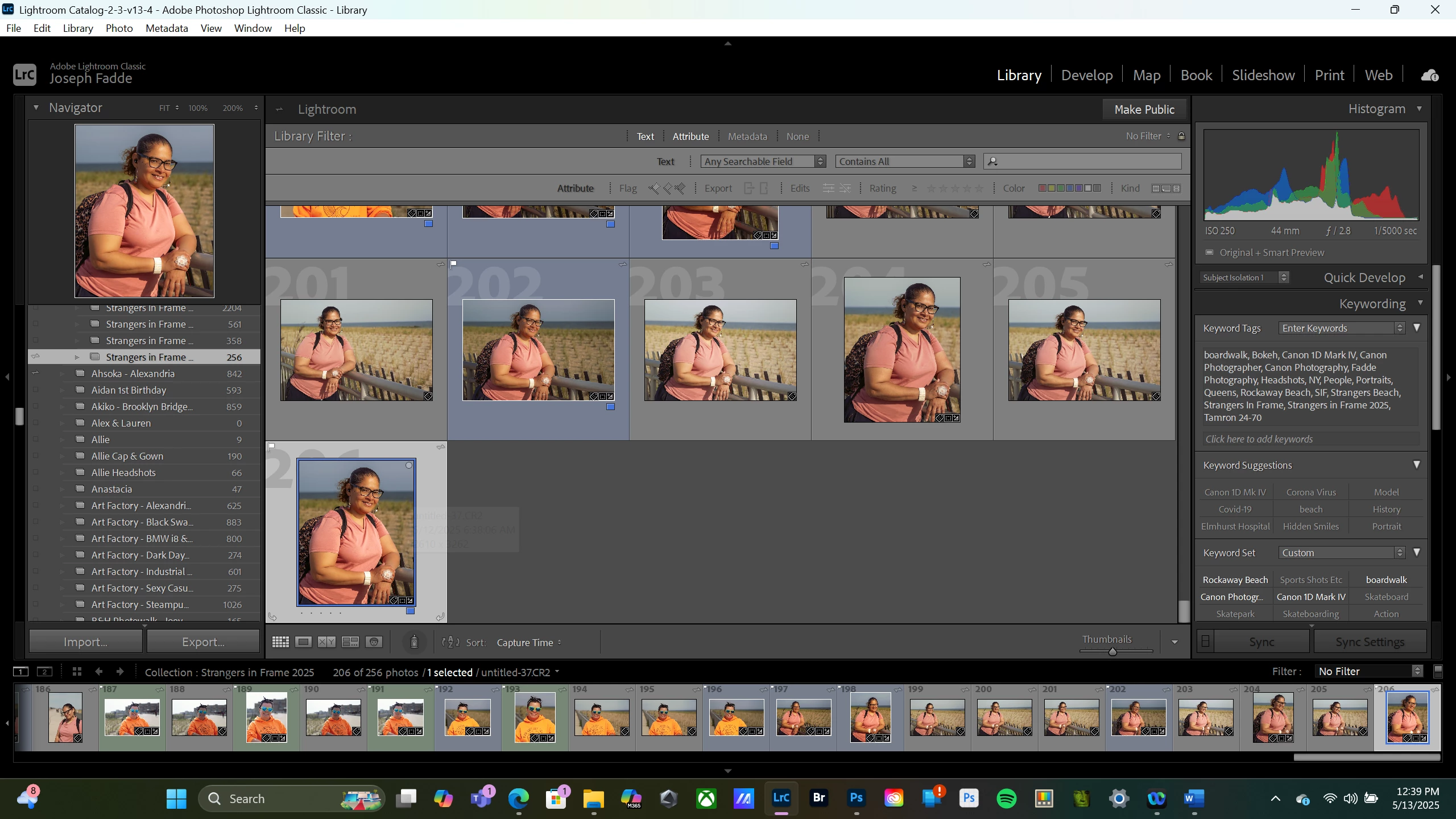
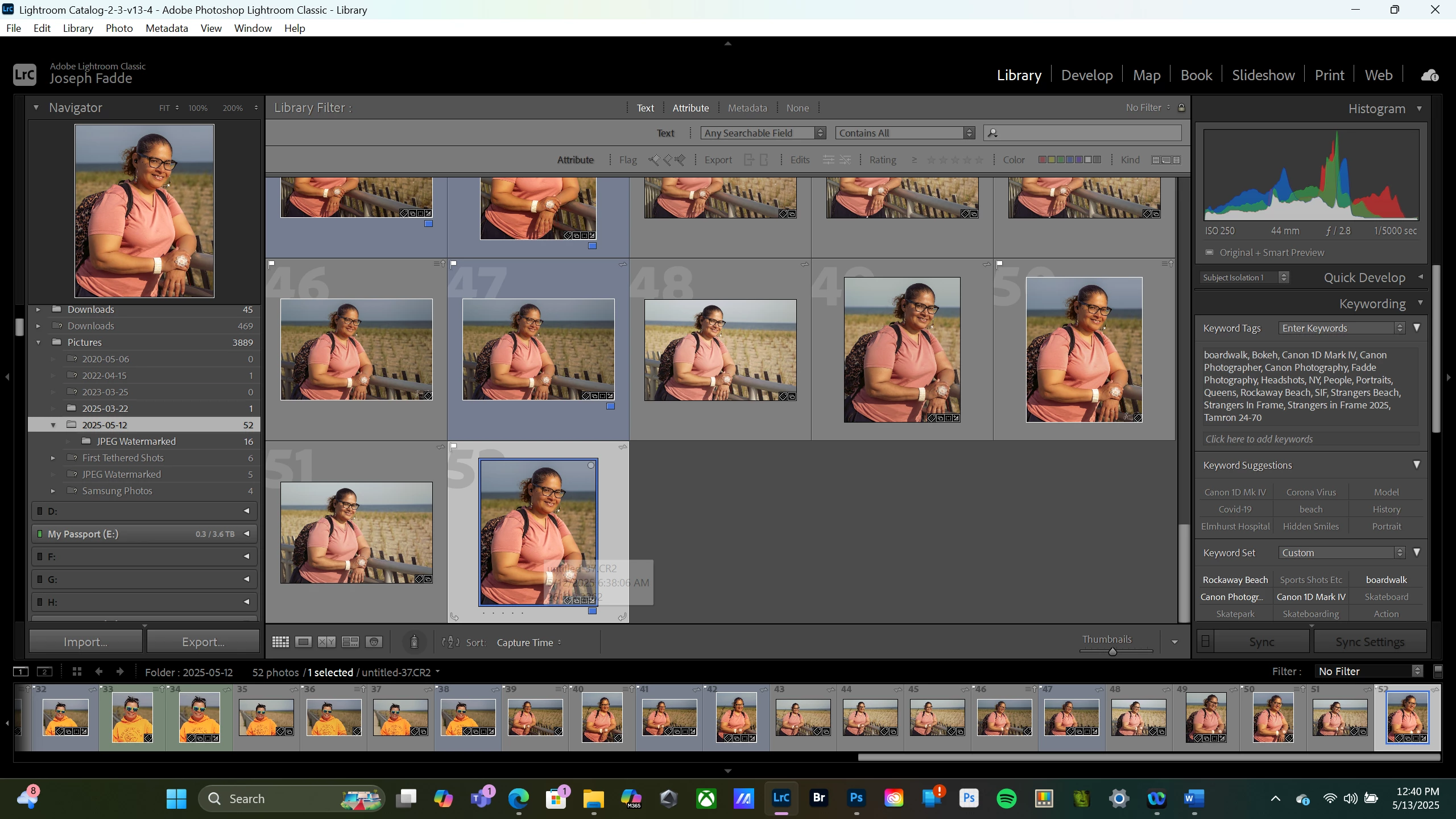
When I went to copy those photos to my Dropbox for sharing, I could not initially find the exported photos. After doing a check within Lightroom, I found that LR had created a completely new folder on my Microsoft OneDrive with just the date as the folder name and all of the photos from the original folder with new file names (untitled-2, etc.) for each of the photos. These are the files that LR is pointing to for the edits. This is also where the sub-folder was created with my JPEG copies of the photos. My original folder is not even listed in Lightroom. When I went back and tried to import the photos again from the original location, I was not able to do so because the photos were showing as already part of the LR catalog.
I’ve done a few test shots today and successfully imported these into LR as I normally do, with no phantom folders created.
Has anyone ever experienced this with Lightroom? I have the most current version of LR and have never had anything like this happen. Any ideas as to what I can do to prevent this in the future?
I have the most current version of Lightroom Classic on a Windows computer
Below, I've included screenshots of the two folders with the paths and what LR has done.
Thanks


 AdChoices