ericah71013387
Participant
October 21, 2018
Question

Issues with MacBook Retina display after launching Lightroom 5

  • October 21, 2018
  • 2 replies
  • 383 views

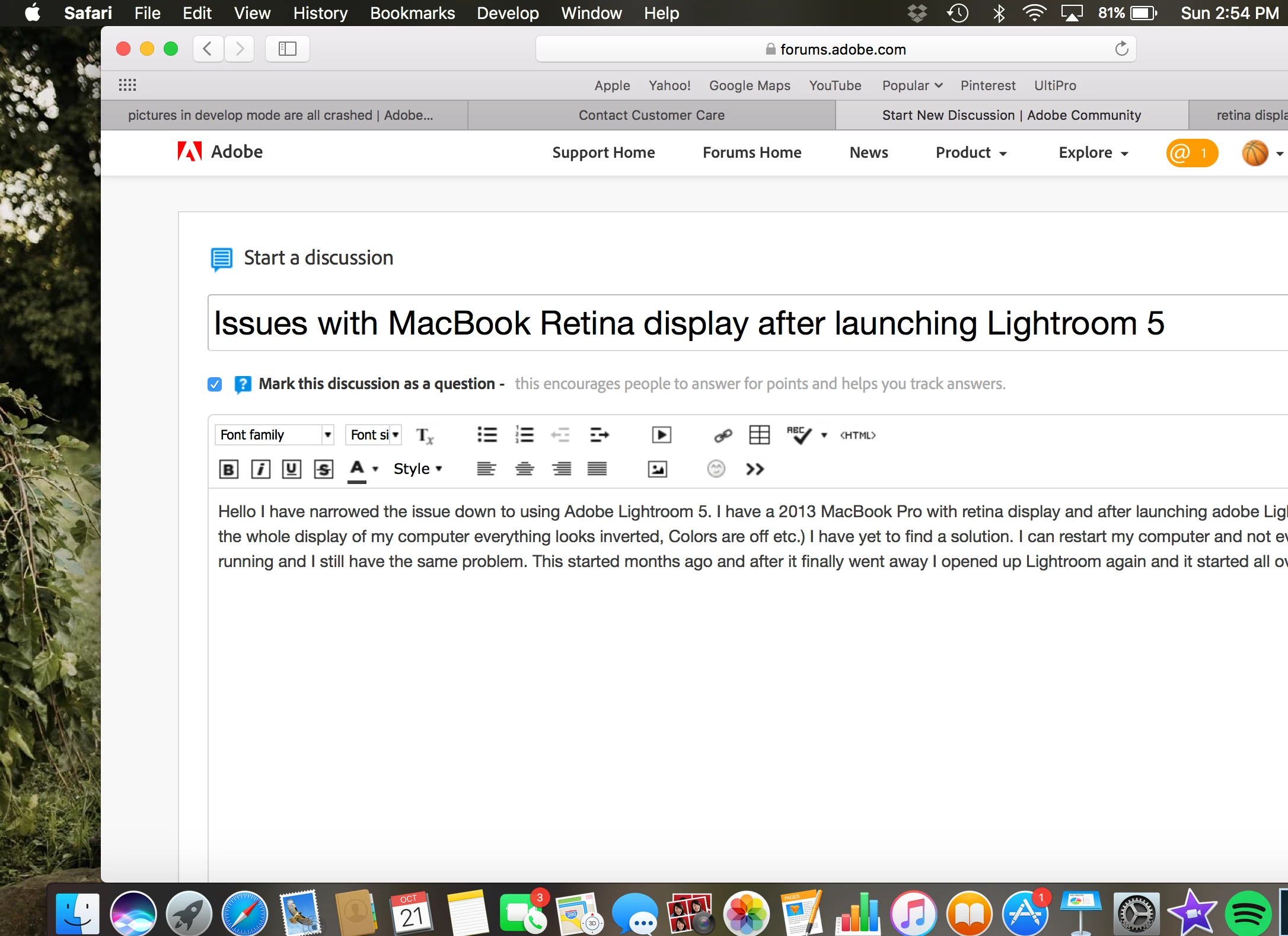
Hello I have narrowed the issue down to using Adobe Lightroom 5. I have a 2013 MacBook Pro with retina display and after launching adobe Lightroom It messes up the whole display of my computer everything looks inverted, Colors are off etc.) I have yet to find a solution. I can restart my computer and not even have Lightroom running and I still have the same problem. This started months ago and after it finally went away I opened up Lightroom again and it started all over.  Also added a screenshot.
This topic has been closed for replies.

2 replies

ericah71013387
Participant
October 21, 2018

Shoot I looked at this on my phone and it appears the screenshots are coming out normal on my phone. Here is a picture I just took form my phone so you can actually see what I see. If you look at the top bar where Lightroom is open lightroom options appear bold but the system options appear still there when they actually aren't. And the other photo is how I am seeing things currently very bright and distorted.

johnrellis
Legend
October 21, 2018

Perhaps you have a display profile that's corrupted.  See this article for how to test that quickly: https://www.lightroomqueen.com/how-do-i-change-my-monitor-profile-to-check-whether-its-corrupted/

johnrellis
Legend
October 21, 2018

What's the exact version of Mac OS you're running? (Apple menu > About This Mac)

ericah71013387
Participant
October 21, 2018

Just updated it but was having same issue with older version as well.

ericah71013387
Participant
October 21, 2018

See how it's lit up? I just don't understand it and adobe isn't even running.