
Keyword filtering error
Hey guys I have been using Lightroom for quite a long time and I have recently discovered what I think is a bug in the keyword filtering. I created a simple cata log to hopefully make this simple to explain. If you look at the image posted here:
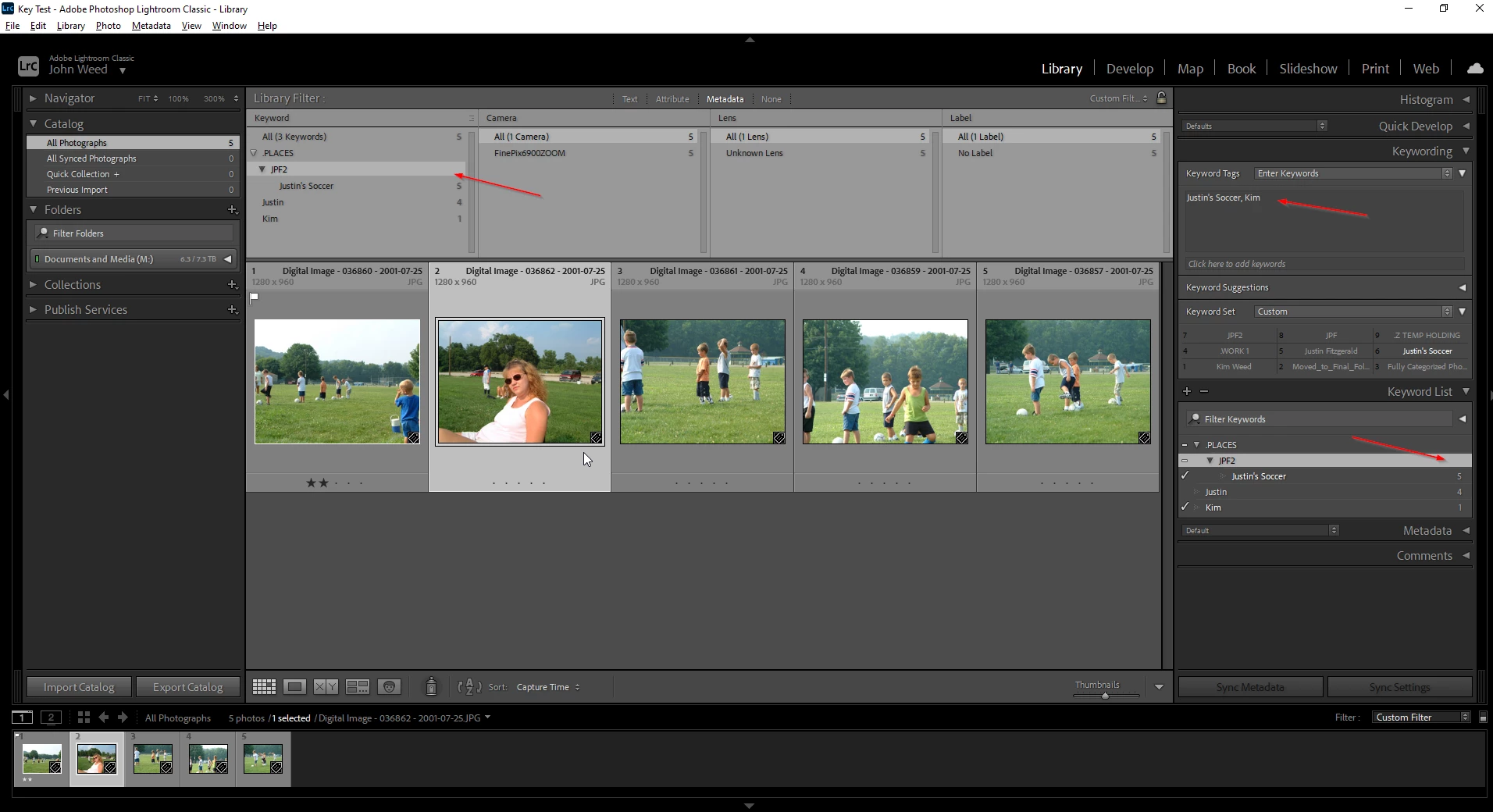
I have 5 photos from my kids soccer practice. I have keyworded the files using a nested hierarchy of keywords ".PLACES>JPF2>Justin's Soccer" You can see as an example, the selected photo only has 2 keywords on it, "Justin's Soccer" and "Kim". I have used the filtering option to select "JPF2", which should not reveal any photos, because no photo actually has that keyword set to it. Why am I seeing any photos in the filtered view. They should all be hidden at this time. I have noticed this error only has happened recently and only for new nested keyword groups I am creating. For my old keyword groups in my calatlog, this behavior works as it should. This issues is really making it hard to clean up my photo collections because the wrong photos are alsways being shown.
Hopefully someone else has seen this. My current version of LRC is 10.1.1
Thanks,
John
 AdChoices