Not behind my computer but Keywords & containing keywords is what I was referring to. That will show all keywords including their hierarchical structure. "will export" will not show synonyms that are set to never export so will not give you everything but might work in your case if you have not set any keywords to never export. Enter keywords only shows the keywords that you directly typed. It does not show synonyms and parental keywords for keywords in a hierarchy that are unique. For example if you had a keyword entered that said "Crater Lake < Oregon < USA" it would only list "Crater Lake" in the box but the image would still be found if you search for keywords containing USA. It would show the entire hierarchy only if you have multiple keywords called crater lake, for example if you also had one called "Crater Lake < Colorado < USA".
[This post contains formatting and embedded images that don't appear in email. View the post in your Web browser.]
To build on previous replies, the possibilities include:
1. An ancestor keyword of one of the assigned keywords contains the string "r4k", e.g. "bar4killing". You can quickly test that by changing Keyword Tags: to Keywords & Containing Keywords:
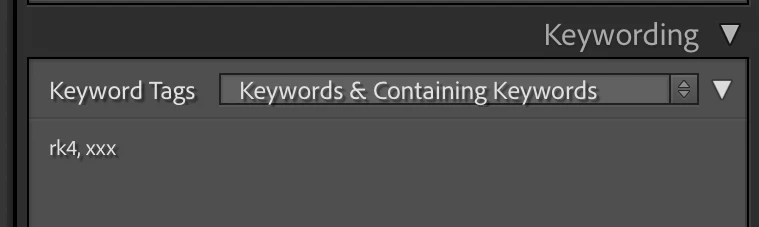
2. The string "r4k" is contained in a keyword synonym. The only way to check that is to do Metadata > Export Keywords, open the exported text file in Notepad, and search for "r4k".
3. The string "r4k" is in some other metadata field or a file or folder path, You can quickly check that by changing Any Searchable Field to Keywords:



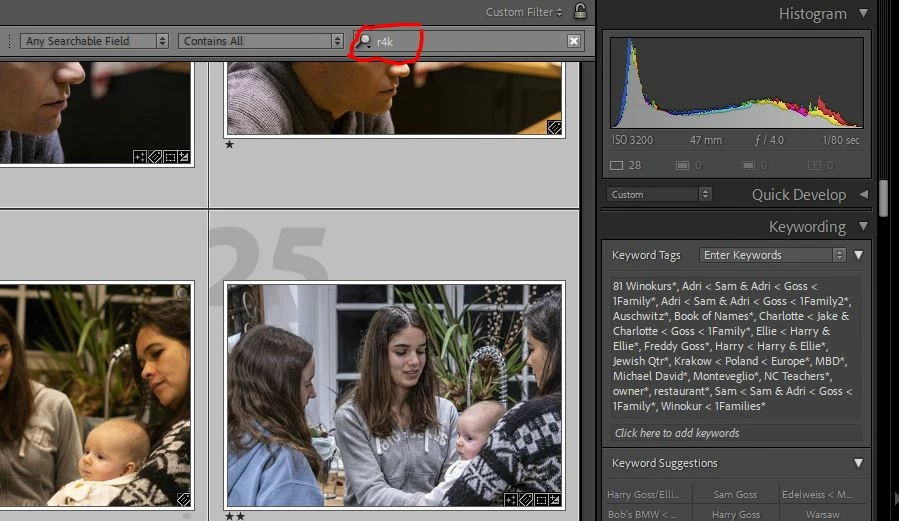 . A bunch on images came up as a result, but in the Keywords text box on the right side of the images, the particular keyword I'm searching for, isn't listed. How come and how do I fix that problem?
  AdChoices