
Inspiring
November 16, 2022
Answered

Keyword seach in LRC is not working at all

  • November 16, 2022
  • 2 replies
  • 420 views

I suspect I'm generating seaches correctly in LRC Library, but maybe I missed something? 
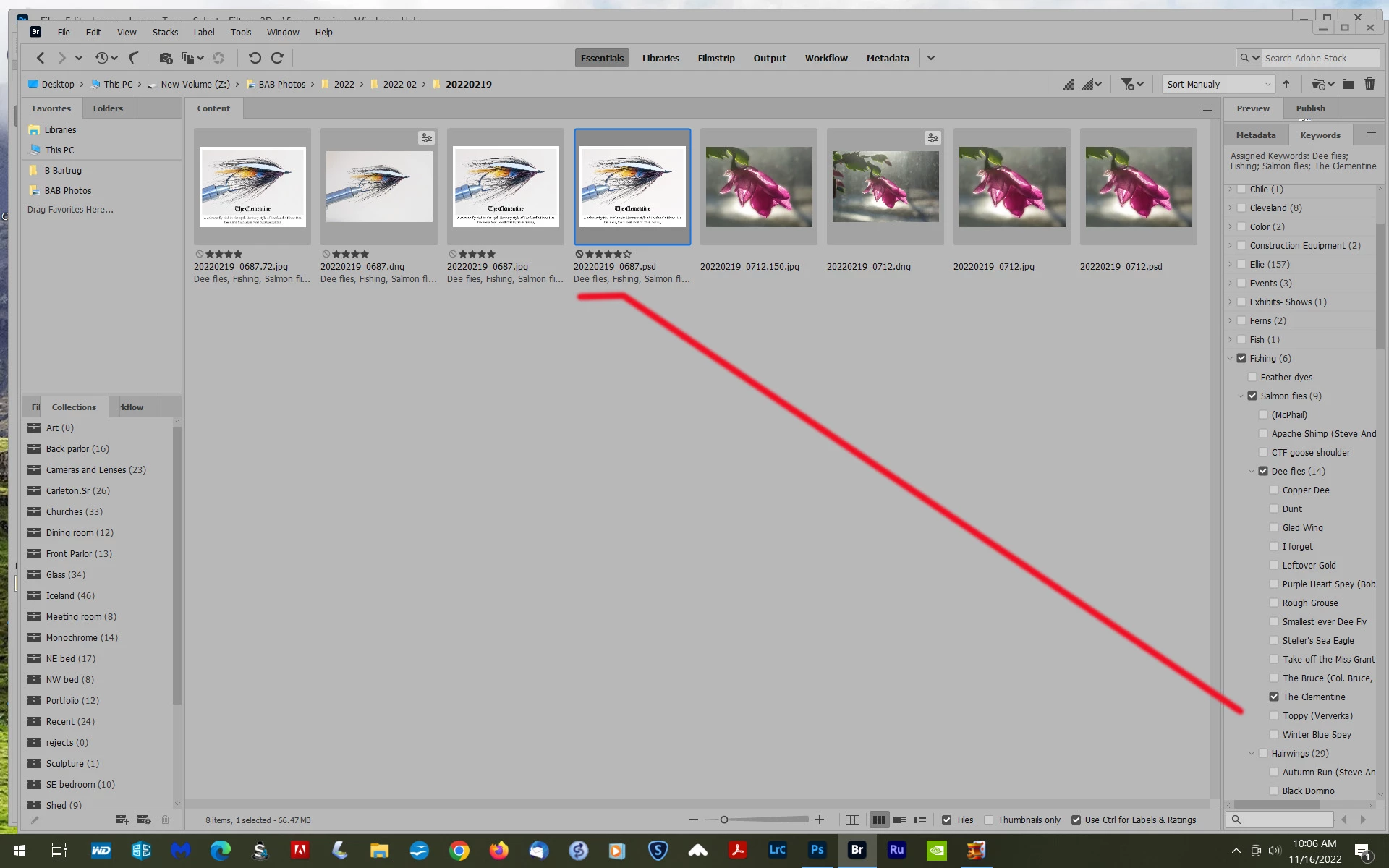
Clementine was my search word and one can see the photo(s) are so labeled in keywords.


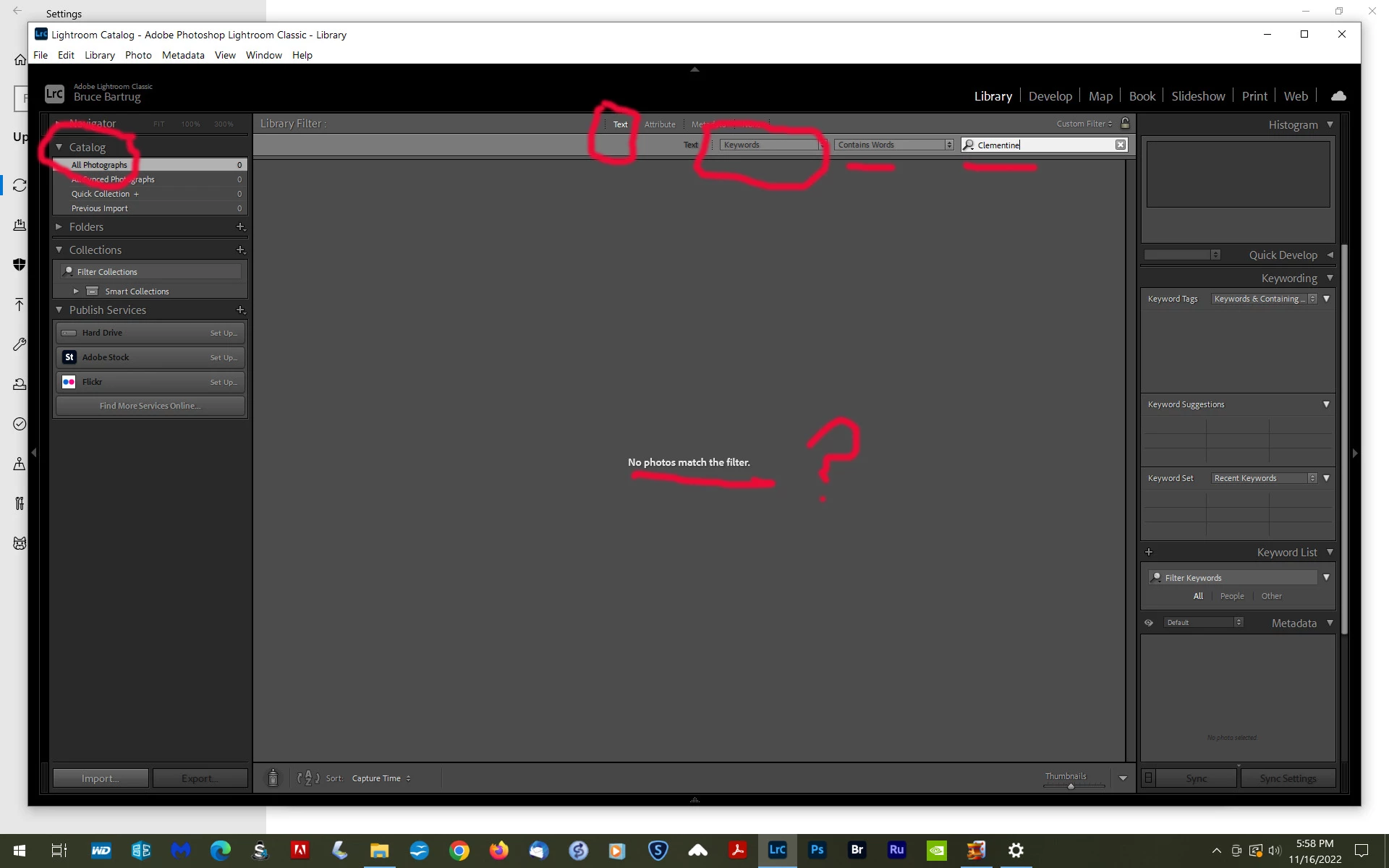
Here's the search screen in LRC.  Sorry for the dark background, haven't changed it yet.
 

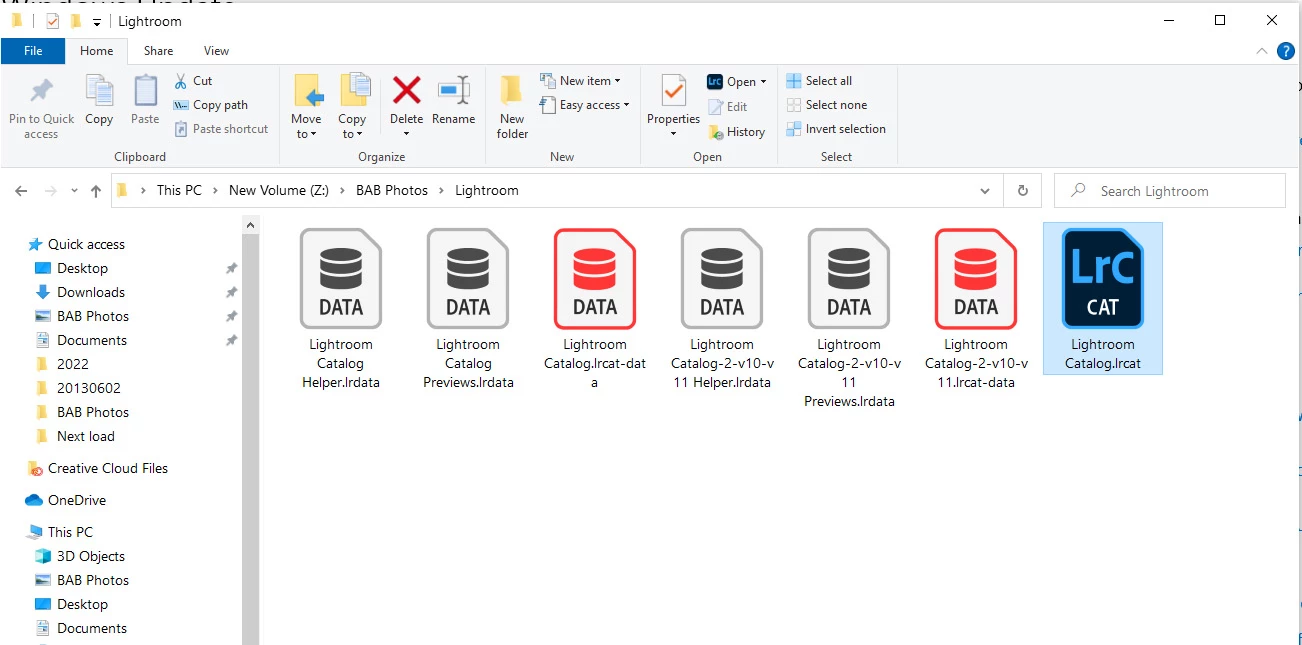
One potential problem is my LR catalogue which looks like this.....please indicate what I can do to delete or otherwise simplify this down to Cat 2 v.10 etc.  Have no idea how it got into this melange.
 

Another potential conflict is that I always add the photo's metadata to the image, so I can see any changes in both LR and Pshop.  I'm suspecting this maneuver just COPIES the metadata, not removing same form the Catalog?


No rush and thanks !!

This topic has been closed for replies.
Correct answer Jim Wilde

Unless I'm missing something, the basic problem is that there are zero photos in the catalog that you are trying to search in (so it's hardly surprising that the search returns nothing). Looking at the File Explorer screenshot, it seems that the catalog file you should be using will be named "Lightroom Catalog-2-v10-v11.lrcat", but that seems to be missing (the associated Previews, Helper, and lrcat-data sub-folders are present, but the catalog file is not). So you need to find that missing catalog, but if you can't - check the Recycle Bin as well - do you have a recent catalog backup?

2 replies

Jim Wilde
Community Expert
Jim WildeCommunity ExpertCorrect answer
Community Expert
November 17, 2022

Unless I'm missing something, the basic problem is that there are zero photos in the catalog that you are trying to search in (so it's hardly surprising that the search returns nothing). Looking at the File Explorer screenshot, it seems that the catalog file you should be using will be named "Lightroom Catalog-2-v10-v11.lrcat", but that seems to be missing (the associated Previews, Helper, and lrcat-data sub-folders are present, but the catalog file is not). So you need to find that missing catalog, but if you can't - check the Recycle Bin as well - do you have a recent catalog backup?

Rob_Cullen
Community Expert
Community Expert
November 17, 2022

Good catch @Jim Wilde . Now why didn't I see that?  No photos imported to the catalog!


Regards. My System: Windows-11, Lightroom-Classic 15.1.1, Photoshop 27.3.1, ACR 18.1.1, Lightroom 9.0, Lr-iOS 10.4.0, Bridge 16.0.2 .
Rob_Cullen
Community Expert
Community Expert
November 17, 2022

Do your keywording IN LIGHTROOM-CLASSIC.!

It is not ideal to use both Bridge and Lr-Classic  for metadata sharing.

If you add keywords in Bridge you have to "jump through hoops" to 'Read metadata from File' in LrC to be able to see the KWs applied in Bridge.

(And by 'reading metadata from File' you risk over-writing metadata that might have been added in LrC!)


Regards. My System: Windows-11, Lightroom-Classic 15.1.1, Photoshop 27.3.1, ACR 18.1.1, Lightroom 9.0, Lr-iOS 10.4.0, Bridge 16.0.2 .