
Participant
September 23, 2023
Answered

Labelling doesn't work on secondary display

  • September 23, 2023
  • 1 reply
  • 241 views

Hello!

I would like to report a bug.

I'm on Windows 11 and using Lightroom Classic.

I have a 31.5" 4K main display and a 25" 2560x1080 (21:9 ratio) ultrawide secondary display.

When I'm using Lightroom without a secondary window, in Library and in Grid view, when I select multiple photos and press Num6-9 to Label them, it labels all of them which is the expected and good behaviour.

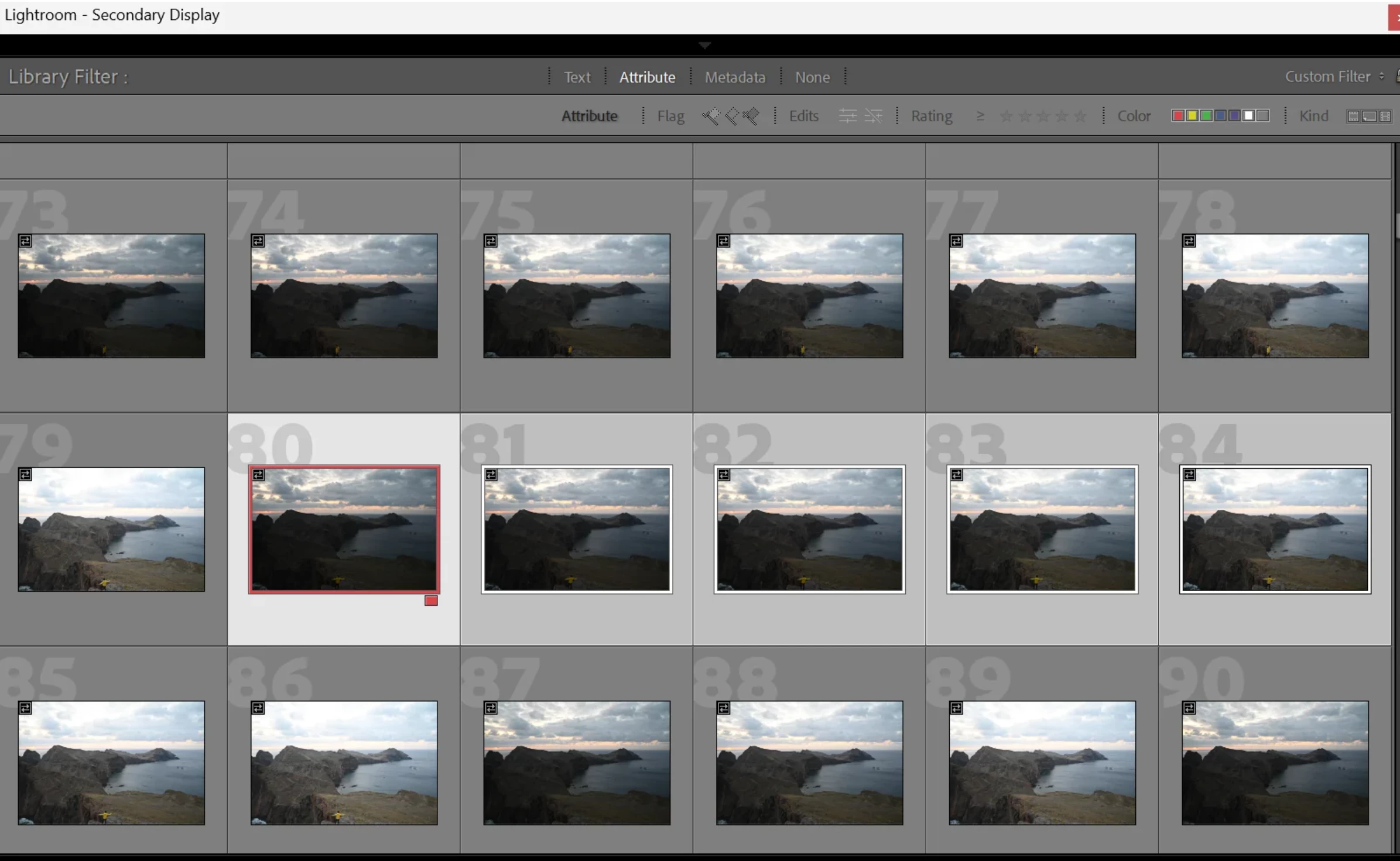
BUT, when I use Loupe view on my main display and using the secondary window (doesn't matter where it is), and on the secondary window I have the Grid view, then If I select multiple photos and press Num6-9 to Label them, it only labels the first clicked image, the other selected images won't get labelled.

Please fix this very frustrating bug.
 

This topic has been closed for replies.
Correct answer Ian Lyons

It's not a bug. When loupe is the 'active' view on single display setup, then only the first selected image can be labelled, rated, etc. When using a dual display setup, the secondary display is for viewing (i.e. it's not an active display). Therefore, if you want to apply labels, ratings, etc to multiple selected images you need to use the primary display (active display) for the Grid view and the secondary display for loupe view.

1 reply

Ian Lyons
Community Expert
Ian LyonsCommunity ExpertCorrect answer
Community Expert
September 23, 2023

It's not a bug. When loupe is the 'active' view on single display setup, then only the first selected image can be labelled, rated, etc. When using a dual display setup, the secondary display is for viewing (i.e. it's not an active display). Therefore, if you want to apply labels, ratings, etc to multiple selected images you need to use the primary display (active display) for the Grid view and the secondary display for loupe view.

Participant
September 23, 2023

Thanks for the info. Now I understand why it behaves like that, kind of strange, but I know it now at least, thanks.